Step outside the phone
27
Use a memory card
You can use an optional microSD memory card
to increase your phone’s memory capacity.
• Frequent erasing and
writing will shorten a card’s
lifespan.
• Do not remove a card from
the phone or turn off the
phone while data is being
accessed or transferred.
This could result in loss of
data and/or damage to the
card or phone.
• Do not subject cards to
strong shocks.
• Do not touch card terminals
with your fingers or metal
objects. If dirty, wipe the
card with a soft cloth.
Important
memory card
information
• Keep cards away from small
children or pets.
• Do not expose cards in a
place subject to
electro-static discharge
and/or electrical noise.
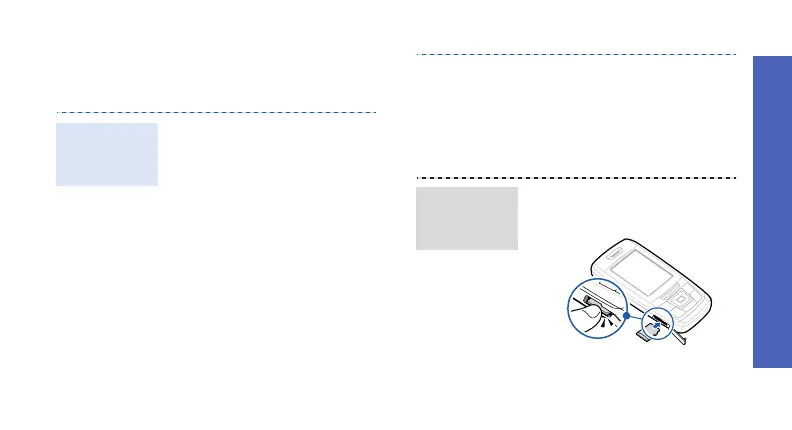
1. Slide the card into the card
slot, with the label side face
up.
2. Press the card until it locks
into place.
Insert a
memory
card



 To Next Page