85
4. Turn the camera power on.
The [Found New Hardware Wizard]
will open and the computer will
recognise the camera.
Ä
If your OS is Windows XP/ Vista, an image viewer program will
open.
3. After restarting the computer, connect the PC to the camera with
the USB cable.
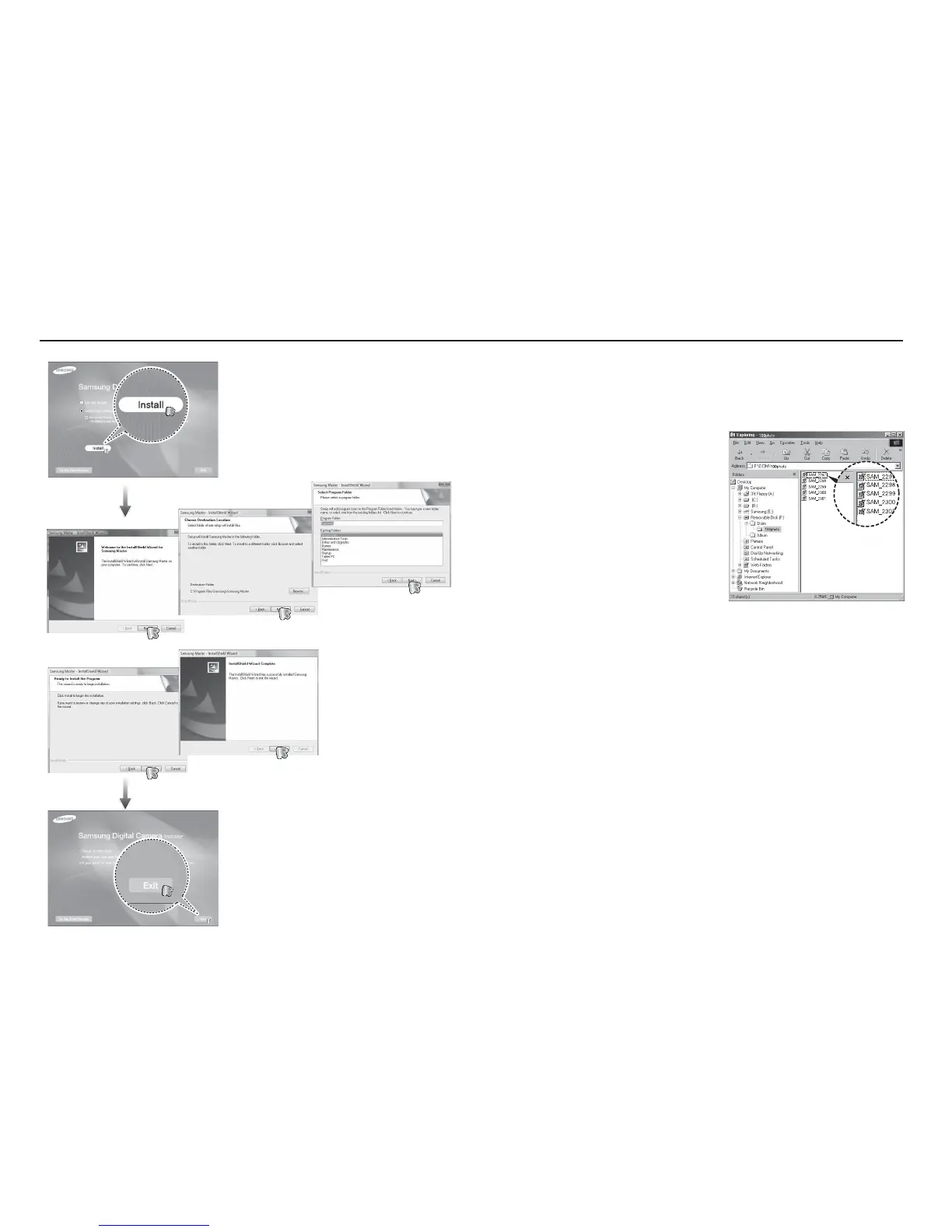
Setting up the application software



 To Next Page