EasyManua.ls Logo

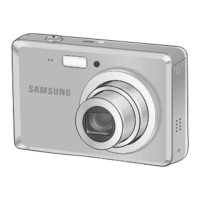
Samsung SL720 - User Manual

Samsung SL720
96 pages
Print Icon
To Next Page IconTo Next Page
Loading...
This user manual includes detailed usage
instructions for your camera. Please read
this manual thoroughly.
Quick reference
Contents
Basic functions
Extended functions
Shooting options
Playback/Editing
Appendixes
Index
User Manual
SL720
Ä Click a topic

Table of Contents

Other manuals for Samsung SL720

Questions and Answers

  • E
    Elizabeth SmithJul 30, 2025
    What to do if my Samsung Digital Camera won't turn on?
    • R
      Rebecca GomezJul 30, 2025
      If your Samsung Digital Camera won't turn on, first ensure that the battery is inserted correctly. If it is, ensure that the battery is inserted. If it still doesn't turn on, try charging the battery.
  • J
    jessicalewisAug 3, 2025
    Why does my Samsung SL720 lose battery power so quickly?
    • H
      huffmanheidiAug 4, 2025
      Your Samsung Digital Camera might be losing battery quickly due to several reasons: low temperatures (below 0° C), which can be solved by keeping the battery warm, for example, in your pocket. Also, using the flash or recording videos drains the battery fast, so recharge it when needed. Finally, batteries are consumable and need replacement over time. If the battery life diminishes quickly, consider getting a new one.
  • D
    Dr. Amy Gonzales PhDAug 9, 2025
    Why does the flash fire unexpectedly on my Samsung SL720?
    • B
      Barry GarciaAug 9, 2025
      The flash on your Samsung Digital Camera may fire unexpectedly due to static electricity. This is not a malfunction of the camera.
  • W
    waveryAug 13, 2025
    What to do if my Samsung SL720 cannot take photos?
    • D
      Darlene WilsonAug 13, 2025
      If your Samsung Digital Camera cannot take photos, consider the following: * Check if there is space on the memory card. If it is full, delete unnecessary files or insert a new card. * The memory card may be defective, so try a new one. * If the memory card is locked, unlock it. * Make sure the camera is switched on and the battery is inserted correctly and charged.
  • M
    Madison DanielAug 18, 2025
    Why does my Samsung SL720 power off suddenly?
    • M
      Maria SolisAug 18, 2025
      Your Samsung Digital Camera may be turning off suddenly because the battery needs charging. Alternatively, your camera may be in Power save mode. The camera may also turn off to prevent the memory card from being damaged due to an impact; in this case, turn your camera on again.
  • G
    grahamjeffreyAug 23, 2025
    What to do if my Samsung SL720 freezes?
    • L
      lleeAug 23, 2025
      If your Samsung Digital Camera freezes, remove the battery and insert it again.

Summary

Health and safety information

Safety warnings

General warnings about potential hazards and precautions for safe camera operation.

Protect batteries, chargers, and memory cards from damage

Advice on protecting batteries, chargers, and memory cards from extreme temperatures and physical damage.

Use only Samsung-approved accessories

Importance of using genuine Samsung accessories to avoid damage or warranty issues.

Prevent damage to subjects eyesight

Instructions to avoid eye damage from camera flash, especially to people or animals.

Handle and dispose of batteries and chargers with care

Guidelines for safe handling and disposal of batteries and chargers to prevent damage or injury.

Allow only qualified personnel to service your camera

Warning against unauthorized servicing to maintain warranty and prevent damage.

Handle and store your camera carefully and sensibly

Precautions for handling and storing the camera to prevent damage from moisture or physical impact.

Quick reference

Basic functions

Turning your camera on or off

Step-by-step guide on how to power the camera on and off for operation.

Selecting options

Detailed steps for navigating menus, selecting options, and confirming settings on the camera.

Taking photos

Basic instructions for capturing photos using the camera's Auto mode.

Extended functions

Shooting modes

Explores various shooting modes to optimize photo capture based on different scenarios.

Recording a video

Instructions for recording high-definition videos, including settings and playback.

Shooting options

Playback;Editing

Playing back

How to view, navigate, and manage photos, videos, and voice memos stored on the camera.

Transferring files to your computer for Mac users

Instructions for transferring files from the camera to a Macintosh computer without software installation.

Editing a photo

Performing basic photo editing tasks like resizing and rotating images.

Transferring files to your computer

Steps for connecting the camera to a PC and transferring photos and videos.

Appendixes

Error messages

Common error messages and their suggested remedies for troubleshooting camera issues.

Camera maintenance

Procedures for maintaining the camera, including cleaning lenses, displays, and the body.

Samsung SL720 Specifications

General IconGeneral
BrandSamsung
ModelSL720
CategoryDigital Camera
LanguageEnglish

Related product manuals