Playback/Editing
52
Playing back
Learn actions to play back photos, videos, or voice memos, and managing files.
Icon Description
Photo includes a voice memo
Video file
Print order has been set (DPOF)
Protected file
Photo includes a registered face; Available only when you
use a memory card
Folder name – File name
Registering faces
You can register faces in your photos to classify them by faces
in Smart Album. This feature is available only when you use a
memory card.
In Playback mode, select a photo and press [
1
m
].
Select
2
File Options Face Registration Yes.
If there are multiple faces in the photo, select a face to t
register, press [Fn], and select Ye s .
Select
3
Yes.
You can register up to 3 faces.t
If you register a new face when there are 3 faces manually registered t
in Smart Album, the camera will replace the oldest face with the new
one.
Starting Playback mode
View photos or play videos and voice memos stored in your
camera.
Press [
1
P
].
The most recent file you have taken or recorded will be t
displayed.
If the camera is off, it will turn on.t
Press [
2
F
] or [
t
] to scroll through files.
Press and hold [t
F
] or [
t
] to view files quickly.
If you want to view files stored in the internal memory, remove your memory
card.
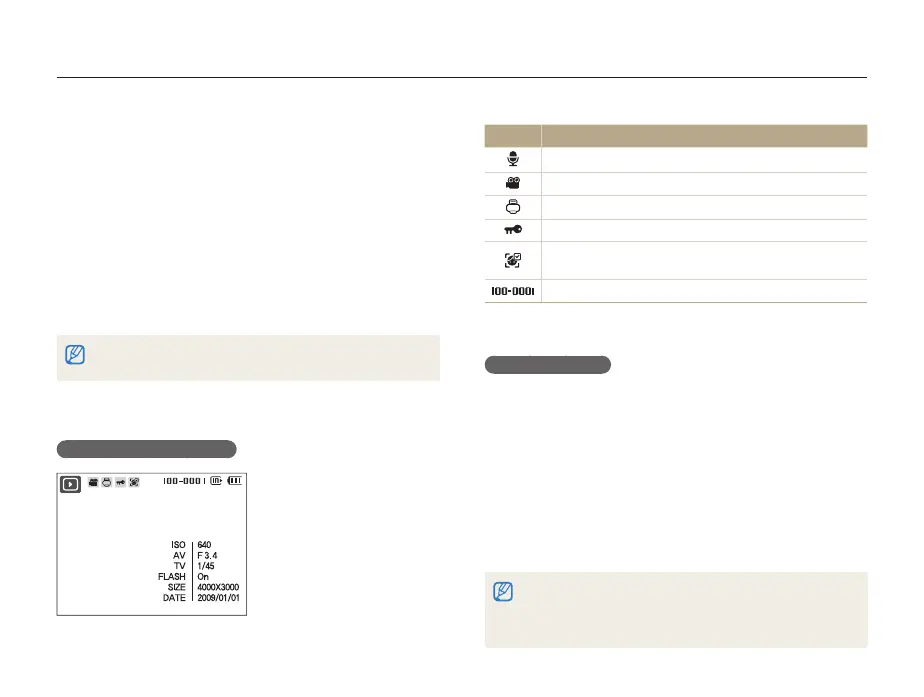
Display in Playback mode



 To Next Page