Need help?
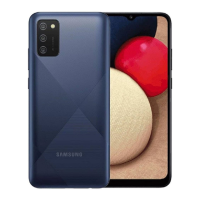
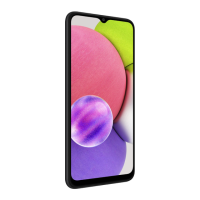
Do you have a question about the Samsung SM-A037M and is the answer not in the manual?
Details the physical buttons, ports, and components of the device.
Provides instructions for charging the device and essential precautions.
Guide to making calls, managing contacts, speed dial, and blocking numbers.
Instructions for taking photos and videos, camera modes, and settings.
Managing device security, app permissions, and privacy settings.
Important guidelines and warnings for safe and proper device operation.
Addressing issues when the device gets hot during charging or use.
Solutions for common device problems, error messages, and connectivity.
 General
| Model | SM-A037M |
|---|---|
| Network Technology | GSM / HSPA / LTE |
| Dimensions | 164.2 x 75.9 x 9.1 mm (6.46 x 2.99 x 0.36 in) |
| Weight | 196 g (6.91 oz) |
| Build | Glass front, plastic back, plastic frame |
| SIM | Single SIM (Nano-SIM) or Dual SIM (Nano-SIM, dual stand-by) |
| Display Type | PLS LCD |
| Display Size | 6.5 inches, 102.0 cm2 (~81.8% screen-to-body ratio) |
| Display Resolution | 720 x 1600 pixels, 20:9 ratio (~270 ppi density) |
| Chipset | Mediatek MT6765 Helio P35 (12nm) |
| CPU | Octa-core (4x2.35 GHz Cortex-A53 & 4x1.8 GHz Cortex-A53) |
| GPU | PowerVR GE8320 |
| Main Camera Features | LED flash, panorama, HDR |
| Main Camera Video | 1080p@30fps |
| Selfie Camera | 5 MP, f/2.2 |
| Loudspeaker | Yes |
| 3.5mm jack | Yes |
| WLAN | Wi-Fi 802.11 b/g/n, Wi-Fi Direct, hotspot |
| Bluetooth | 5.0, A2DP, LE |
| GPS | Yes, with A-GPS, GLONASS, GALILEO, BDS |
| USB | USB Type-C 2.0 |
| Sensors | Accelerometer, proximity |
| Battery Type | Li-Po 5000 mAh, non-removable |
| Charging | Fast charging 15W |
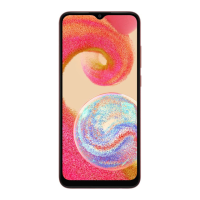
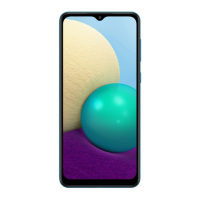
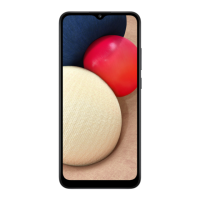
| Colors | Black, Blue, Red |
| OS | Android 11, One UI Core 3.1 |
| Internal Memory | 32GB 3GB RAM, 64GB 4GB RAM |
| Models | SM-A037F, SM-A037M |
| Main Camera | 13 MP, f/2.2, (wide), AF |

 To Next Page