
 Need help?
Do you have a question about the Samsung SM-A042F and is the answer not in the manual?
Instructions on how to charge the device and tips for battery conservation.
Guide for inserting and managing SIM or USIM cards, including dual SIM functionality.
Procedures for powering the device on, off, and performing a forced restart.
Instructions for downloading apps from Galaxy Store and Play Store, and managing app installations.
Taking pictures, using different modes like Photo, Video, Portrait, and Pro mode.
Using Smart Switch to transfer data wirelessly or via computer from an old device.
Signing into and managing your Samsung account on the device.
Configuring various wireless connections like Wi-Fi, Bluetooth, and mobile networks.
Managing device security, privacy settings, and app permissions.
Syncing, backing up, and restoring device data using cloud services and Smart Switch.
Identifying causes of device overheating and recommended actions to resolve them.
Solutions for common device issues, including lock codes, network errors, and power problems.
 General
| Display | 6.5 inches, PLS LCD |
|---|---|
| Resolution | 720 x 1600 pixels |
| Expandable Storage | microSDXC (dedicated slot) |
| Front Camera | 5 MP, f/2.2 |
| Operating System | Android 12, One UI Core 4.1 |
| Network Technology | GSM / HSPA / LTE |
| Build | Glass front, plastic back, plastic frame |
| SIM | Dual SIM (Nano-SIM, dual stand-by) |
| GPU | PowerVR GE8320 |
| Loudspeaker | Yes |
| 3.5mm jack | Yes |
| WLAN | Wi-Fi 802.11 b/g/n, Wi-Fi Direct |
| Bluetooth | 5.0, A2DP, LE |
| Positioning | GPS, GLONASS, GALILEO, BDS |
| USB | USB Type-C 2.0 |
| Sensors | Accelerometer, proximity |
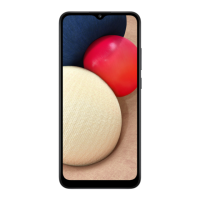
| Model | Samsung SM-A042F |
| RAM | 3GB |
| Storage | 32GB |
| Main Camera | 13 MP, f/2.2, (wide), AF |
| Battery | 5000 mAh |
| Launch Date | October 2022 |
| Dimensions | 164.2 x 75.9 x 9.1 mm |
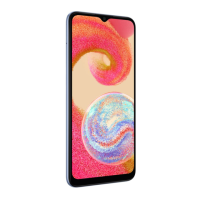
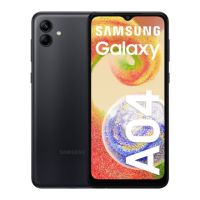
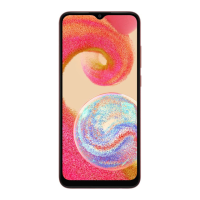
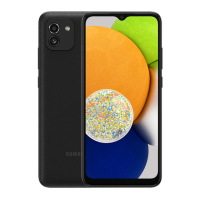
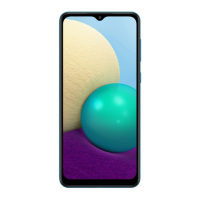
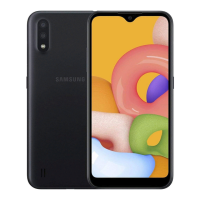
| Colors | Black, Blue |
| Weight | 188 g (6.63 oz) |


 To Next Page