
 Need help?
Do you have a question about the Samsung SM-A226B/DSN and is the answer not in the manual?
Lists the items supplied with the device, such as USB cable and power adapter.
Identifies key external parts of the device, including cameras, ports, and buttons.
Step-by-step guide for inserting nano-SIM cards into the device tray.
Instructions for proper disposal of the product and its batteries according to markings.
Crucial warnings to prevent incidents like fires, explosions, and injuries.
Provides SAR values for head, hot spot, and body-worn modes.
Advises against self-removal and details safety risks associated with battery handling.
Details FCC Part 15 regulations, operational conditions, and general notices.
Explains RF exposure compliance for body-worn operation and device positioning.
Covers Class B digital device compliance and user warnings on modifications.
Procedures for restarting the device and tips for preventing screen issues.
Recommendations for safe headset usage to prevent hearing damage.
Confirms adherence to essential requirements of EU Directive 2014/53/EU.
This document serves as a Quick Start Guide for the Samsung SM-A226B/DSN device, providing essential information for its initial setup, safe operation, and maintenance. It covers the package contents, device layout, SIM card installation, and important safety and regulatory information.
The package includes the Samsung device itself, a USB cable for connectivity and charging, an ejection pin for accessing the SIM/memory card tray, and a USB power adaptor. A Quick Start Guide, which you are currently reading, is also provided. It's important to note that the specific items and their appearance may vary by region. For comprehensive device information, including the user manual, users are encouraged to visit www.samsung.com, though additional charges may apply for internet access.
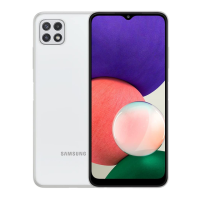
The device features a clear layout designed for intuitive use. The front camera is positioned at the top of the display. On the side, there is a SIM card/memory card tray, which can accommodate two Nano-SIM cards and a memory card. The volume keys are located on one side, allowing users to adjust audio levels. Below the volume keys is the Side key, which is used to turn the device on or off by pressing and holding it for a few seconds. At the bottom of the device, there is a multipurpose jack (USB Type-C) for charging and data transfer. The rear camera is located on the back of the device.
Nano-SIM cards are sold separately and are essential for cellular connectivity. To install them, use the provided ejection pin to open the SIM card tray. The tray is designed to hold two Nano-SIM cards, labeled Nano-SIM card 1 and Nano-SIM card 2. Carefully place the SIM cards into their respective slots on the tray and then reinsert the tray into the device.
For charging, the device uses the included USB cable and USB power adaptor. It is crucial to ensure that the charger remains close to an electric socket and is easily accessible while charging to prevent any inconvenience or safety hazards.
Before using the device, it is imperative to read all safety information to ensure safe and proper use. More detailed safety information can be found in the safety information menu within the device's Settings app.
General Safety Warnings: To prevent incidents such as fires, explosions, injuries, or device damage, several warnings must be followed:
For safety reasons, users should not attempt to remove the battery themselves. If battery removal is necessary, contact an authorized service center. Improper battery removal can lead to damage to the battery and device, cause personal injury, and/or render the device unsafe. Samsung disclaims liability for any damage or loss resulting from failure to follow these warnings and instructions, except for death or personal injury caused by Samsung's negligence. Instructions for battery removal for service purposes can be found at www.samsung.com/global/ecodesign_energy.
The device and its electronic accessories (e.g., charger, headset, USB cable) should not be disposed of with other household waste. This is indicated by a specific marking on the product, accessories, or literature. Similarly, batteries in this product should not be disposed of with other household waste, as indicated by a marking on the battery, manual, or packaging. Proper disposal methods should be followed to protect the environment.
The device complies with regulatory standards for RF exposure. Maximum SAR (Specific Absorption Rate) values for this model are provided: Head SAR is 0.69 W/kg, Hot spot SAR is 1.01 W/kg, and Body-worn SAR is 0.79 W/kg. Body-worn SAR testing is conducted at a separation distance of 1.5 cm. To meet RF exposure guidelines during body-worn operation, the device should be positioned at least this distance away from the body. For SAR values specific to your model and region, visit www.samsung.com/sar.
Any device using Bluetooth or Wi-Fi is subject to FCC Part 15 regulations. Devices with a power supply are also covered by Part 15, including intentional and unintentional radiators. Users are cautioned that changes or modifications not expressly approved by Samsung could void their authority to operate the device. The device complies with Part 15 of the FCC Rules, meaning it will not cause harmful interference and must accept any interference received.
This equipment has been tested and found to comply with Class B digital device limits, designed to provide reasonable protection against harmful interference in a residential installation. If the equipment causes harmful interference to radio or television reception, users are encouraged to try corrective measures such as reorienting the receiving antenna, increasing separation between equipment and receiver, connecting the equipment to a different circuit, or consulting a dealer/radio/TV technician.
The device may cause TV or radio interference if used in close proximity to receiving equipment. The FCC may require users to stop using the mobile device if such interference cannot be eliminated.
For information on Samsung's environmental commitments and product regulatory obligations, including REACH, WEEE (Waste Electrical and Electronic Equipment), and Batteries, users can visit the sustainability page on www.samsung.com.
It is recommended not to use fixed graphics on part or all of the touchscreen for extended periods. Doing so may result in afterimages (screen burn-in) or ghosting on the display.
To prevent possible hearing damage when using a headset, do not listen to sound at high volume for long periods.
The use of the WLAN band is restricted to indoor use only in certain countries. A table is provided listing the countries where this restriction applies, including AT, BE, BG, CH, CY, CZ, DE, DK, EE, ES, EL, FI, FR, HR, HU, IE, IS, IT, LI, LT, LU, LV, MT, NL, NO, PL, PT, RO, SE, SI, SK, TR, and UK(NI).
If the device becomes frozen and unresponsive, users can perform a forced restart by pressing and holding the Side key and the Volume Down key simultaneously for more than 7 seconds.
Samsung declares that this device complies with the essential requirements and relevant provisions of Directive 2014/53/EU. The full Declaration of Conformity can be viewed at www.samsung.com/mobile_doc.
Some content may differ depending on the region, service provider, or software version, and is subject to change without prior notice. All content is copyrighted © 2020 Samsung Electronics Co., Ltd.
 General
| Model | SM-A226B/DSN |
|---|---|
| Category | Cell Phone |
| Network Technology | GSM / HSPA / LTE |
| Weight | 203 g (7.16 oz) |
| SIM | Single SIM (Nano-SIM) or Dual SIM (Nano-SIM, dual stand-by) |
| Display Type | PLS LCD |
| Chipset | Exynos 850 (8nm) |
| GPU | Mali-G52 |
| Internal Memory | 64GB 4GB RAM, 128GB 4GB RAM, 128GB 6GB RAM |
| Main Camera | 2 MP, f/2.4, (depth) |
| Main Camera Video | 1080p@30fps |
| Selfie Camera Video | 1080p@30fps |
| Loudspeaker | Yes |
| 3.5mm jack | Yes |
| WLAN | Wi-Fi 802.11 a/b/g/n/ac, dual-band, Wi-Fi Direct, hotspot |
| Bluetooth | 5.0, A2DP, LE |
| GPS | Yes, with A-GPS, GLONASS, GALILEO, BDS |
| NFC | Yes (market/region dependent) |
| USB | USB Type-C 2.0 |
| Sensors | Fingerprint (side-mounted), accelerometer, gyro, proximity, compass |
| Battery | Li-Po 5000 mAh, non-removable |
| Main Camera Features | LED flash, panorama, HDR |
| Status | Available |
| Build | Glass front, plastic back, plastic frame |
| Display Size | 6.5 inches |
| Display Resolution | 720 x 1600 pixels |
| OS | Android 11 |
| Selfie Camera | 13 MP |
| Charging | Fast charging 15W |
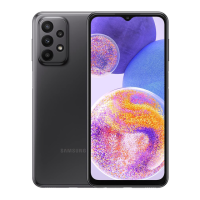
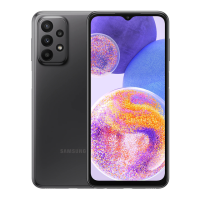
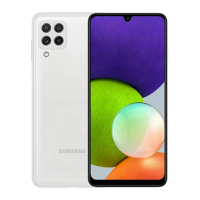
| Colors | Black, White, Blue |



 To Next Page