
 Need help?
Do you have a question about the Samsung SM-A256E/N and is the answer not in the manual?
Identifies external buttons, ports, sensors, and main components of the device.
Instructions on how to charge the device using wired and quick charging methods.
Guide for inserting and managing Nano-SIM and dual SIM card configurations.
Instructions for inserting, removing, and formatting a microSD card for storage expansion.
Procedures for powering the device on, off, and performing a forced restart.
Steps for setting up the device for the first time, including account creation.
Methods for transferring data from a previous device using Smart Switch via USB or wirelessly.
Explains basic touch screen gestures like tapping, dragging, swiping, and pinching.
Explains the device's main interface: Home screen and Apps screen layouts.
Covers setting up and changing screen lock methods for device security.
Describes how to access and use the notification panel for alerts and quick settings.
Guides on how to take screenshots and record the device screen.
Procedures for downloading, installing, and removing applications from the device.
Guides on making and receiving calls, managing contacts, and call settings.
Instructions for creating, importing, syncing, and managing contact information.
Covers sending, checking, sorting, and managing text messages.
Details on taking pictures, recording videos, and using various camera modes and settings.
Explains how to view, edit, and manage photos and videos stored on the device.
Introduces Augmented Reality features like AR Emoji Studio and AR Doodle.
Describes Bixby Vision's image recognition features for translation and text extraction.
Instructions on using split screen and pop-up view for multitasking with apps.
Guides on browsing the web, bookmarking, and using Secret mode for privacy.
Information on tracking fitness goals, wellness, and health activity.
How to create, edit, and manage notes with text, handwriting, or drawings.
Information on managing games, performance modes, and Game Booster.
Control and manage smart appliances and IoT devices.
Connecting the device to a Windows computer for data access and notifications.
Configure network settings for Wi-Fi, Bluetooth, NFC, and mobile data.
Adjusting volume, ringtones, notification sounds, and vibration settings.
Customizing app notifications, pop-up styles, and Do Not Disturb settings.
Adjusting screen brightness, dark mode, motion smoothness, and eye comfort shield.
Monitoring battery status, power saving, charging settings, and usage limits.
Configuring screen lock types, widgets, and Always On Display features.
Managing device security, app permissions, biometrics, and privacy settings.
Managing location services, app permissions, and recent access history.
Setting up emergency contacts, SOS, and sharing features for safety.
Syncing accounts, backing up data to Samsung Cloud, and using Google Drive.
Enabling and configuring advanced device functions like gestures and multi-window.
Overview of device status (battery, storage, security) and optimization tools.
System configuration for language, keyboard, date/time, and resets.
Features to improve device usability for users with impairments.
Instructions for updating device software and checking security updates.
General safety guidelines and important precautions for proper device operation.
Guidelines for using the device in various environmental conditions to prevent damage.
Identifying causes of device overheating and recommended solutions.
Warnings and steps to take if the device overheats to prevent damage.
Solutions for common device issues like password prompts, network errors, and power problems.
Troubleshooting steps for unresponsive or slow touch screen performance.
Methods to resolve device freezes, hangs, or critical errors.
Solutions for issues related to call connection, microphone, and audio quality.
Steps to address problems with the device battery not charging correctly.
Troubleshooting steps for camera app errors due to storage or battery issues.
Resolving issues with Bluetooth connectivity and performance problems.
Information regarding the device's compatibility with hearing aids and FCC regulations.
Lists registered trademarks and intellectual property information for the device and software.
 General
| Screen Size | 6.5 inches |
|---|---|
| Wi-Fi | Wi-Fi 802.11 a/b/g/n/ac, dual-band, Wi-Fi Direct |
| SIM | Single SIM (Nano-SIM) or Dual SIM (Nano-SIM, dual stand-by) |
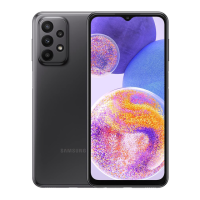
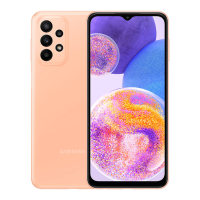
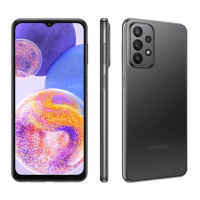
| Model | SM-A256E/N |
| Expandable Storage | microSDXC (dedicated slot) |
| Battery | 5000 mAh |
| Network | GSM / HSPA / LTE |
| Bluetooth | 5. A2DP, LE |
| USB | USB Type-C 2.0 |
| Sensors | Accelerometer, compass |
| Colors | Black, Blue |
| Rear Camera | 50 MP (wide) |
| CPU | Octa-core |


 To Next Page