EasyManua.ls Logo

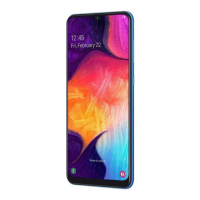
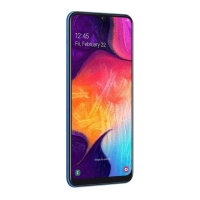
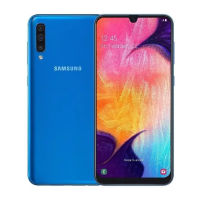
Samsung SM-A507FN - User Manual

Samsung SM-A507FN
107 pages
Print Icon
To Next Page IconTo Next Page
Loading...
SM-A507FN/A5070
Common
Mobile Device
CONTENTS
1. Safety Precautions
2. Specification
3. Product Function
4. Exploded View and Parts list
5. MAIN Electrical Parts List
6. Level 1 Repair
7. Level 2 Repair
8. Level 3 Repair
9. Reference Abbreviation
4.
2
Notice: All functionality, features, specifications,
and other product information provided in this
document, including but not limited to, benefits,
design, pricing, components, performance,
availability, and capabiliti-es of the product are
subject to change without notice. Samsung
reserves the right to alter this doc-ument or the
product described herein at anytime, without
obligation to provide notification of such
changes.
Question and Answer IconNeed help?

Do you have a question about the Samsung SM-A507FN and is the answer not in the manual?

Summary

Safety Precautions

Repair Precaution

Guidelines for safe repair practices, including tool usage and static discharge prevention.

ESD Precautions

Measures to protect electronic components from static discharge during handling and repair.

Specification

GSM General Specification

Technical specifications for GSM network operation, including frequency bands and modulation.

GSM Tx Power Class

Details on transmit power classes for different GSM bands.

WCDMA General Specification

Technical specifications for WCDMA network operation, covering frequency bands and data rates.

LTE General Specification

Technical specifications for LTE network operation, including band support and channel bandwidths.

Level 1 Repair

S;W Update

Procedure for updating the device's software using Fenrir program.

Level 3 Repair

Flow chart of Troubleshooting

Diagnostic flowcharts for troubleshooting common hardware issues.

Power On Troubleshooting

Flowchart for diagnosing and resolving power-on issues.

No Service Troubleshooting

Flowchart for diagnosing and resolving 'No Service' network issues.

Cable Charging Part Troubleshooting

Flowchart for diagnosing and resolving issues with the charging port and battery.

LTE PRx Troubleshooting

Troubleshooting receiver path issues for LTE bands B7/38/40/41.

GSM;WCDMA;LTE PRx Troubleshooting

Troubleshooting receiver path issues for GSM, WCDMA, and LTE bands B1/2/3.

LTE DRx Troubleshooting

Troubleshooting diversity receiver issues for LTE bands B7/38/40/41.

GSM;WCDMA;LTE DRx Troubleshooting

Troubleshooting diversity receiver issues for GSM, WCDMA, and LTE bands B1/2/3.

Summary

Safety Precautions

Repair Precaution

Guidelines for safe repair practices, including tool usage and static discharge prevention.

ESD Precautions

Measures to protect electronic components from static discharge during handling and repair.

Specification

GSM General Specification

Technical specifications for GSM network operation, including frequency bands and modulation.

GSM Tx Power Class

Details on transmit power classes for different GSM bands.

WCDMA General Specification

Technical specifications for WCDMA network operation, covering frequency bands and data rates.

LTE General Specification

Technical specifications for LTE network operation, including band support and channel bandwidths.

Level 1 Repair

S;W Update

Procedure for updating the device's software using Fenrir program.

Level 3 Repair

Flow chart of Troubleshooting

Diagnostic flowcharts for troubleshooting common hardware issues.

Power On Troubleshooting

Flowchart for diagnosing and resolving power-on issues.

No Service Troubleshooting

Flowchart for diagnosing and resolving 'No Service' network issues.

Cable Charging Part Troubleshooting

Flowchart for diagnosing and resolving issues with the charging port and battery.

LTE PRx Troubleshooting

Troubleshooting receiver path issues for LTE bands B7/38/40/41.

GSM;WCDMA;LTE PRx Troubleshooting

Troubleshooting receiver path issues for GSM, WCDMA, and LTE bands B1/2/3.

LTE DRx Troubleshooting

Troubleshooting diversity receiver issues for LTE bands B7/38/40/41.

GSM;WCDMA;LTE DRx Troubleshooting

Troubleshooting diversity receiver issues for GSM, WCDMA, and LTE bands B1/2/3.

Samsung SM-A507FN Specifications

General IconGeneral
ModelSM-A507FN
Network TechnologyGSM / HSPA / LTE
BuildGlass front (Gorilla Glass 3), plastic back, plastic frame
Display TypeSuper AMOLED
Display Resolution1080 x 2340 pixels, 19.5:9 ratio (~403 ppi density)
ChipsetExynos 9611 (10nm)
CPUOcta-core (4x2.3 GHz Cortex-A73 & 4x1.7 GHz Cortex-A53)
GPUMali-G72 MP3
Memory Card SlotmicroSDXC (dedicated slot)
Internal Memory64GB 4GB RAM, 128GB 4GB RAM, 128GB 6GB RAM
LoudspeakerYes
3.5mm jackYes
WLANWi-Fi 802.11 a/b/g/n/ac, dual-band, Wi-Fi Direct, hotspot
Bluetooth5.0, A2DP, LE
GPSYes, with A-GPS, GLONASS, GALILEO, BDS
USBUSB Type-C 2.0
SensorsFingerprint (under display, optical), accelerometer, gyro, proximity, compass
BatteryLi-Po 4000 mAh, non-removable
ColorsBlack, White, Blue, Coral
SIMSingle SIM (Nano-SIM) or Dual SIM (Nano-SIM, dual stand-by)
Display Size6.4 inches
Operating SystemAndroid 9.0 (Pie), upgradable to Android 11, One UI 3.0
Selfie Camera32 MP
NFCYes
Charging15W Fast charging

Videos

How to hard reset Samsung Galaxy A50s SM-A507FN DS pattern pin password lock

How to FRP bypass Samsung Galaxy A50s SM-A507FN DS Google account remove

Related product manuals