
 Need help?
Do you have a question about the Samsung SM-A536E/DS and is the answer not in the manual?
Guides the user on how to insert a nano-SIM card into the device for basic functionality.
Provides contact numbers, website links, and a service location finder for assistance.
Explains transferring data from an old phone using the Smart Switch application.
Details how to personalize device settings like wallpaper, themes, and home screen.
Tips to prevent damage and maintain dust/water resistance, including IP68 rating details.
Information and links regarding radio frequency safety and SAR compliance.
Guidelines and resources for recycling batteries and mobile phones safely.
Information on how location-based services are used and potential data sharing.
Explanation of Global Positioning System (GPS) and Assisted GPS (AGPS) for location services.
Details on the US emergency alert system for public warnings.
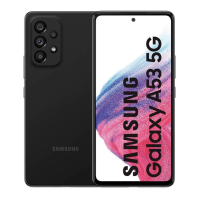
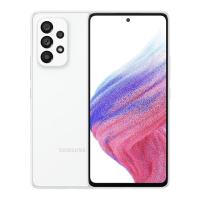
This document is a Quick Reference Guide for the Samsung SM-A536E/DS and SM-A536E mobile devices, providing essential information on their layout, setup, customization, and important legal and safety guidelines.
The Samsung SM-A536E/DS and SM-A536E are mobile devices designed for communication, data transfer, and various applications. They support both iOS and Android platforms for data transfer via Smart Switch, allowing users to easily migrate data from older phones. The devices can be personalized through various settings, including wallpaper, themes, and other customizable options. They also feature a "Flight mode" to disable all wireless functions, useful in environments like aircraft or ships where wireless communication is restricted.
Settings > Accounts and backup > Smart Switch.Receive data.Cable (Android) or Wireless (Android and iOS) and follow the prompts to connect your phones.Settings to personalize the phone, including Wallpaper (Home screen wallpaper, Lock screen wallpaper) and Themes (Downloadable themes, wallpapers, and icons).Flight mode on the setting screen. This allows the use of non-network services. Users should check with appropriate authorities and follow crew instructions regarding mobile device use on aircraft or ships. General
| Brand | Samsung |
|---|---|
| Model | SM-A536E/DS |
| Category | Cell Phone |
| Language | English |




 To Next Page