Getting started
16
▶
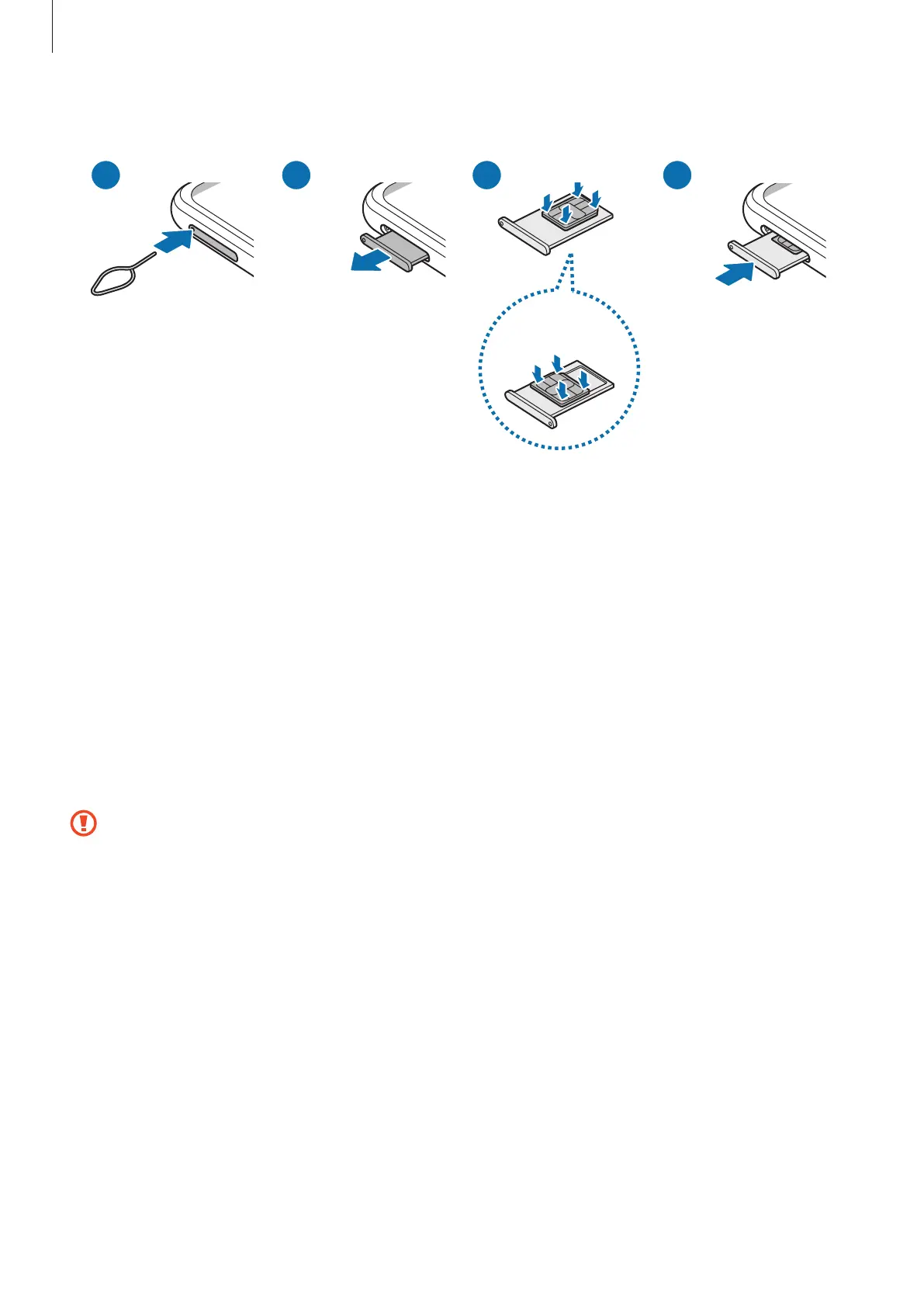
SM-E546B/DS, SM-M546B/DS:
<Underside>
1 Insert the ejection pin into the hole on the tray to loosen the tray.
2 Pull out the tray gently from the tray slot.
3
▶
SM-E146B/DS, SM-M146B/DS, SM-M146B/DSN: Place the SIM or USIM card on the
tray with the gold-coloured contacts facing downwards and gently press the SIM or
USIM card into the tray to secure it.
▶
SM-E346B/DS, SM-E546B/DS, SM-M346B/DS, SM-M346B1/DS, SM-M346B2/DS,
SM-M546B/DS: Place the SIM or USIM card on the tray with the gold-coloured
contacts facing upwards and gently press the SIM or USIM card into the tray to secure
it.
4 Insert the tray back into the tray slot.
•
Use only a nano-SIM card.
•
Use caution not to lose or let others use the SIM or USIM card. Samsung is not
responsible for any damages or inconveniences caused by lost or stolen cards.
•
Ensure that the ejection pin is perpendicular to the hole. Otherwise, the device
may be damaged.
•
If the card is not fixed firmly into the tray, the SIM card may leave or fall out of
the tray.
•
If you insert the tray into your device while the tray is wet, your device may be
damaged. Always make sure the tray is dry.
•
Fully insert the tray into the tray slot to prevent liquid from entering your device.





 To Next Page