Getting started
15
Nano-SIM card
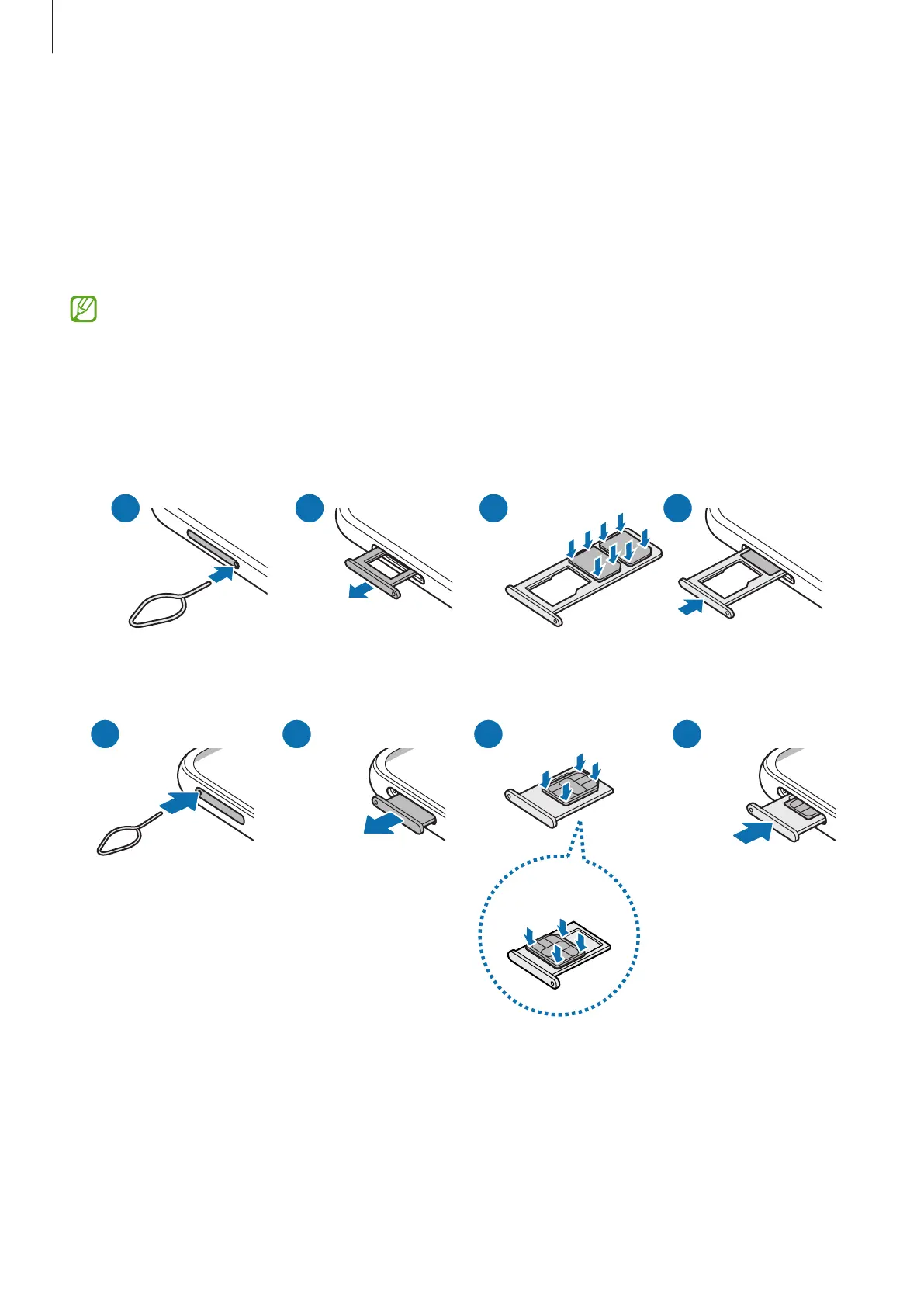
Insert the SIM or USIM card provided by your carrier.
You can insert two SIM or USIM cards so you can have two phone numbers or carriers for
a single device. In some areas, data transfer speeds may be slower if two SIM cards are
inserted in the device than when one SIM card is inserted.
Some services that require a network connection may not be available depending
on the carrier.
Inserting the SIM or USIM card
▶
SM-E146B/DS, SM-M146B/DS, SM-M146B/DSN:
▶
SM-E346B/DS, SM-M346B/DS, SM-M346B1/DS, SM-M346B2/DS:
<Underside>





 To Next Page