Need help?
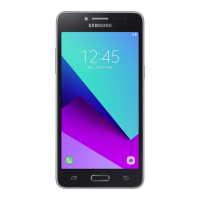
Do you have a question about the Samsung SM-G611F and is the answer not in the manual?
Read important safety information and understand basic device setup procedures.
Identify device layout, keys, and package contents for physical interaction.
Learn how to charge the battery and install SIM and memory cards.
Master turning the device on/off, restarting, and emergency mode functions.
Configure Samsung accounts and transfer data from previous devices.
Understand touchscreen gestures, home screen navigation, and text entry.
Install, uninstall, and manage apps from Galaxy Apps and Play Store.
Make calls, send messages, and manage contacts for effective communication.
Capture photos/videos, manage media, and create GIFs/collages.
Utilize Multi window, Samsung Notes, and Calendar for efficient task management.
Monitor wellness, use Bixby, Voice Recorder, and other pre-installed apps.
Manage Wi-Fi, Bluetooth, mobile networks, data usage, and hotspot settings.
Customize display, sounds, vibration, and notification settings for optimal user experience.
Optimize device performance, battery, storage, and manage software updates.
Protect your device with screen lock, biometrics, Samsung Pass, and Secure Folder.
Resolve common problems like network errors, freezing, and connectivity issues.
Address device freezing, slow response, battery charge, and reset procedures.
Troubleshoot call connection, audio quality, Bluetooth, and multimedia file playback.
Resolve camera errors, poor photo quality, and system-related error messages.
 General
| Brand | Samsung |
|---|---|
| Model | SM-G611F |
| Category | Cell Phone |
| Language | English |


 To Next Page