
 Need help?
Do you have a question about the Samsung SM-G990E and is the answer not in the manual?
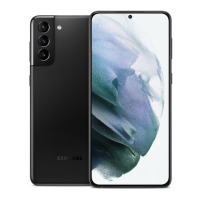
Identifies external buttons, sensors, cameras, and ports on the device.
Instructions for charging the device using wired and wireless methods.
Guide on inserting and managing SIM/USIM cards for network access.
Steps to power the device on, off, or restart it.
Managing applications via Galaxy Store and Play Store.
Making and receiving calls, speed dial, and blocking numbers.
Creating, importing, and managing contact information.
Sending, viewing, and managing text messages.
Taking pictures, recording videos, and using camera modes.
Viewing, editing, and organizing photos and videos.
Migrating data from an old device to the new one.
Configuring Wi-Fi, Bluetooth, NFC, and mobile networks.
Managing device security, app permissions, and privacy settings.
Setting up and using facial recognition for device unlock.
Setting up and using fingerprint scanning for device unlock.
Optimizing device performance and managing battery health.
Checking for and installing device software updates.
Important guidelines for safe and proper device operation.
Identifying causes of overheating and recommended actions.
Solutions for common device issues and error messages.
 General
| Model | SM-G990E |
|---|---|
| Network Technology | GSM / HSPA / LTE / 5G |
| SIM | Single SIM (Nano-SIM) or Dual SIM (Nano-SIM, dual stand-by) |
| Display Type | Dynamic AMOLED 2X, 120Hz, HDR10+, 1300 nits (peak) |
| Display Resolution | 1080 x 2340 pixels, 19.5:9 ratio (~425 ppi density) |
| OS | Android 12, upgradable to Android 13, One UI 5.1 |
| Internal Memory | 128GB 8GB RAM, 256GB 8GB RAM |
| Main Camera Features | LED flash, auto-HDR, panorama |
| Selfie Camera | 10 MP, f/2.2, 26mm (wide), 1/3.24", 1.22µm, Dual Pixel PDAF |
| Selfie Camera Features | Dual video call, Auto-HDR |
| Selfie Camera Video | 4K@30/60fps, 1080p@30fps |
| Loudspeaker | Yes, with stereo speakers |
| 3.5mm jack | No |
| WLAN | Wi-Fi 802.11 a/b/g/n/ac/6, dual-band, Wi-Fi Direct, hotspot |
| Bluetooth | 5.2, A2DP, LE |
| Positioning | GPS, GLONASS, BDS, GALILEO |
| NFC | Yes |
| Radio | No |
| USB | USB Type-C 3.2, OTG |
| Sensors | Fingerprint (under display, ultrasonic), accelerometer, gyro, proximity, compass, barometer |
| Battery Type | Li-Ion 3700 mAh, non-removable |
| Status | Available. Released |
| Build | aluminum frame |
| Display Size | 6.1 inches |
| Protection | Corning Gorilla Glass |
| CPU | Octa-core |
| GPU | Mali-G78 MP14 |
| Main Camera | 50 MP, f/1.8, 24mm (wide), 1/1.56", 1.0µm, Dual Pixel PDAF, OIS |
| Main Camera Video | 8K@24fps, 4K@30/60fps, 1080p@30/60/240fps, 720p@960fps, HDR10+, gyro-EIS |
| Charging | 25W wired, PD3.0, 15W wireless |
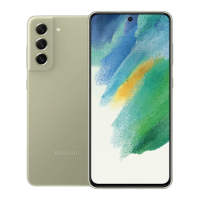
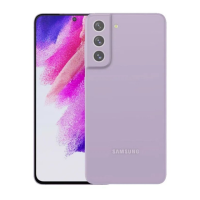
| Colors | White, Green, Pink Gold |
| Chipset | Exynos 2100 (5 nm) |





 To Next Page