
 Need help?
Do you have a question about the Samsung SM-T227 and is the answer not in the manual?
Guidelines for body operation meeting FCC RF exposure limits with specific separation distances.
Device compliance with FCC Part 15 rules, subject to interference conditions.
Instructions on proper disposal of the product, accessories, and batteries.
Read safety info before use; warnings on magnets, physical impact, and approved accessories.
Information on device compliance with FCC SAR limits for human RF energy exposure.
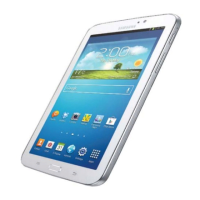
This document serves as a Quick Start Guide for Samsung SM-T225, SM-T227, and SM-T225N devices, outlining essential information for initial setup, safe operation, and maintenance. It covers package contents, basic device functions, safety guidelines, regulatory compliance, and how to access further information.
The Samsung device is a mobile telecommunications product designed for various functions, including communication, entertainment, and productivity. It operates on specific WLAN bands, with restrictions on indoor use only in certain countries. The device is powered by a battery and charged via a USB power adaptor and cable. Its core function is to provide a portable computing experience, allowing users to access the internet, run applications, and interact with digital content. The device is designed to be user-friendly, with a quick start guide to facilitate initial setup. It is equipped with a touchscreen interface, which is the primary mode of interaction. The device's software allows for a wide range of applications and services, making it a versatile tool for daily use.
Upon unboxing, users will find the device, a USB cable, a USB power adaptor, an ejection pin, and a quick start guide. To power on the device, users need to press and hold the Side key for a few seconds. The device is designed for portability and ease of use. It is recommended to keep the charger close to an electric socket for easy accessibility during charging. The device's operating temperature range is between 0 °C and 35 °C, and it can be stored at temperatures between -20 °C and 50 °C. Operating or storing the device outside these recommended ranges may impact its performance and battery lifespan.
The device's touchscreen is a key feature, and users are advised against using fixed graphics on part or all of the touchscreen for extended periods to prevent afterimages or ghosting. For audio consumption, particularly with headsets, it is crucial to avoid listening to sound at high volumes for prolonged periods to prevent possible hearing damage.
The device includes a safety feature that allows users to restart it if it becomes frozen or unresponsive by simultaneously pressing and holding the Side key and the Volume Down key for more than 7 seconds. This ensures that users can quickly recover from software glitches without needing to power cycle the device completely.
Regulatory information, including details about WLAN band restrictions, can be accessed through the device's Settings app, providing transparency regarding its operational limitations in different regions. The device is designed to comply with various international and national standards, including those set by the Federal Communications Commission (FCC) in the United States, particularly concerning radio frequency (RF) exposure.
Proper maintenance is crucial for the device's longevity and safe operation. The guide emphasizes the importance of using only Samsung-approved batteries, chargers, and cables specifically designed for the device. This prevents potential damage, fires, or explosions that could result from using incompatible accessories.
Users are cautioned against exposing the device to physical impact or damage. In the event that any part of the device, such as the glass or acrylic body, is broken, smokes, or emits a burning odor, users should immediately stop using the device and seek repair at a Samsung Service Centre. It is critical not to use the device again until it has been professionally repaired.
The battery compartment should never be exposed, and users are explicitly warned against disassembling or reusing the battery. Children and animals should be prevented from chewing or sucking on the device to avoid damage and potential hazards.
To prevent short circuits and corrosion, the multipurpose jack and battery terminals should be protected from contact with foreign materials such as metal, liquids, or dust. This ensures the integrity of the charging and data transfer interfaces.
The device's design incorporates features to comply with FCC RF exposure guidelines. For body operation, the device has been tested to meet these guidelines when used with any accessory that contains no metal and provides a minimum separation distance of 15mm between the device and the user's body. Using other accessories that do not meet these criteria may not ensure compliance with RF exposure guidelines.
The device's compliance with Part 15 of the FCC Rules means it is designed not to cause harmful interference and to accept any interference received, including that which may cause undesired operation. Users are cautioned that any unauthorized changes or modifications to the device could void their authority to operate the equipment.
For further information and detailed user manuals, users can visit www.samsung.com. This online resource provides comprehensive details about the device, its features, and troubleshooting tips. It is important to note that accessing the internet for this information may incur additional charges. The guide also directs users to the Settings app on the device for safety information, including specific absorption rate (SAR) certification details, which are crucial for understanding the device's compliance with RF energy exposure limits.
 General
| Model | SM-T227 |
|---|---|
| Category | Tablet |
| Display Size | 8.7 inches |
| Resolution | 1340 x 800 pixels |
| Operating System | Android |
| Internal Storage | 32 GB |
| Rear Camera | 8 MP |
| Front Camera | 2 MP |
| Battery Capacity | 5100 mAh |
| Display Type | TFT |
| USB | USB Type-C 2.0 |
| Sensors | Accelerometer |
| Front Camera (MP) | 2 MP |
| RAM | 3 GB |
| Expandable Storage | microSDXC |
| Charging | 15W |
| Colors | Silver |
| Network | LTE |
| Wi-Fi | 802.11 a/b/g/n/ac |
| Bluetooth | 5.0 |


 To Next Page