EasyManua.ls Logo

Samsung SM-T825 - User Manual

Samsung SM-T825
24 pages
Print Icon
To Next Page IconTo Next Page
Loading...
User manual
SM-T825
Draft
a ana  ana  na and  a dd a n  aa   and a
n na  d a and   a a  ad  dn 
DRAFT, Not Final
Question and Answer IconNeed help?

Do you have a question about the Samsung SM-T825 and is the answer not in the manual?

Summary

Important Safety Precautions

Driving Safety

Advice on safe driving with the device.

Aircraft and Medical Equipment Rules

Restrictions for use in aircraft and near medical devices.

Device Usage and Care

Keys and Display Functions

Power and Navigation Keys

Functions of power, menu, home, and back buttons.

Solve Problems

Troubleshooting Common Messages

Resolving issues related to device lock, PIN, PUK, and network messages.

Specific Problem Resolution

Audio and Connectivity Issues

Addressing poor call quality and contact issues.

Health and Safety Information

Radio Frequency (RF) Signal Exposure

Details on RF energy exposure and its limits.

Specific Absorption Rate (SAR) Information

Explanation of SAR values and FCC compliance.

Consumer Wireless Device Information

RF Exposure and Health Hazards

Discussion on RF exposure, health risks, and FDA's role.

Reducing RF Exposure

Road Safety

Safe Driving Practices

Tips for using wireless devices safely while driving.

Emergency and Roadside Assistance Calls

Using the device for emergency services and roadside help.

Operating Environment

Environmental and Device Precautions

Potentially Explosive Environments

Safety warnings for operating the device in explosive atmospheres.

Emergency Calls

Making an Emergency Call

Step-by-step guide to making an emergency call.

FCC Notice and Cautions

Battery Standby and Talk Time

Battery Precautions

Essential precautions for using and charging the device battery.

Summary

Important Safety Precautions

Driving Safety

Advice on safe driving with the device.

Aircraft and Medical Equipment Rules

Restrictions for use in aircraft and near medical devices.

Device Usage and Care

Keys and Display Functions

Power and Navigation Keys

Functions of power, menu, home, and back buttons.

Solve Problems

Troubleshooting Common Messages

Resolving issues related to device lock, PIN, PUK, and network messages.

Specific Problem Resolution

Audio and Connectivity Issues

Addressing poor call quality and contact issues.

Health and Safety Information

Radio Frequency (RF) Signal Exposure

Details on RF energy exposure and its limits.

Specific Absorption Rate (SAR) Information

Explanation of SAR values and FCC compliance.

Consumer Wireless Device Information

RF Exposure and Health Hazards

Discussion on RF exposure, health risks, and FDA's role.

Reducing RF Exposure

Road Safety

Safe Driving Practices

Tips for using wireless devices safely while driving.

Emergency and Roadside Assistance Calls

Using the device for emergency services and roadside help.

Operating Environment

Environmental and Device Precautions

Potentially Explosive Environments

Safety warnings for operating the device in explosive atmospheres.

Emergency Calls

Making an Emergency Call

Step-by-step guide to making an emergency call.

FCC Notice and Cautions

Battery Standby and Talk Time

Battery Precautions

Essential precautions for using and charging the device battery.

Overview

This document is a draft user manual for a Samsung device, model SM-T825, outlining important safety precautions, basic setup, menu functions, troubleshooting, and health and safety information.

Function Description

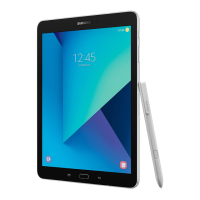
The Samsung SM-T825 is a wireless mobile device designed for communication and various applications. It operates using radio signals and connects to wireless and landline networks. The device supports making and receiving calls, accessing various menu functions, and running applications. It includes features like a touch screen, physical buttons for power, menu, home, back, and volume control. The device is powered by a battery, which needs to be installed and charged for operation.

Usage Features

The device offers a range of usage features, starting with basic installation and charging. To begin, the battery must be installed by sliding the battery catch. The device is charged by plugging an adapter into the device and then into a standard AC wall outlet. A low battery indicator, including a warning tone, message, and blinking icon, alerts the user when the battery level is low, prompting a recharge.

The device's physical buttons provide essential controls:

  • Power button: Press and hold to turn the device on or off. Holding for more than 7 seconds resets the device in case of fatal errors or freezes. A short press locks or unlocks the device, turning off the touch screen.
  • Menu button: Tapping opens a list of options for the current screen. Tapping and holding on the Home screen launches a Google application.
  • Home button: Pressing returns to the Home screen. Pressing twice launches the S Voice application. Pressing and holding opens a list of recent applications.
  • Back button: Tapping returns to the previous screen.
  • Volume button: Pressing adjusts the device's volume.

The device offers a comprehensive set of menu functions accessible from Idle mode, including:

  • Communication: T service, Call log, Contacts, Messaging, ChatON, Email, Talk.
  • Navigation & Location: Maps, Local, Navigation.
  • Health & Wellness: S Health.
  • Productivity & Utilities: S Memo, Calculator, Dictionary, My Files, Clock, App Guide, Google+, Dropbox, Help, Google Settings.
  • Entertainment & Media: Story Album, DMB, Music, Video, YouTube, Play Books, Play Movies & TV, Play Store, SmartWallet, NATE.
  • Samsung Specific Features: Samsung Hub, Samsung Apps, Samsung Link, S Translator, S Voice, WatchON, T cloud, T nao, T Membership, Remote Care, T world, SmartTouch, Cymera, NateOnUC, Samsung service, V3 Mobile 2.0.
  • Camera & Gallery: Camera, Gallery.
  • Shopping & Services: Shopping & wallet, T store, 11st.
  • Other: Group Play, Optical Reader, Messenger, Voice Search, Voice Recorder, Internet, T LTE Pack, Pickat, Basket, Cyworld, B tv mobile, Settings.

The device supports emergency calls, which can be made by keying in the emergency number for the current location and pressing the call button. Users are advised to ensure the device is switched on and in a service area with adequate signal strength.

For road safety, users are encouraged to get familiar with device features like speed dial, use hands-free devices, position the device within easy reach, and avoid distracting conversations or activities while driving. The device can be used to call for help in emergencies.

Maintenance Features

The manual emphasizes several maintenance guidelines to ensure the device's longevity and safe operation:

  • General Care: Keep the device dry, avoid using it with wet hands, and store it in clean, non-dusty environments. Avoid extreme temperatures (hot or cold) as they can damage the device and battery. Do not drop, knock, or shake the device.
  • Cleaning: Use a soft cloth slightly dampened with a mild soap-and-water solution for cleaning. Avoid harsh chemicals, cleaning solvents, or strong detergents.
  • Battery Care: Use only Samsung-approved batteries and chargers. Never use damaged batteries or chargers. Disconnect the charger when not in use and avoid overcharging. Dispose of used batteries according to local regulations, and do not dispose of them in fire. Avoid short-circuiting the battery terminals.
  • Antenna Care: Hold the device with the antenna raised and fully extended. Avoid bending or twisting the antenna, and do not use the device if the antenna is damaged.
  • Liquid Exposure: Avoid exposing the device and accessories to rain or liquid spills. If the device gets wet, immediately turn off the power and remove the battery. If it becomes inoperable, contact Customer Care.
  • Service: Only qualified service personnel should repair the device. Faulty service may void the warranty.
  • Accessories: Use only Samsung-approved accessories. Unauthorized accessories can damage the device and may be dangerous.
  • Software: Some features may differ depending on the software installed or the service provider.

Safety Precautions

The manual highlights important safety precautions:

  • Driving Safety: Do not use a hand-held device while driving.
  • Refueling: Switch off the device when refueling or near fuels/chemicals.
  • Aircraft: Switch off in an aircraft to avoid interference.
  • Medical Equipment: Switch off near medical equipment in hospitals or healthcare facilities.
  • Water Resistance: The device is not water-resistant; keep it dry.
  • Sensible Use: Use the device in the normal position (held to the ear) and avoid unnecessary contact with the antenna when switched on.
  • Small Children: Keep the device and all its parts out of reach of small children.
  • Sound Exposure: Excessive exposure to sound at high volumes can cause hearing damage. Turn down the volume before plugging in earphones and use only the minimum necessary volume.
  • RF Signals: The device emits radio frequency (RF) signals. Users are advised to be aware of SAR (Specific Absorption Rate) information and FCC guidelines.
  • Interference with Medical Devices: Pacemaker manufacturers recommend a minimum distance of 15 cm (6 inches) between the device and a pacemaker. Hearing aids may also experience interference.
  • Potentially Explosive Environments: Switch off the device in areas with potentially explosive atmospheres, such as refueling points, fuel depots, chemical plants, or blasting operations.
  • Air Bags: Do not place objects, including wireless equipment, in the area over an air bag or in the air bag deployment area in vehicles.

The manual also provides troubleshooting tips for common issues like "Insert USIM card," "Device locked Enter password," "Enter PIN1," "Enter PUK," "No Service," un-dialled numbers, and poor audio quality during calls. If these tips do not resolve the problem, users are advised to contact their local dealer or Samsung after-sales service, providing details like model and serial numbers, warranty information, and a clear description of the problem.

Samsung SM-T825 Specifications

General IconGeneral
ModelSM-T825
CategoryTablet
Display Size9.7 inches
ProcessorExynos 7870 Octa
RAM4 GB
Expandable StoragemicroSD, up to 256 GB
Main Camera13 MP
Front Camera5 MP
Operating SystemAndroid 7.0 (Nougat), upgradable to Android 9.0 (Pie)
SIMNano-SIM
Internal Storage32 GB
ConnectivityWi-Fi 802.11 a/b/g/n/ac, dual-band, Wi-Fi Direct, hotspot
ColorsBlack

Videos

How to Replace Your Samsung Galaxy Tab S3 SM-T825 Battery

Related product manuals