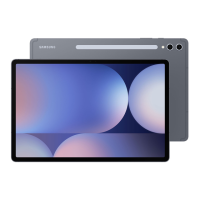
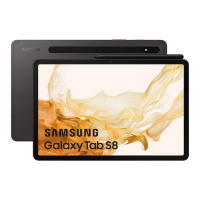
This document is a repair guide for Samsung devices with model numbers SM-X818U, SM-X816B, and SM-X810. It provides comprehensive instructions for software updates, quality tests, calibrations, exploded views, parts lists, and detailed disassembly and assembly procedures.
Function Description
This repair guide serves as a technical manual for servicing Samsung mobile devices. It covers essential procedures for maintaining and repairing the device, ensuring optimal performance and functionality after repair. The guide is intended for non-authorized carriers, self-repairers, or non-professional repairers, providing detailed steps and precautions to follow. It emphasizes the importance of using proper tools, genuine replacement parts, and adhering to safety guidelines to prevent damage to the device or injury to the user.
Important Technical Specifications
The guide does not explicitly list technical specifications for the devices (SM-X818U, SM-X816B, SM-X810) themselves, but it details various components and their associated repair and calibration processes. Key components mentioned include:
- Screen Module: Requires calibration after replacement, and for Fold models, touch screen panel calibration is performed for both main and cover screens.
- Optical Fingerprint Sensor: Requires calibration after screen replacement to ensure optimized performance. Specific calibration tools (white calibration box, black calibration box, 3D fingerprint dummy rubber) are needed.
- Battery: Battery cycle count reset is necessary after battery replacement. The guide also mentions checking battery values, analysis, remaining life, and capacity through the Samsung Members app.
- Range Sensor: Calibration is required after replacing screens, batteries, back glasses, or charging ports.
- Speakers: Speaker calibration is required after replacement to guarantee optimized performance.
- Under-display Camera (Fold Models Only): Calibration is needed after screen replacement for optimized performance.
- Digital Hall Sensor (Fold and Flip Models Only): Calibration is required after screen replacement for optimized performance.
- SIM Card Socket: Instructions for removal and assembly are provided, including adhesive tape replacement.
- Vibrator Motor: Instructions for removal and assembly are provided, including adhesive tape replacement.
- 5G mmWave Antenna: This module is only supplied with United States devices and requires adhesive tape replacement during assembly.
- Charging Port: Instructions for removal and assembly are provided, including coaxial cable connections for 5G/LTE devices.
- Main Board (PBA): Replacement is restricted to authorized repair shops. The guide provides steps for disconnecting connectors and coaxial cables.
- Fasteners: Various screws (3229, 3443, 3463, 3369) and double-sided adhesive tapes (GH81-23924A, GH81-23873A, GH81-19348A, GH02-24578A, GH81-24023A, GH81-24024A, GH81-24025A, GH81-24026A, GH81-24027A) are specified for different components.
Usage Features
The guide outlines several features related to device usage and repair:
- Software Update: Instructions for updating software via FOTA (Firmware Over-The-Air) and Smart Switch. It also covers recovery procedures for software update failures, including factory data reset.
- Quality Test (Samsung Members App): Users can evaluate device performance after repair using the Samsung Members app. This includes diagnostics for NFC, SIM card, power restart status, official software, mobile network, sensors, proximity recognition, touch screen, buttons, torch, vibration, camera, microphone, location accuracy, Wi-Fi, Bluetooth, fingerprint recognition, face recognition, wired headphones, USB connection, cable charging, wireless charging, and battery status.
- Self Repair Assistant App: This app is crucial for conducting calibrations after repair. It guides users through selecting replaced parts and performing necessary calibrations. For US devices, manual APK installation might be required, with instructions on disabling "Auto Blocker" on Android OS 14.
Maintenance Features
The manual focuses on maintenance through repair and calibration:
- Precautions for Repair: Emphasizes using demagnetized tools, high-quality screwdrivers, genuine replacement parts, and backing up data. It warns against damaging internal components, touching camera lenses, or inserting tools too deeply.
- ESD Precautions: Recommends using ESD safety equipment like anti-static wrist straps, gloves, and mats to prevent electrostatic discharge damage.
- Heating Bag Usage: Provides specific instructions for heating and applying a microwaveable heating bag to soften adhesive during screen and speaker removal, with warnings against overheating.
- Adhesive Tape Management: Detailed steps for removing old adhesive residues and applying new adhesive tapes during reassembly of components like the screen, SIM card socket, vibrator motor, and 5G mmWave antenna.
- Screw Management: Advises checking and carefully storing all removed screws to ensure none are left inside the device during assembly, which could cause damage.
- Cable and Connector Handling: Repeated warnings to handle flex cables, coaxial cables, and connectors carefully to avoid damage.
- Post-Repair Checks: Recommends using the Self Repair Assistant app to check if parts and sensors work properly after repair and assembly, and to visit a Samsung Service Center if issues persist.

 Need help?

 To Next Page
 General