EasyManua.ls Logo

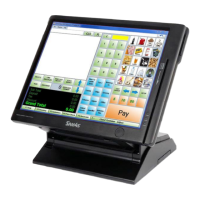
Samsung SPT 4700 User Manual

Samsung SPT 4700
12 pages
To Next Page IconTo Next Page
Page #1 background imageLoading...
Page #1 background image
International Point of Sale: CornerStore POS
1
1-866-468-5767 or 201-762-3590 International Point of Sale
Instructions for setting up Samsung SPT 4700 and Hardware
This guide will explain in detail how to set up the BTP-R880NP Printer/Drawer and Sam4s
pole display with CornerStore.
Question and Answer IconNeed help?

Do you have a question about the Samsung SPT 4700 and is the answer not in the manual?

Samsung SPT 4700 Specifications

General IconGeneral
Storage40GB HDD
Display15" TFT LCD
Resolution1024 x 768
Touch TechnologyResistive
ProcessorIntel Celeron M 600 MHz
Ports1 x VGA
Weight6.5 kg

Summary

Samsung SPT 4700 and Hardware Setup

Setting Up the Sam4s Pole Display

Detailed steps for configuring the Sam4s pole display with CornerStore software and hardware.

Configuring BTP-880NP Printer and Cash Drawer

Instructions for installing and setting up the BTP-880NP printer and cash drawer using the BYOPOS setup.

Related product manuals