Operations
English48
Operations
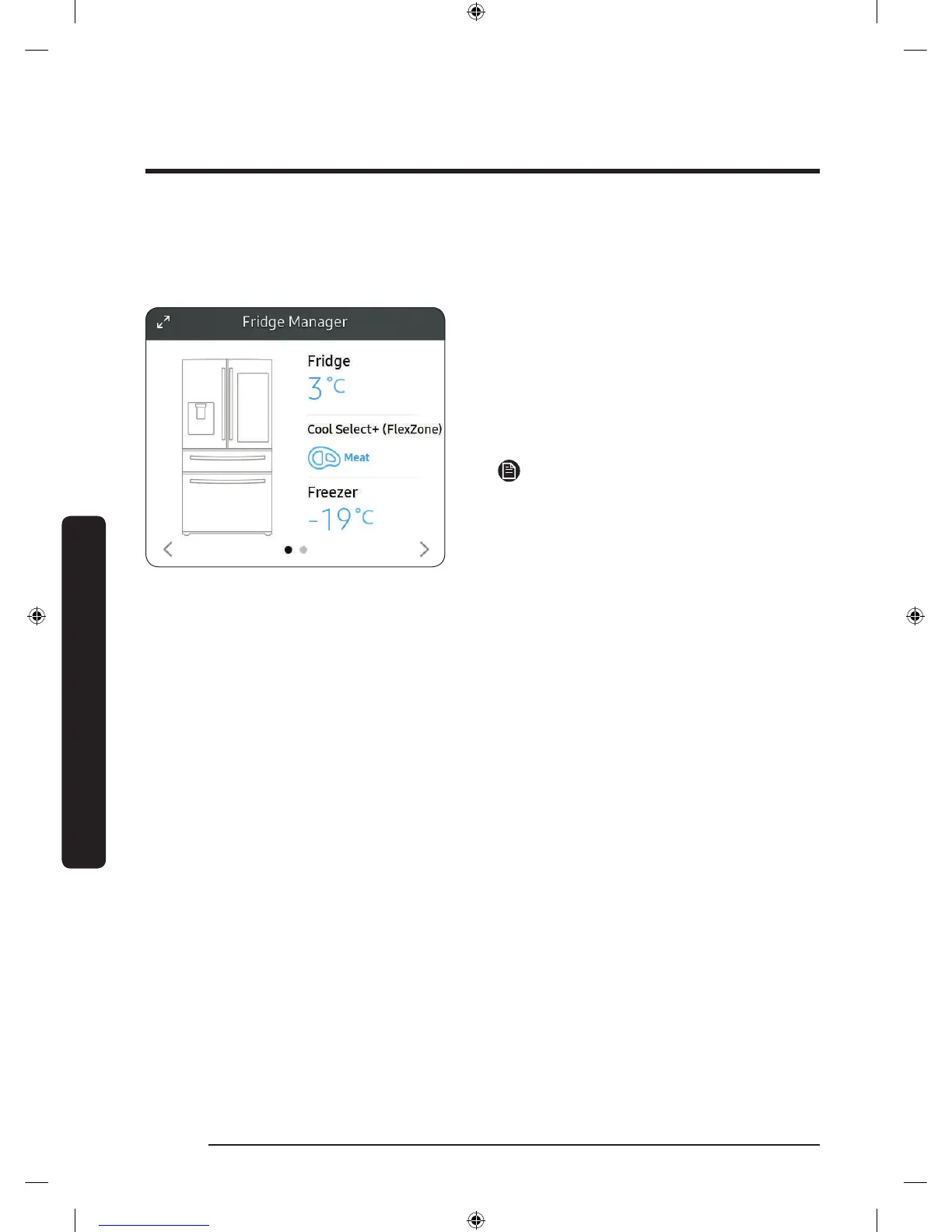
Fridge Manager
To access Fridge Manager, swipe the Home screen to the left, and then tap the Fridge
Manager widget.
• The design of the Fridge Manager
widget differs with the model.
• On the Fridge Manager widget, the
current fridge and freezer temperatures
are displayed.
• For detailed settings, tap the widget to
open the Fridge Manager.
NOTE
If you tap the Buy Filter on the second
page of the Fridge Manager widget, you
will be directed to the website where you
can purchase a water lter.
Untitled-1 48 2018-03-21 3:06:31













 To Next Page