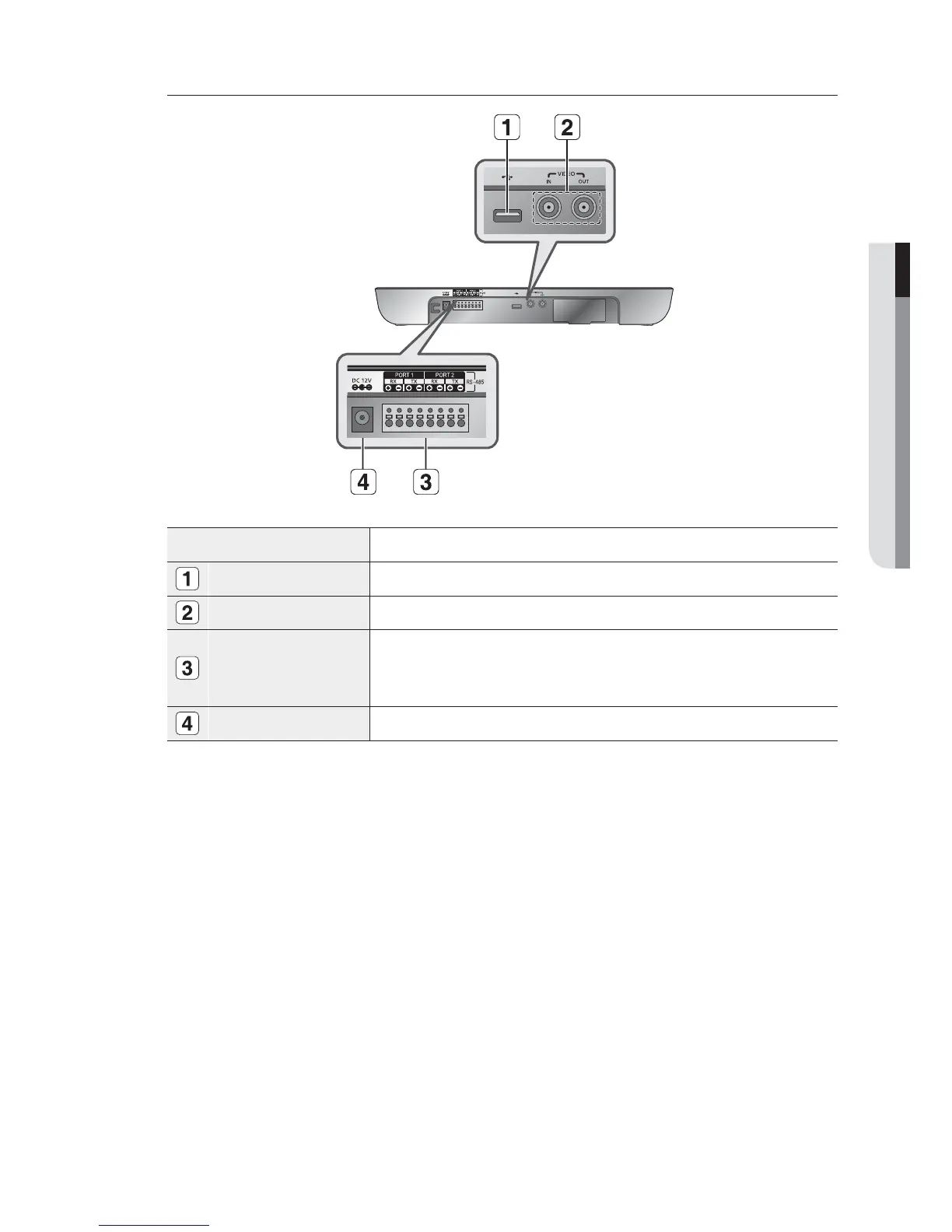
Back side
Name Function
USB Port
This is a software uploading port of the System Keyboard.
Composite Video IN/OUT
This is an AV In / Out port.
RS-485 (Port1, 2)
For RS-485 communication, it will be connected to the RS-485 terminals of other System
Keyboards or controlling devices such as cameras, and DVR.
You can specify different protocols for Port 1 and Port 2.
M
DC12V IN
DC 12V power input terminal


 To Next Page