EasyManua.ls Logo

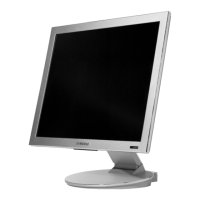
Samsung SyncMaster 191T - User Manual

Samsung SyncMaster 191T
45 pages
Print Icon
To Next Page IconTo Next Page
Loading...
http://www.samsung-monitor.com
http://www.samsungusa.com/monitor
BN68-00229R-00
SyncMaster 191T
191T_cover 2003.2.7 1:52 PM 페이지1

Table of Contents

Questions and Answers

  • K
    Kyle SmithAug 9, 2025
    How to fix a Samsung SyncMaster 191T Monitor that won't turn on or has no image?
    • S
      Stephen McguireAug 9, 2025
      If your Samsung Monitor displays no images and you can't turn it on, start by checking the power cord connection and power supply. Then, verify the signal cable connection. If the login screen appears, boot your computer in safe mode and adjust the video card frequency. If the login screen doesn't appear, consider adjusting the maximum resolution and frequency your monitor can handle. Also, ensure the monitor isn't in PowerSave mode by pressing a key on the keyboard or moving the mouse.
  • C
    Christine GardnerAug 13, 2025
    Why is my Samsung SyncMaster 191T Monitor LED blinking but there are no images?
    • R
      Richard CarlsonAug 14, 2025
      If your Samsung Monitor's LED is blinking but there are no images on the screen, it might be due to an improperly adjusted frequency. Correct this by referring to your video card manual and properly adjusting the frequency. Remember that the maximum frequency per resolution can vary between products.
  • J
    Jamie WilsonAug 19, 2025
    How to fix 'Unrecognized monitor' message on Samsung SyncMaster 191T?
    • C
      Carmen YoungAug 19, 2025
      If your Samsung Monitor displays a message saying "Unrecognized monitor, Plug & Play (VESA DDC) monitor found", it indicates that the monitor driver might not be installed. To resolve this, install the monitor driver according to the Driver Installation Instructions.
  • N
    Nicholas YoungAug 25, 2025
    What to do if Samsung SyncMaster 191T Monitor screen shows strange colors?
    • J
      Jo HamiltonAug 25, 2025
      If your Samsung Monitor screen displays strange colors or appears black and white, check the signal cable connection and ensure your video card is fully inserted. If the issue persists, reboot your computer. As an additional step, set the video card by referring to the video card manual.
  • J
    joseph55Aug 29, 2025
    What to do if Samsung SyncMaster 191T screen is out of focus?
    • R
      ryanlandryAug 29, 2025
      If your Samsung Monitor screen is out of focus or the OSD cannot be adjusted, try adjusting the resolution and frequency of the video card.
  • B
    Brandi GilbertSep 3, 2025
    Why does my Samsung Monitor only show 16 colors?
    • A
      Amanda MitchellSep 3, 2025
      If your Samsung Monitor only shows 16 colors or the screen colors changed after replacing the video card, it may be due to incorrect Windows color settings. For Windows ME/XP/2000: Set the colors properly at the Control Panel, Display, Settings. For Windows 3.1: Adjust the colors of the screen using the VGA utility provided by the video card. Also, set the video card by referring to the video card manual.

Samsung SyncMaster 191T Specifications

General IconGeneral
BrandSamsung
ModelSyncMaster 191T
CategoryMonitor
LanguageEnglish

Related product manuals