Installing the Product 2-3
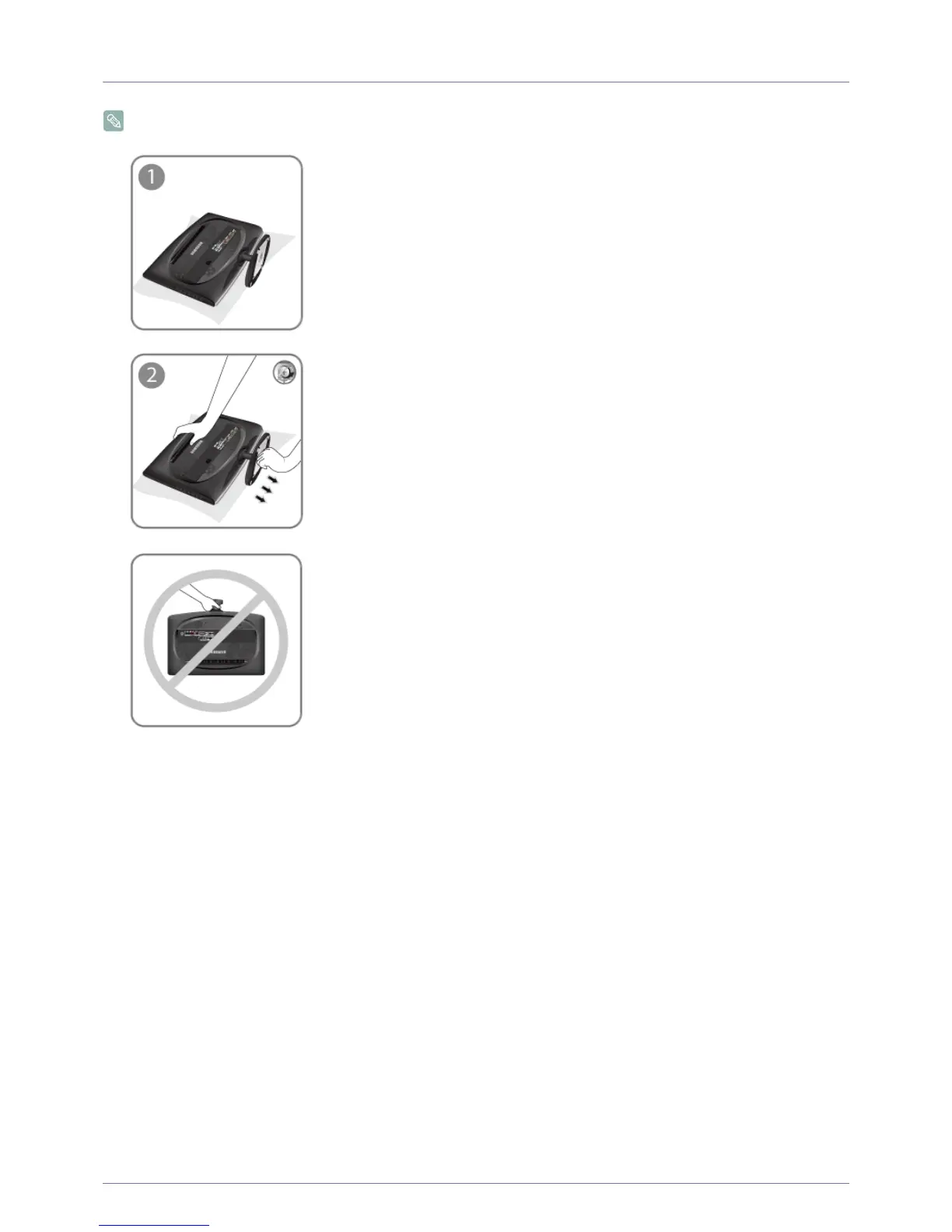
2-3 Removing the Stand
Before removing the stand, place the product down on a flat and stable surface so that the screen faces downwards.
Place a soft cloth over the table to protect the product and place the product face down.
Turn the connecting screw at the bottom of the stand to separate it.
- Caution
Do not lift the product holding only the stand.









 To Next Page