Note
The preset password for the LCD Display is "0000".
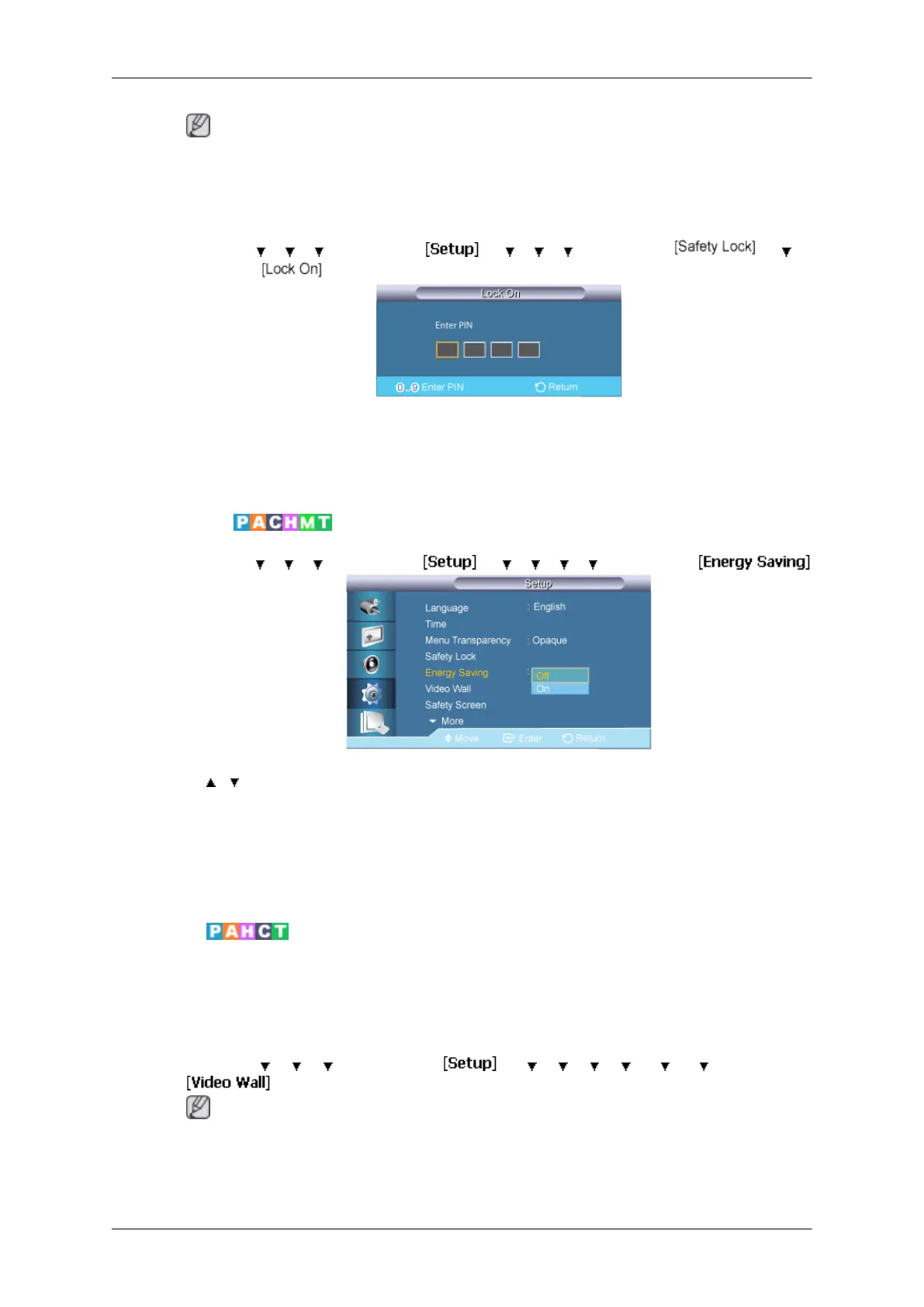
Lock On
MENU → → → → ENTER → → → → → ENTER → → →
ENTER →
→ [0∼9] → [0∼9] → [0∼9] → [0∼9]
This is the function that locks the OSD in order to keep the current settings or to prevent
others from adjusting the settings.
Energy Saving
MENU → → → → ENTER → → → → → → ENTER →
→ , → ENTER
This feature adjusts the power consumption of the unit in order to save energy.
1. Off
2. On
Video Wall
A Video Wall is a set of video screens connected together, so that each screen shows
a part of the whole picture or where the same picture is repeated on each screen.
When the Video Wall is on, you can adjust the Video Wall screen setting.
MENU → → → → ENTER → → → → → → → → ENTER →
Note
When Video Wall is running, the Auto Adjustment, Image Lock, and Size functions are
not available. Video Wall does not operate in MagicInfo mode.
Adjusting the LCD Display
75







 To Next Page