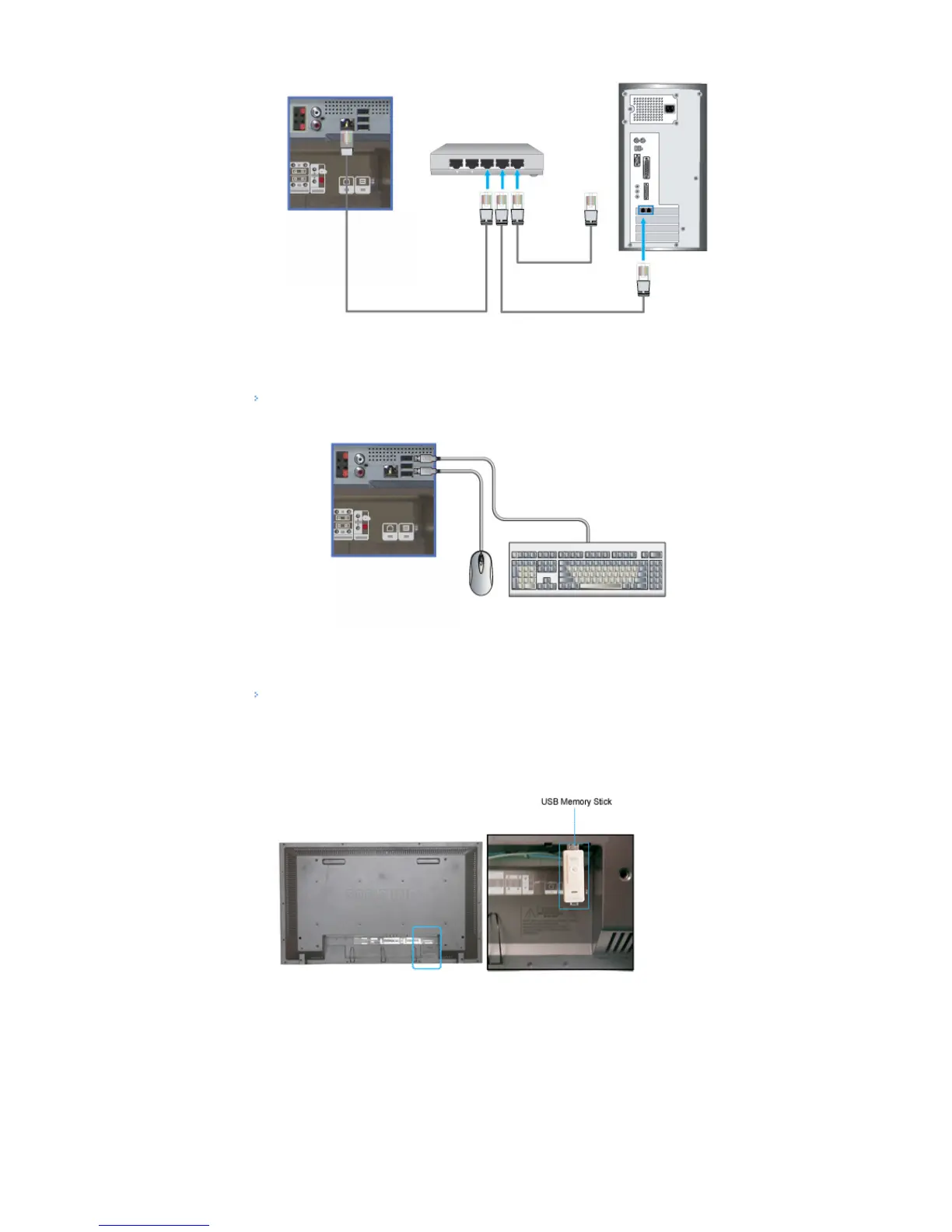
1) Connect the LAN cable.
Connecting a USB device
1) You can connect USB devices such as a mouse or keyboard.
Using a USB Holder
When using a small external device such as a portable memory stick and it is connected to the USB terminal
at the back of your monitor, it is exposed to the possiblity of theft or loss. By installing a USB holder after the
installation of an external device, you can prevent theft or loss.







 To Next Page