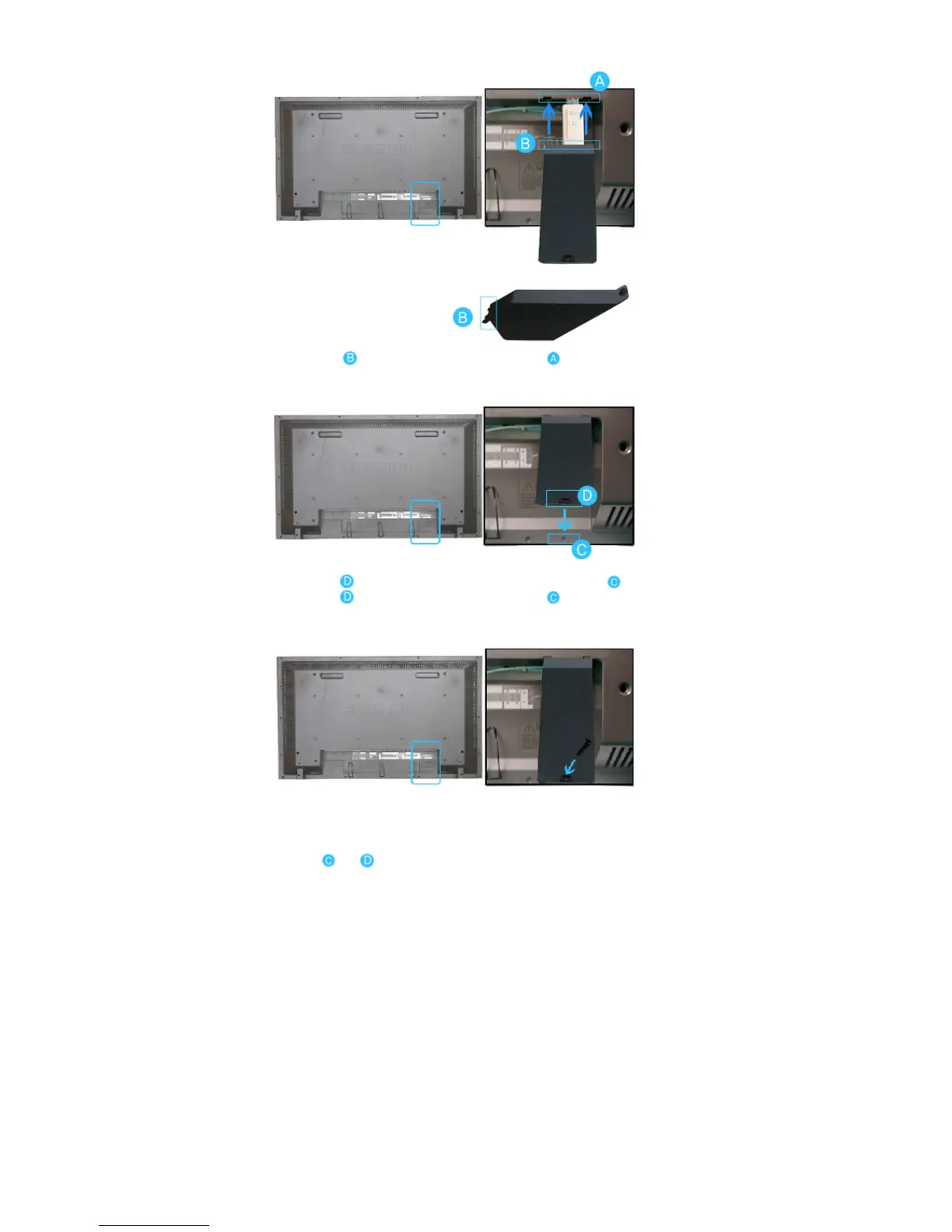
1) Insert part of your USB holder into the groove in part at the back of your monitor.
2) Align part of your USB holder with the groove at the bottom of part at the back of your monitor.
Align part of your USB holder with the bottom of part at the back of your monitor.
3) Insert a screw into the groove aligned in step [2], and fasten it.
Align with and use a screw to fix them.
© 1995~2007 SAMSUNG. ALL Rights Reserved







 To Next Page