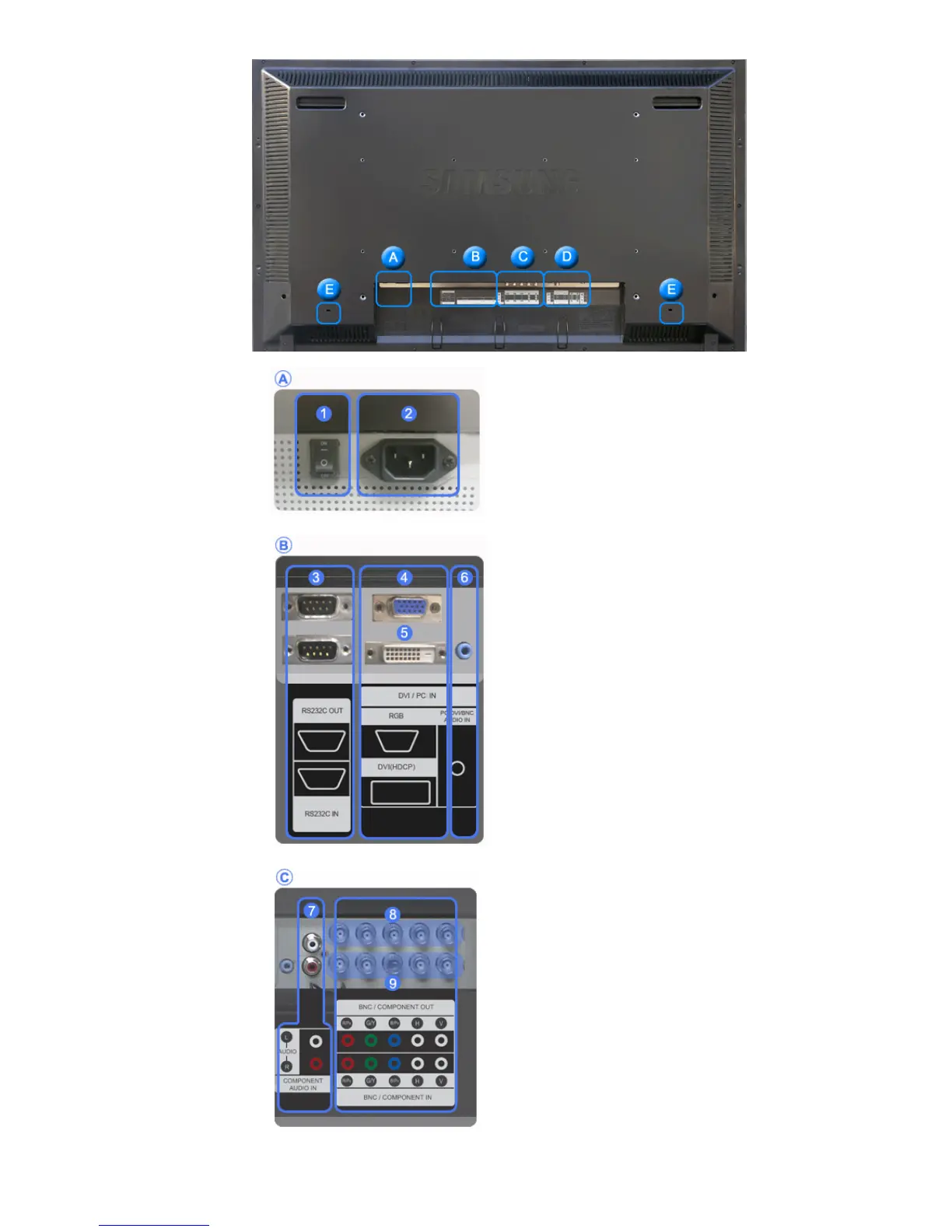
1) POWER S/W ON [ | ] / OFF [O]
Switches the LCD Display On/Off.
2) POWER IN
The power cord plugs into the LCD Display and
the wall plug.
3) RS232C OUT/IN (RS232C Serial PORT)
MDC(Multiple Display Control) Program Port
4) DVI / PC IN [DVI(HDCP)] (PC Video
Connection Terminal)
Using a DVI Cable (DVI-D to DVI-D) - DVI
mode (Digital PC)
5) DVI / PC IN [RGB] (PC Video
Connection Terminal)
Using a D-Sub Cable (15 pin D-Sub) - PC
mode (Analog PC)
6) DVI / PC IN [PC/DVI/BNC AUDIO IN]
(PC/DVI/BNC Audio Connection
Terminal (Input))
7) COMPONENT AUDIO IN [L-AUDIO-R]
(Component Audio Connection Terminal
(Input))
8) BNC/COMPONENT OUT [R/P
R
, G/Y, B/P
B
,
H, V] (BNC/Component Connection
Terminal (Output))
BNC (Analog PC) Connection: connecting the R,
G, B, H, V ports
Component Connection: connecting the P
R
, Y,
P
B
ports
9) BNC/COMPONENT IN [R/PR, G/Y, B/PB, H,
V] (BNC/Component Connection Terminal
(Input))
10)
AV AUDIO IN [L-AUDIO-R] (LCD Display








 To Next Page