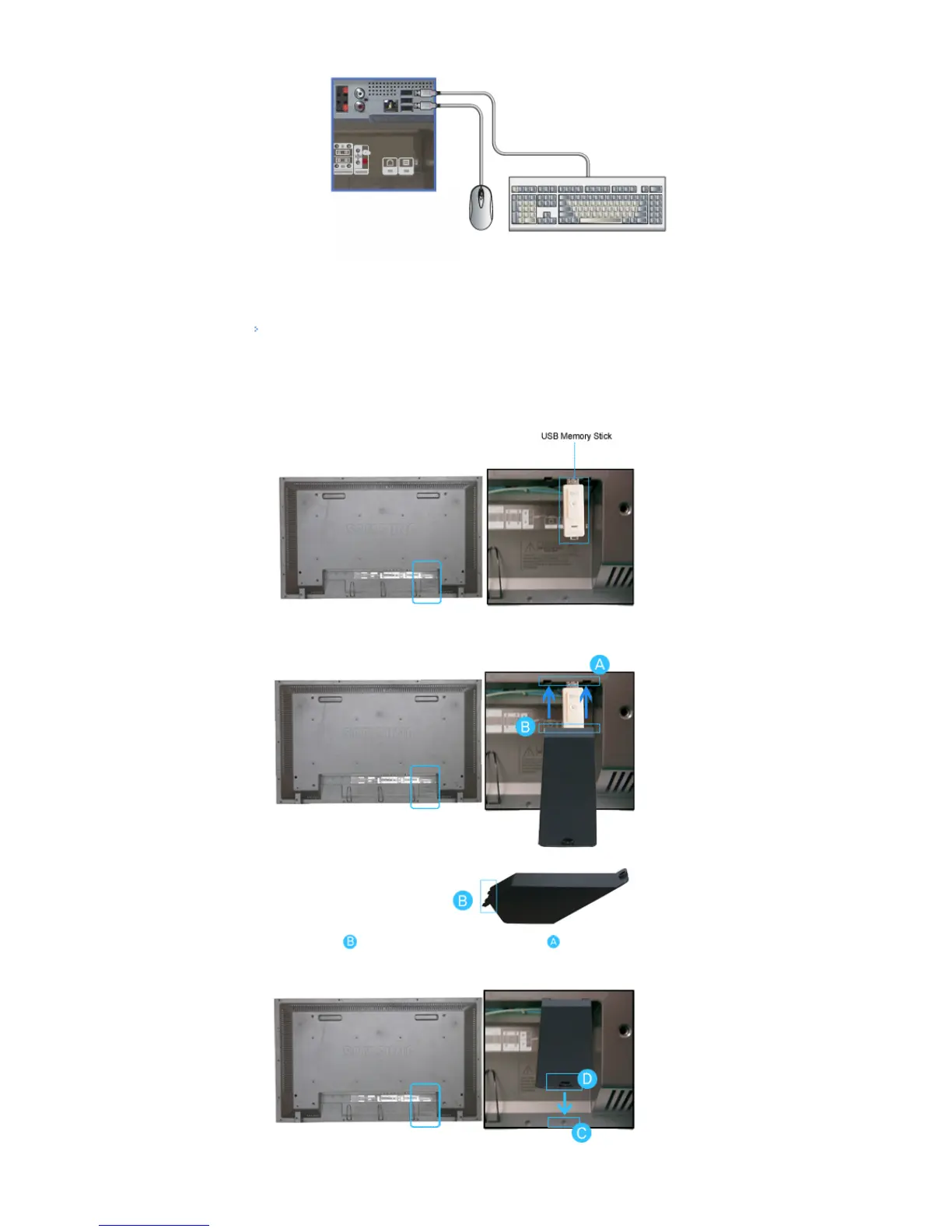
1) You can connect USB devices such as a mouse or keyboard.
Using a USB Holder
When using a small external device such as a portable memory stick and it is connected to the USB terminal
at the back of your monitor, it is exposed to the possiblity of theft or loss. By installing a USB holder after the
installation of an external device, you can prevent theft or loss.
1) Insert part of your USB holder into the groove in part at the back of your monitor.








 To Next Page