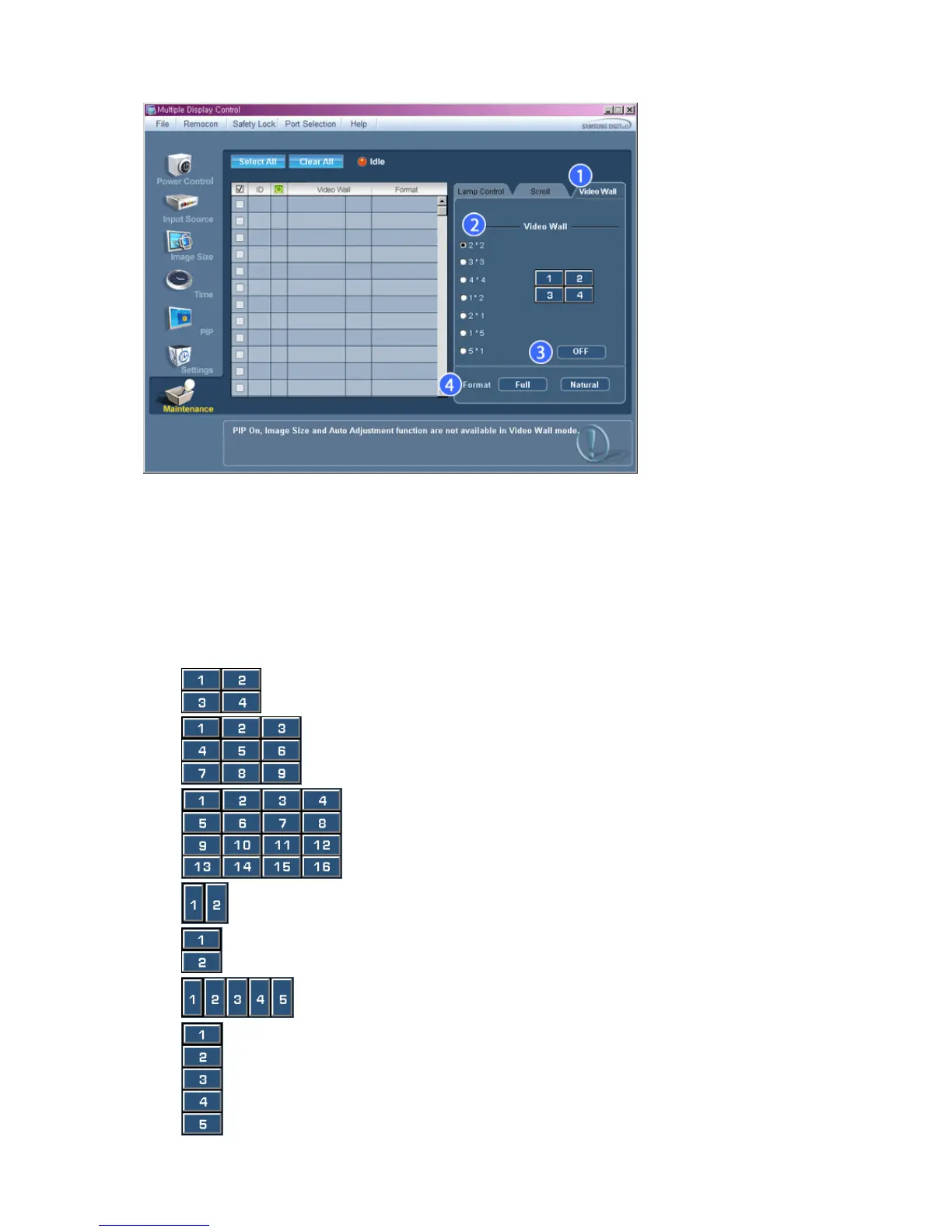
1) Video Wall
- A Video Wall is a set of video screens that are connected together, so that each screen shows a part of the whole
picture or so that the same picture is repeated on each screen.
2) Video Wall (Screen divider)
- The screen can be divided into.
You can select a number of screens with a different layout when dividing.
z Select a mode from Screen divider.
z Select a display from Display Selection.
z The place will be set up by pressing a number in the selected mode.
z The MDC program supplied by Samsung supports over 4*4.
z 2*2
z 3*3
z 4*4
z 1*2
z
2*1
z
1*5
z 5*1
3)
On / Off








 To Next Page