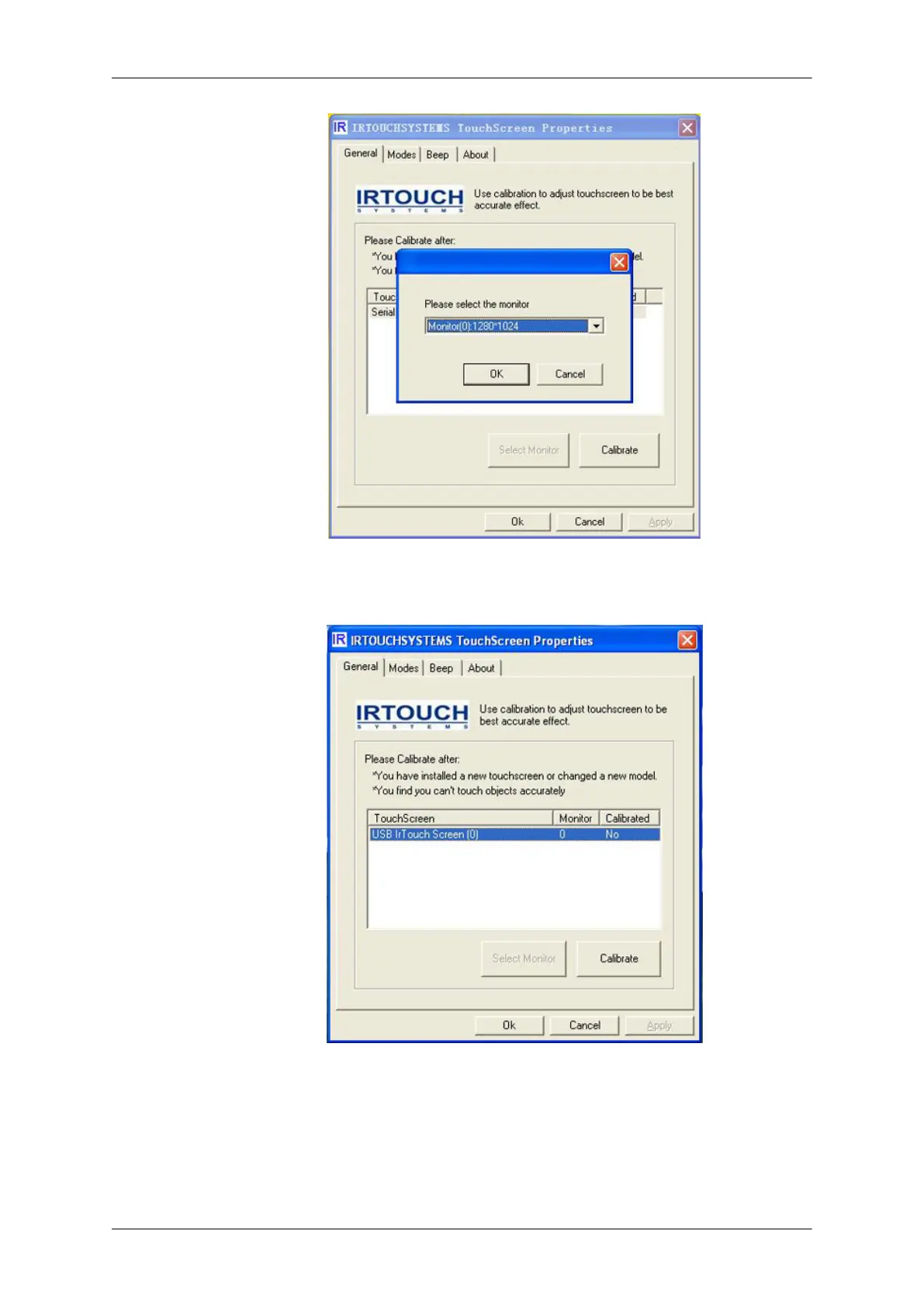
2. Select the touchscreen you want in the list and Click [Calibrate]. After calibration, the item "Cali-
brated" will show "Yes".
Calibration compromising of steps: select a touchscreen in the information list, then click "calibrate"
button when the calibration window shows up. Calibration is done by clicking on 4 calibration points
so that user only clicks the center of the bull's-eye in sequence. If failing to hit the bull's eye, user may
move the pointer or fingers to the center of it again and lift based on the utilization of Click on Release
when calibration. Press 'Esc" button to exit calibration. After calibration the "recalibrate", "OK", "can-
cel" buttons will show up. "ReCalibrate" means recalibration; "OK" means saving and exit; "Cancel"
means exit without saving.
Using the Software








 To Next Page