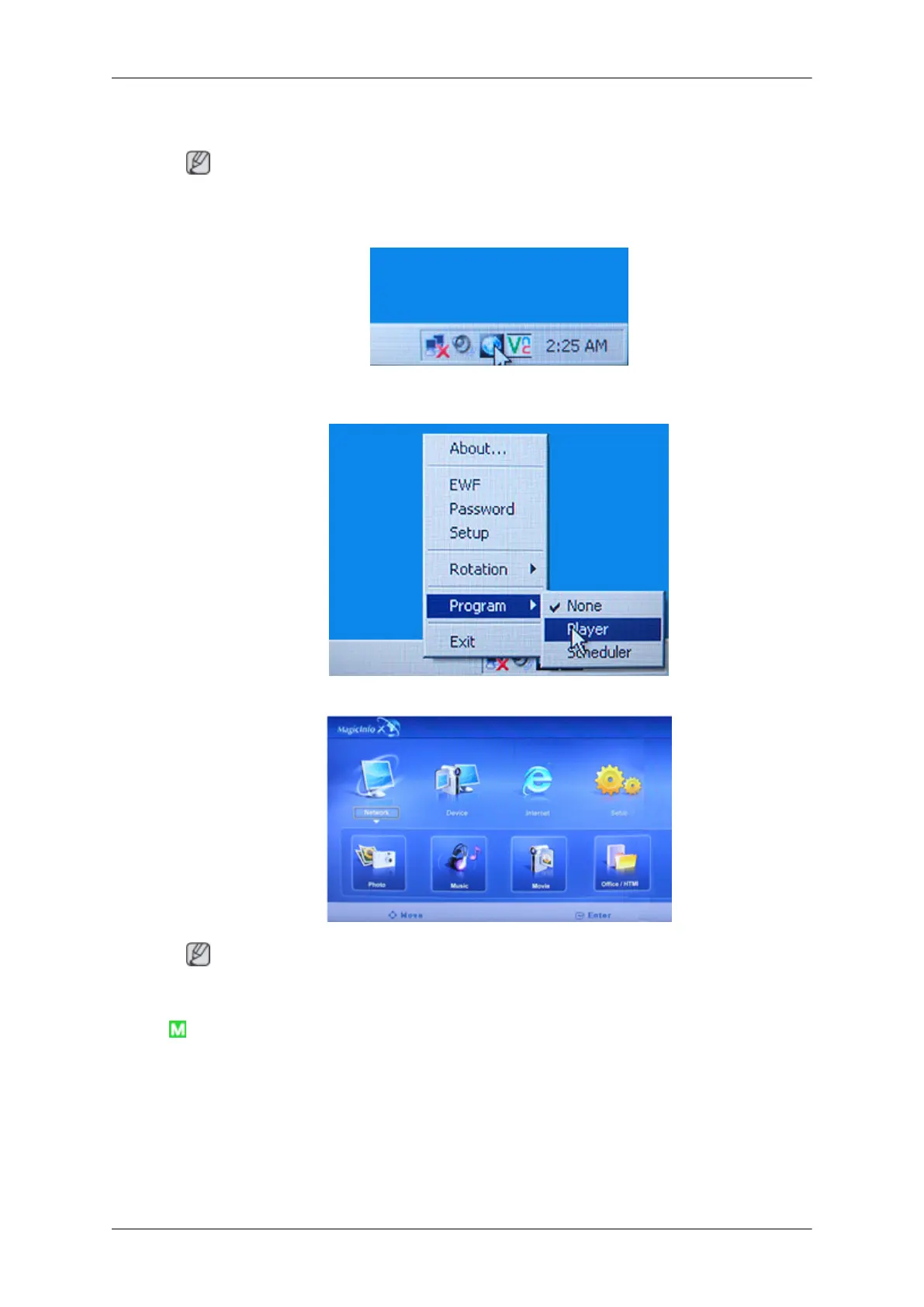
5. The Windows Desktop is displayed and the MagicInfo pro icon (the image will be inserted) appears.
Move the cursor over the icon.
Note
If the MagicInfo icon is not displayed on the notification area, double click the MagicInfo icon on
the window desktop. The icon will appear.
6. Right-click on the MagicInfo pro icon (the image will be inserted) and select 'Program' --> 'Player'
from the displayed menu.
7. The Player screen of MagicInfo pro is displayed.
Note
To finish the MagicInfo, press ALT + F12.
Photo
The JPEG, BMP file format are supported.
Adjusting the LCD Display








 To Next Page