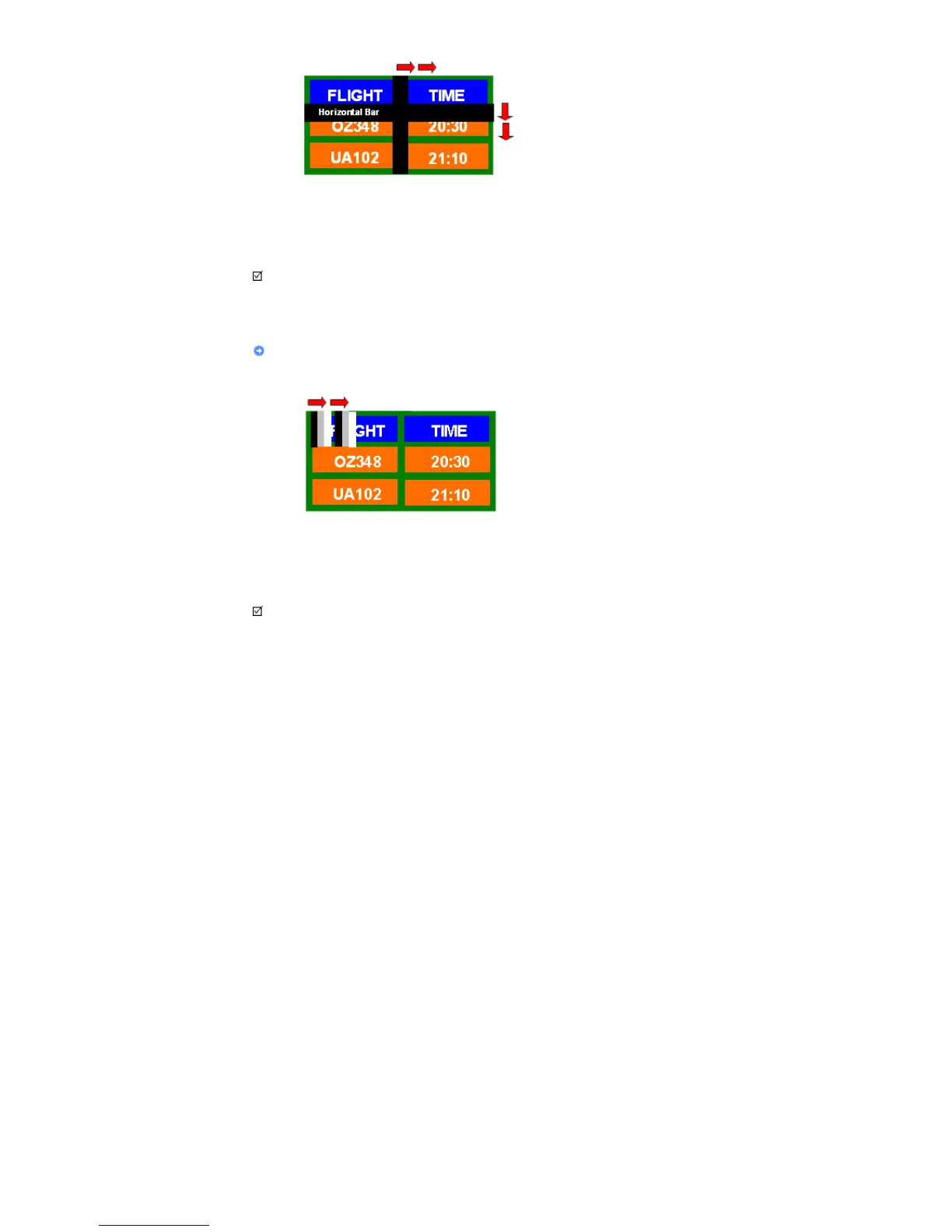
- Select method
. Instruction Guide : OSD Menu -> Set Up -> Safety Screen -> Bar
. Time Interval : 1 ~ 10 hours ( Recommend : 1 )
. Time Period : 10 ~ 50 second ( Recommend : 50 )
Note
• ( Please check CD's User Guide at "OSD Function", some model's will not available. )
Apply the Screen Erasing function on Product
z
Apply the Screen Erasing function
- Symptom: 2 Vertical blocks move with erasing the display
- Select method
. Instruction Guide : OSD Menu -> Set Up -> Safety Screen -> Eraser
. Time Interval : 1 ~ 10 hours ( Recommend : 1 )
. Time Period : 10 ~ 50 second ( Recommend : 50 )
Note
• ( Please check CD's User Guide at "OSD Function", some model's will not available )
© 1995~2008 SAMSUNG. ALL Rights Reserved








 To Next Page