Microsoft
®
Windows Vista™‚ Operating System
1. Insert your Manual CD into your CD-ROM drive.
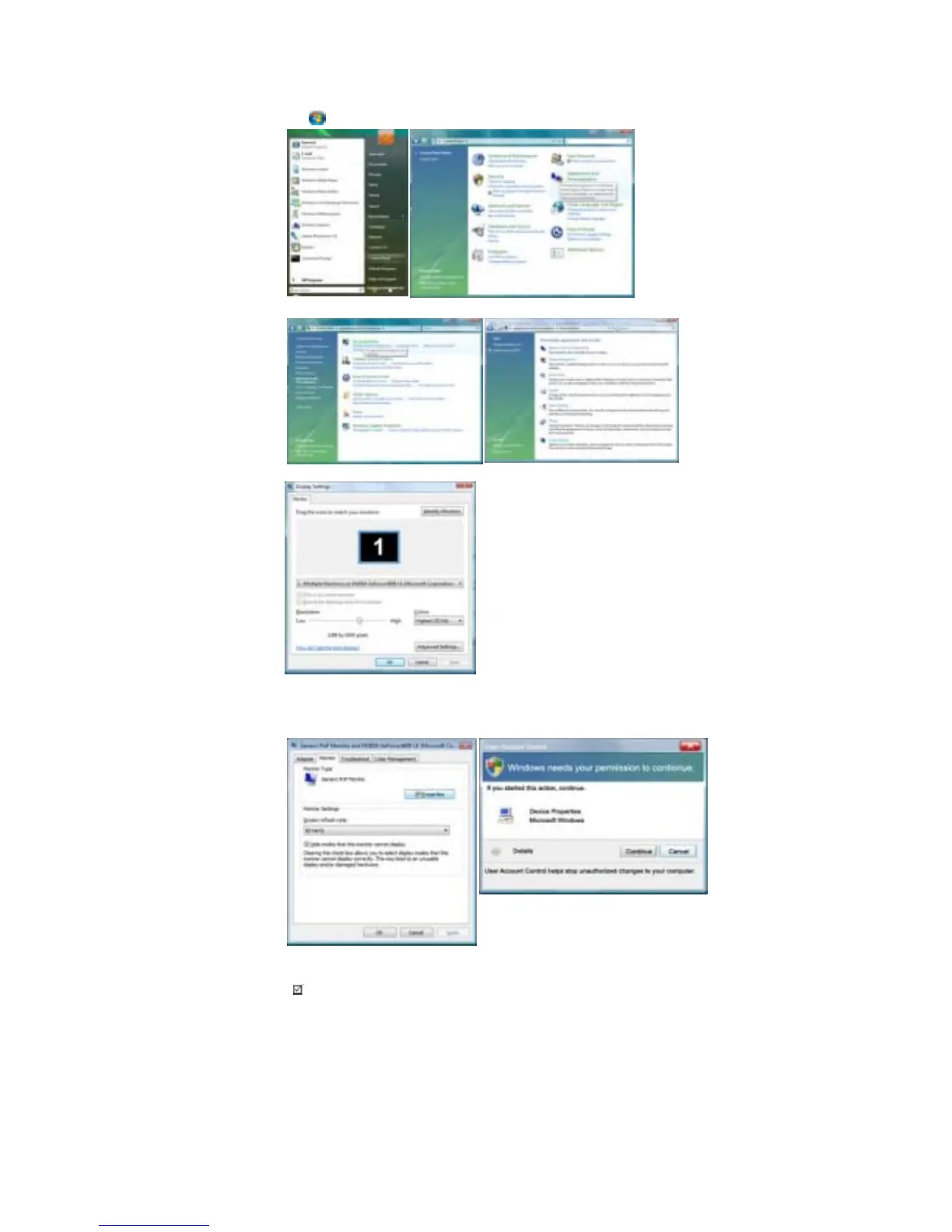
2. Click (Start) and "Control Panel". Then, double-click on "Appearance and Personalization".
3. Click "Personalization" and then "Display Settings".
4. Click "Advanced Settings...".
5. Click "Properties" in the "Monitor" tab. If the "Properties" button is deactivated, it means the configuration
for your monitor is completed. The monitor can be used as is.
If the message "Windows needs..." is displayed, as shown in the figure below, click "Continue".
6. Click "Update Driver..." in the "Driver" tab.
Note
• This monitor driver is under certifying MS logo, and this installation doesn't damage your system.
The certified driver will be posted on Samsung Monitor homepage.








 To Next Page