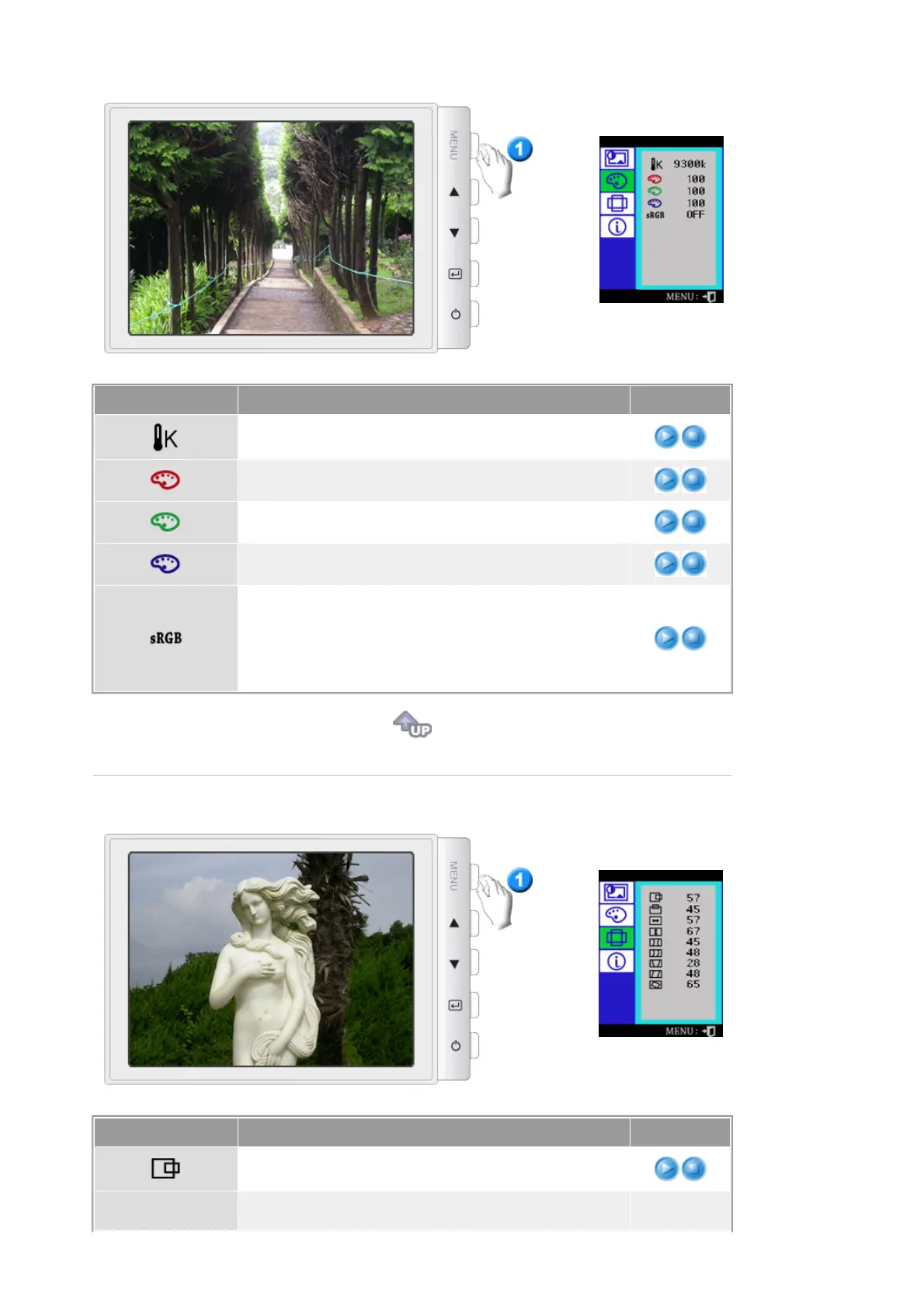
Menu Description Play/Stop
Color temperature is a measure of the 'warmth' of the image
colors. (6500K / 9300K)
Use to adjust the monitor color setting.(Red)
Use to adjust the monitor color setting.(Green)
Use to adjust the monitor color setting.(Blue)
Standard Red Green Blue (sRGB) is a defined default color
space. If a monitor, printer and scanner are all calibrated to
the sRGB color characteristics, then you can find color
matching from each peripheral.
Note :
When the monitor is in the sRGB mode, Brightness /
Contrast adjustment is not available.
Menu Description Play/Stop
Follow these instructions to change the horizontal position of
the monitor's entire display.
Follow these instructions to change the vetical position of the












 To Next Page