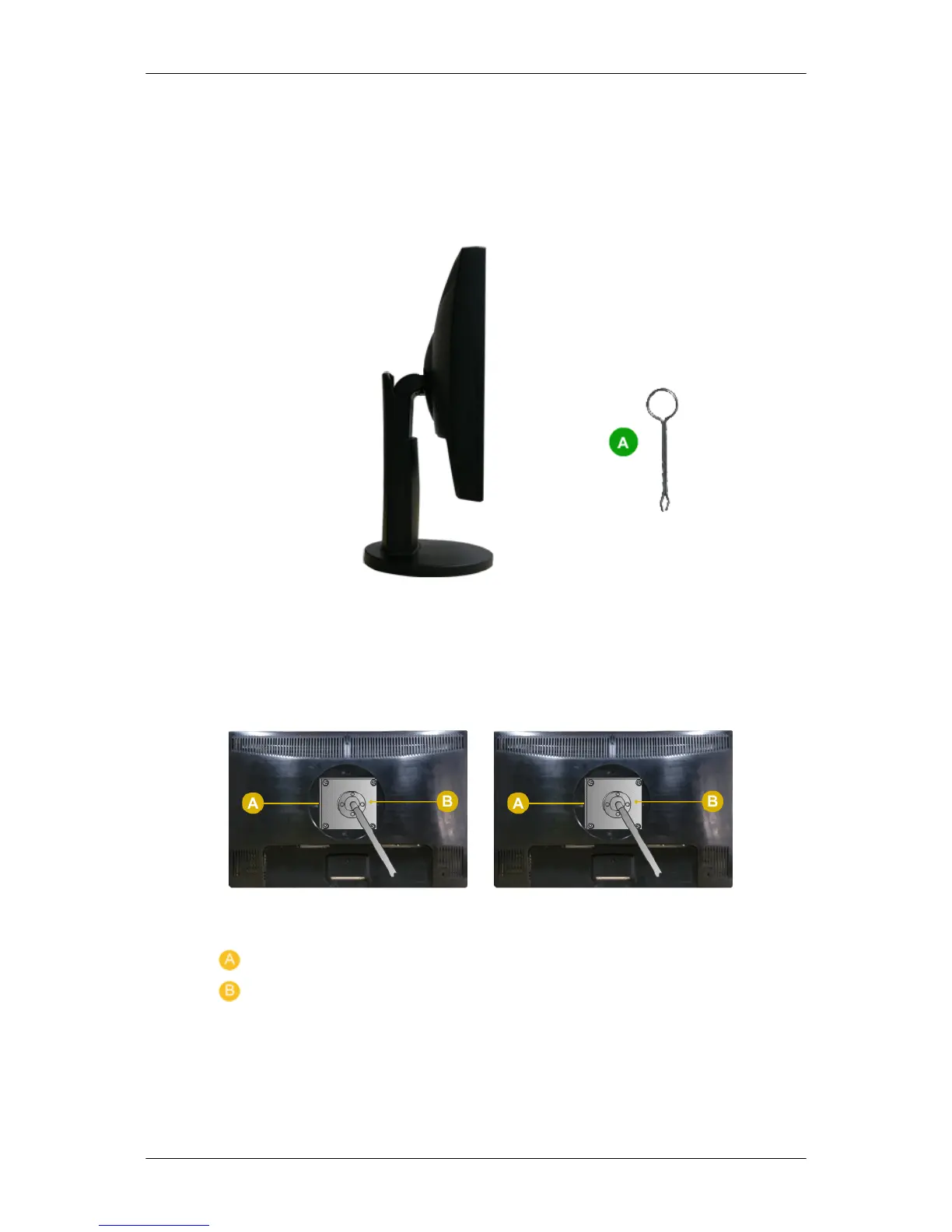
Dual Hinge Stand
Monitor and Bottom
HAS Stand
A. Stand Stopper
Attaching a Base
This monitor accepts a 75 mm x 75 mm VESA-compliant mounting interface pad.
Simple Stand( Dual Hinge Stand ) HAS Stand
. Monitor
. Mounting interface pad (Sold separately)
1. Turn off your monitor and unplug its power cord.
2. Lay the LCD monitor
face-down on a flat surface with a cushion beneath it to protect the
screen.
3. Remove two screws and then remove the stand from the LCD monitor.
Connections
24








 To Next Page