Installing the Product 2-2
2-2 Installing the Stand
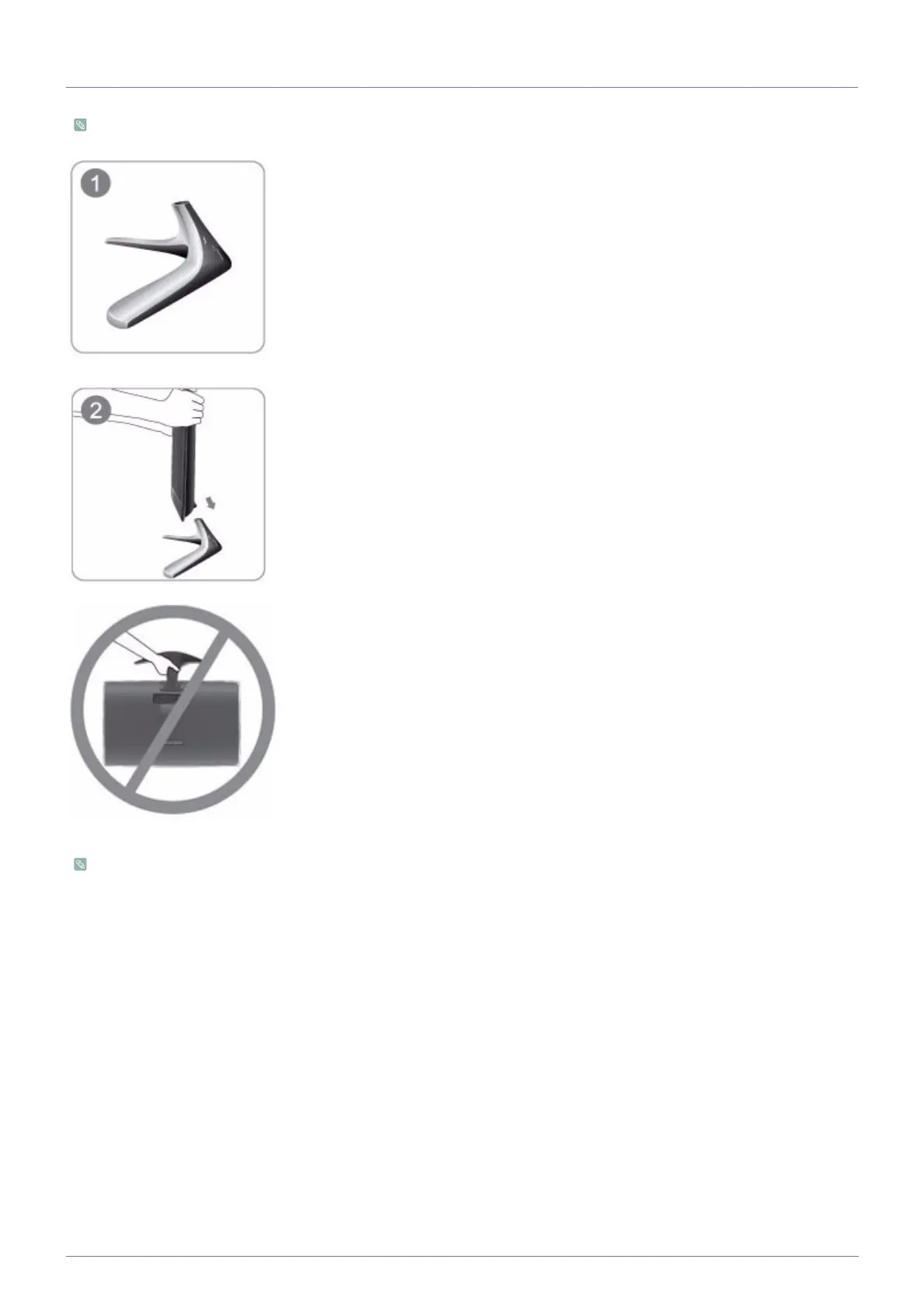
Before assembling the product, place the product down on a flat and stable surface so that the screen is facing downwards.
Disassembly is in the reverse order of the assembly.
Put the stand on a plane table.
Hold the main body of the product with your hand as shown by the figure.
Push the main body of the product into the stand in the direction of the arrow as shown in
the figure.
- Caution
Avoid lifting the product holding only the stand.












 To Next Page