Installing the Product 2-3
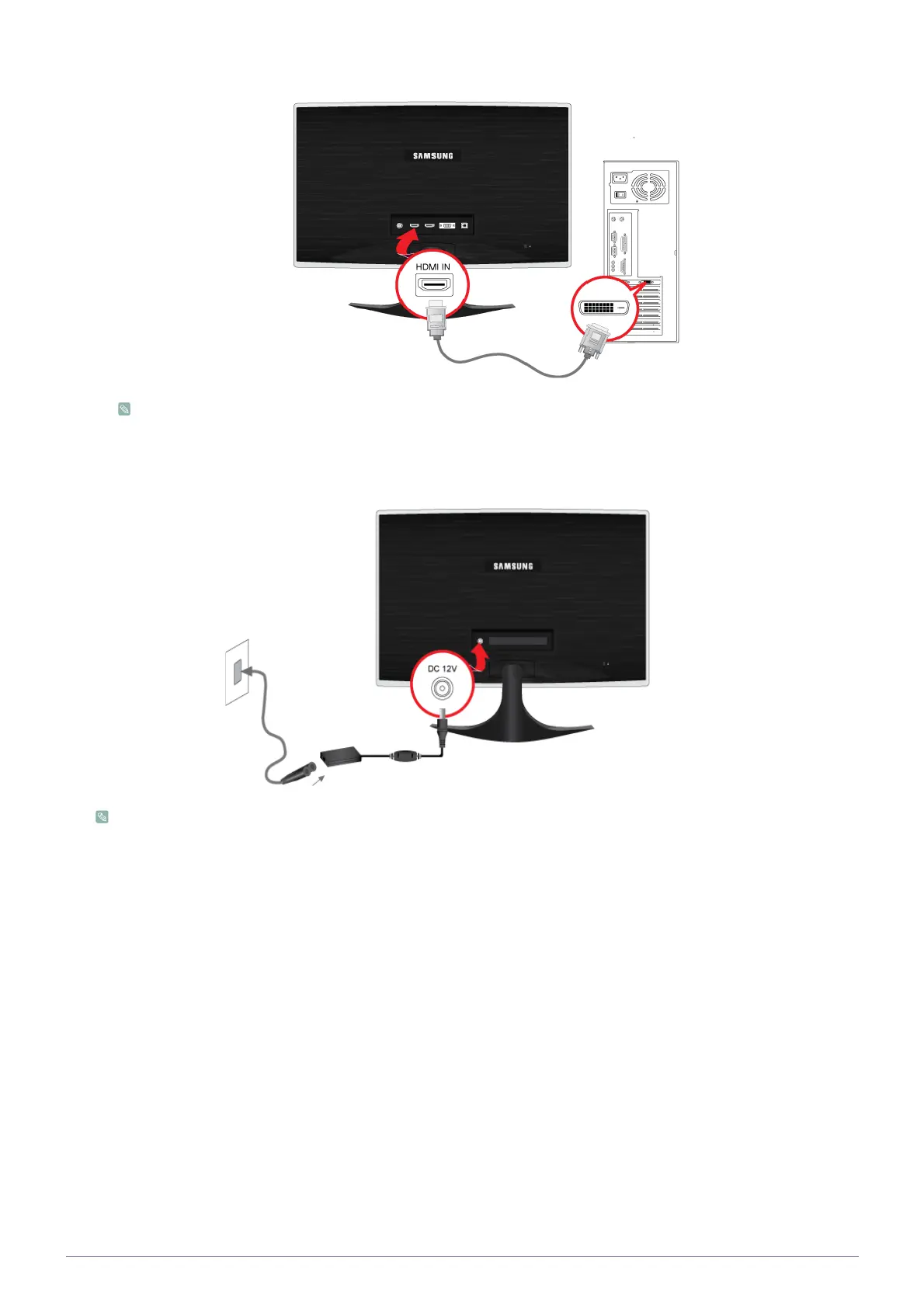
•Connect the [HDMI IN] port of the product to the [DVI] port on your PC using the HDMI to DVI cable.
The [HDMI IN] terminal is supplied for the HDMI-dedicated models only.
2. Connect one end of the power cord to the [POWER] port of the product and connect the other end of the power cord to the
220V or 110V wall outlet.
(The input voltage is switched automatically.)
When the product is connected to a PC, you can turn the product on and use it.






 To Next Page