2-4 Installing the Product
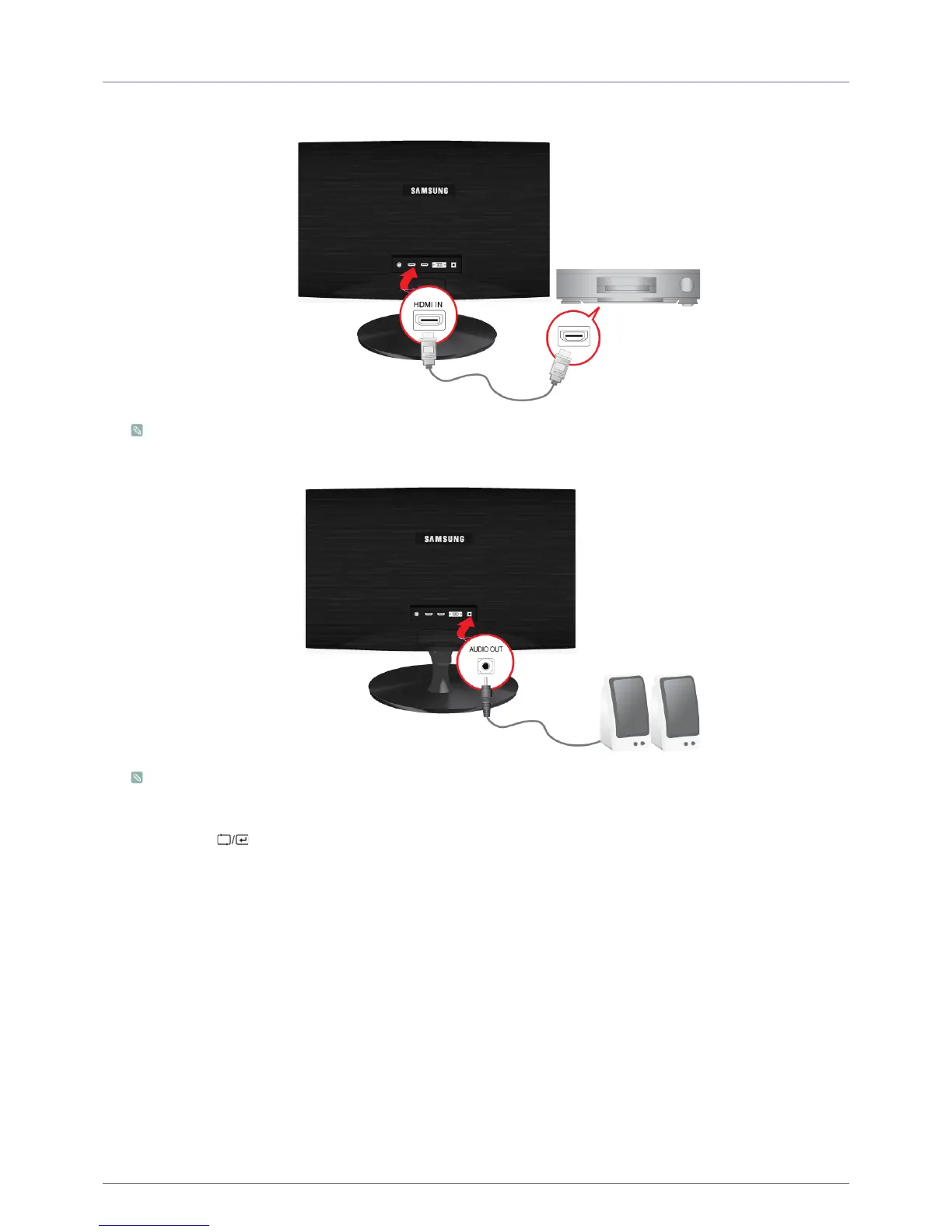
2-4 Connecting an HDMI cable
1. Connect the HDMI output port of your digital output device to the [HDMI IN] port of the product using the HDMI cable.
The [HDMI IN] terminal is supplied for the HDMI-dedicated models only.
2. Connect a speaker to the [AUDIO OUT] port of the product.
This product won't make any sound when only the HDMI cable is connected without a speaker connected.
When all the connections are complete, you can turn on and use the product and your DVD player (or digital output
device).
Press the[ ] button and select <HDMI> as an input signal.






 To Next Page