Using the Product 3-4
Input
Melody A melody sound can be set to come on when the monitor is powered On or Off.
• <Off> - <Low> - <Medium> - <High>
The <Melody> does not play
• When no sound is output from the TV because the [MUTE] button has been pressed.
• When no sound is output from the TV because the volume has been reduced to minimum
with the volume [-] button
• When the TV is turned off by <Sleep Timer> function
Energy Saving This feature adjusts the brightness of the TV in order to reduce power consumption. When watching
TV at night, set the <Energy Saving> mode option to <High> to reduce eye fatigue as well as power
consumption.
• <Off> : Turns off the energy saving function.
• <Low> : Sets the TV to low energy saving mode.
• <Medium> : Sets the TV to medium energy saving mode.
• <High> : Sets the TV to high energy saving mode.
• <Auto> : Automatically adjusts the brightness of the TV screen in accordance with the scenes.
MENU DESCRIPTION
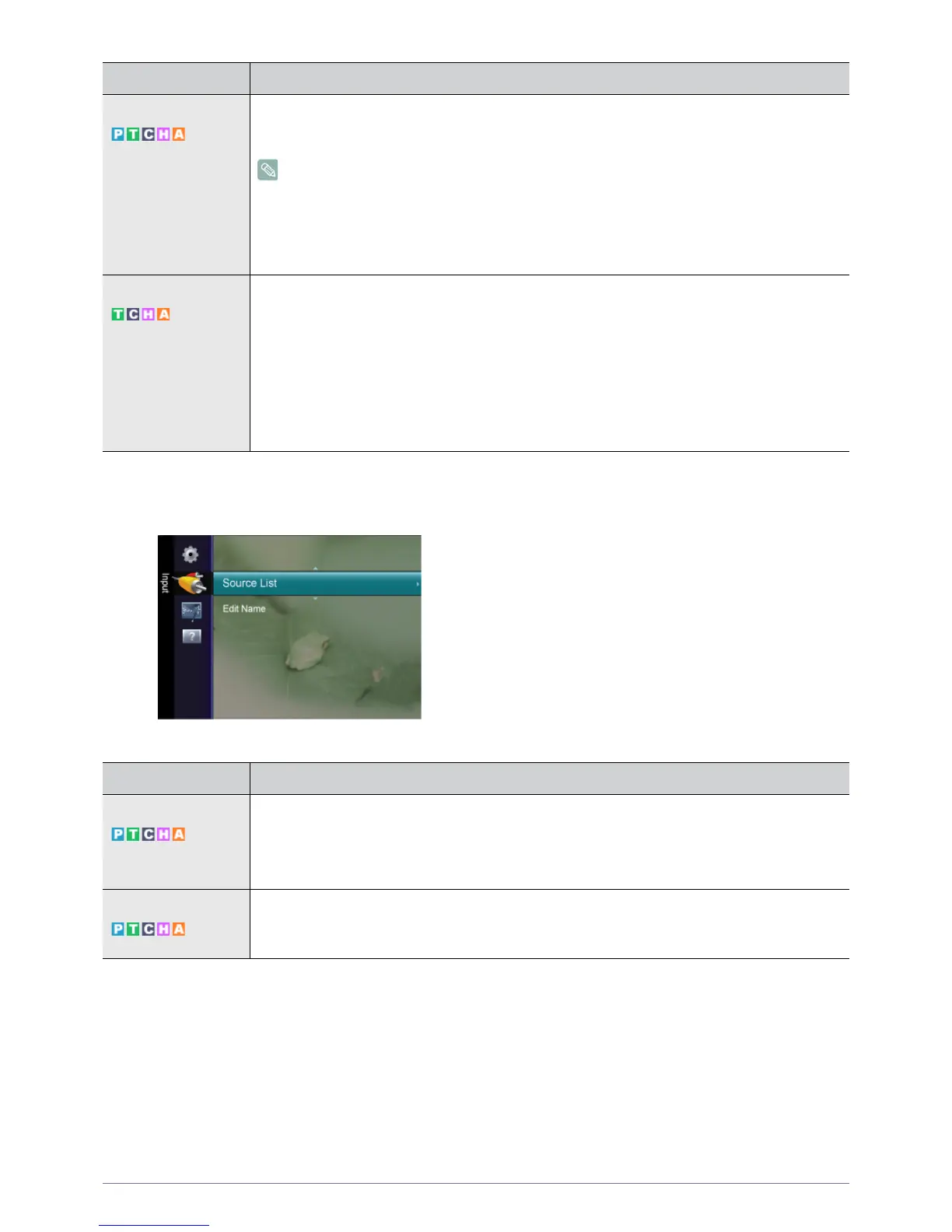
Source List Use to select <PC>, <TV> or an external input source connected to the Monitor.Use to select the
screen of your choice.
You can use the [SOURCE] button on the remote control.
• <PC> - <TV> - <DVI> - <AV> - <Component> - <HDMI>
Edit Name Name the input device connected to the input jacks to make your input source selection easier.
<VCR> - <DVD> - <Cable STB> - <Satellite STB> - <PVR STB> - <AV Receiver> - < Game> -<Cam-
corder> - <PC> - <DVI PC> - <DVI> - <TV> - <IPTV> - <Blu-Ray> - <HD DVD> - <DMA>
MENU DESCRIPTION









 To Next Page