
 Need help?
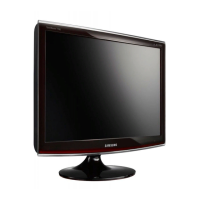
Do you have a question about the Samsung SyncMaster T190P and is the answer not in the manual?
Guidelines for safe power connection and usage to prevent electrical hazards and fires.
Precautions during monitor installation to prevent damage, injury, or malfunction.
Step-by-step instructions for installing monitor drivers automatically or manually.
Details on adjusting brightness, contrast, MagicBright modes, MagicColor, and Color Tone.
Procedure for self-test checks and understanding warning messages for diagnostics.
Addresses issues like no image, color problems, screen balance, and OSD access.
 General
| Screen Size | 19 inches |
|---|---|
| Resolution | 1440 x 900 |
| Aspect Ratio | 16:10 |
| Brightness | 300 cd/m² |
| Contrast Ratio | 1000:1 |
| Dynamic Contrast Ratio | 3000:1 |
| Display Type | LCD |
| Connectivity | DVI, VGA |
| Viewing Angle (Vertical) | 160° |
| Panel Type | TN |
| Color Support | 16.7 million |
| Power Consumption (Standby) | 1 W |
| Viewing Angle (Horizontal) | 160 degrees |
| Response Time | 2 ms (GTG) |








 To Next Page