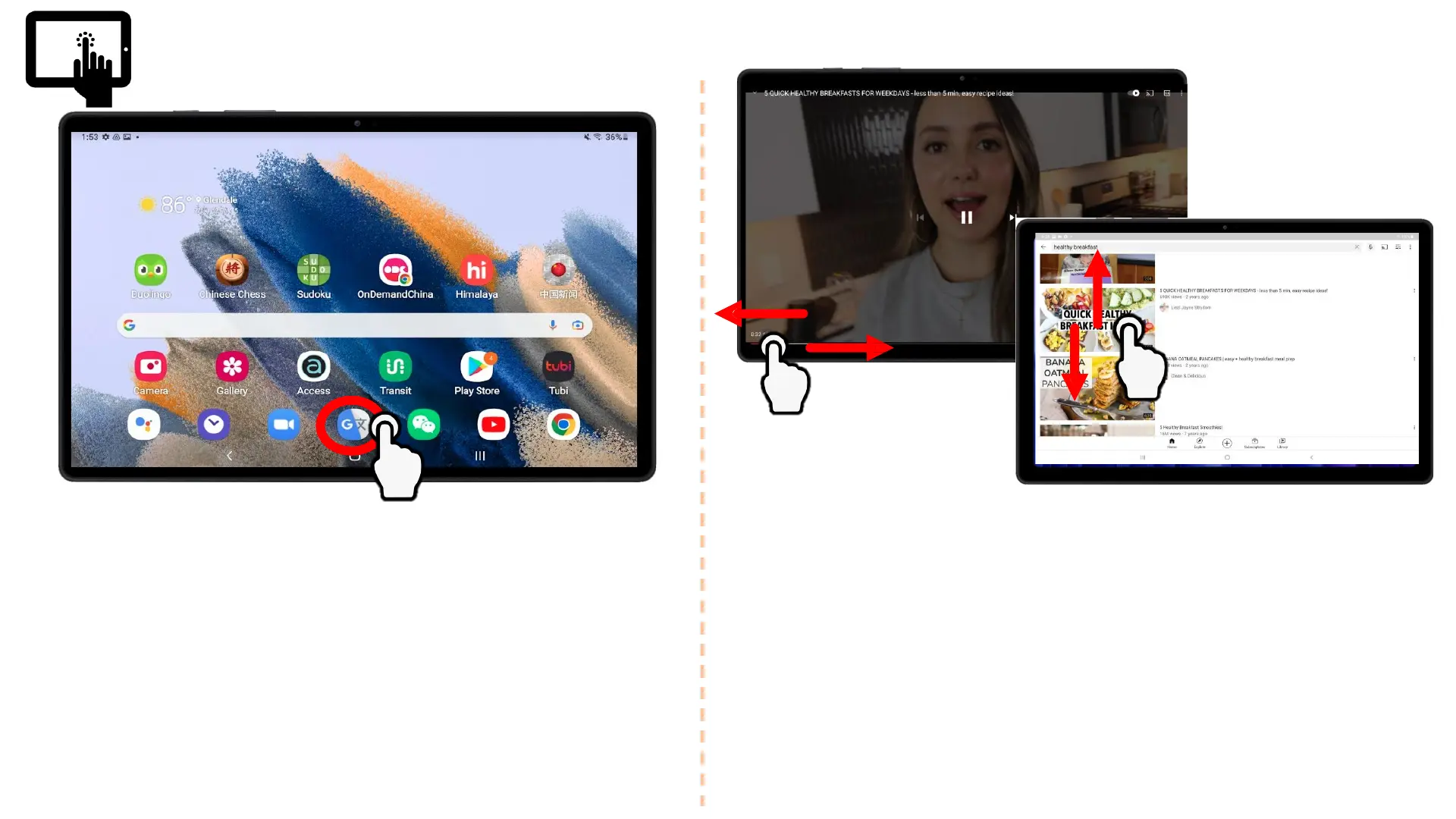
Gestures
TAP
• Gently tap your finger on the
tablet screen and release
• The primary gesture used to
select buttons and open
applications
SCROLL
• Lightly press your finger on the
tablet screen and drag across
vertically or horizontally
• Scrolling is used to fast forward
or rewind YouTube videos, scroll
up and down websites, etc.
9








 To Next Page