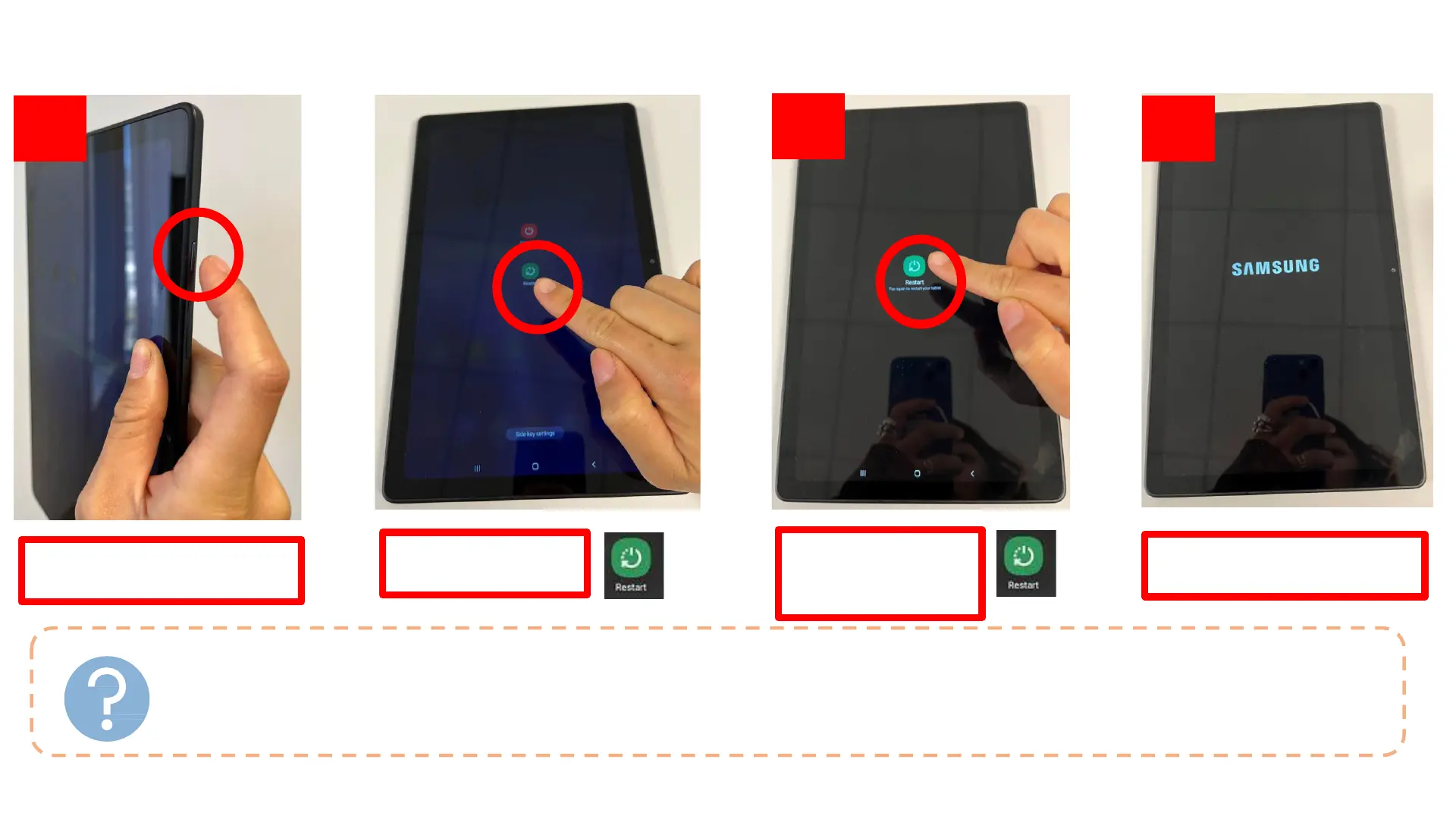
Restarting Your Tablet
WHY RESTART
MY TABLET?
1. 2.
3.
4.
Press down on the “Power”
button for 3 seconds
Tap the green
“Restart” button
Success! Your tablet is now
restarting
Tap the green
“Restart” button one
more time
• Applications such as Google Duo, YouTube, or Camera are not working as usual
• Touchscreen is slow to respond or not responding at all
• Device is unexpectedly heating up
• If you are experiencing any issues with your tablet, the first thing to try is restarting it!
6








 To Next Page