EasyManua.ls Logo

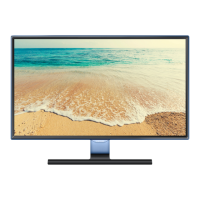
Samsung TE310 SERIES - User Manual

Samsung TE310 SERIES
94 pages
Print Icon
To Next Page IconTo Next Page
Loading...
LED TV
user manual
Thank you for purchasing this Samsung product.
To receive more complete service, please register
your product at
www.samsung.com/register
Model _____________ Serial No. _____________
T24E310EW
T24E310EX
T28E310EW
T28E310EX
T32E310EW
T32E310EX
TE310

Table of Contents

Questions and Answers

  • M
    Michael CookAug 12, 2025
    Why did my Samsung LED TV turn on by itself?
    • T
      Thomas ShafferAug 13, 2025
      If your Samsung LED TV turned on by itself after being off for about 45 minutes, this is normal behavior. The TV uses the OTA (Over The Air) function to automatically update firmware downloaded while you were watching TV.
  • K
    Kelly NixonAug 16, 2025
    How to fix intermittent loss of audio or video on Samsung TE310?
    • N
      nguyendeniseAug 17, 2025
      Loss of audio or video on your Samsung LED TV can be caused by using cables that are too rigid or thick. Check the cable connections and reconnect them. Ensure the cables are flexible enough for long-term use. If mounting the TV to the wall, consider using cables with 90-degree connectors.
  • A
    April RodriguezAug 20, 2025
    Why does my Samsung TE310 say “This file may not be playable properly”?
    • A
      Allen ValenzuelaAug 20, 2025
      If you see the message “This file may not be playable properly” on your Samsung LED TV, it might be due to the high bit rate of the content. Usually, the content will still play, but you might experience some issues with its playability.
  • N
    Nicholas Smith Jr.Aug 25, 2025
    What to do if my Samsung TE310 shows “Scrambled Signal” or “Weak or No Signal”?
    • K
      Kimberly FrancoAug 25, 2025
      If you see “Scrambled Signal” or “Weak or No Signal” on your Samsung LED TV, and you're using a CAM CARD (CI/CI+), ensure it's properly inserted into the common interface slot. If the problem persists, try removing the CAM CARD and reinserting it into the slot.
  • J
    Jeremy PowellAug 27, 2025
    How to fix recurrent picture/sound issues on Samsung TE310?
    • A
      Andrew FlemingAug 28, 2025
      If you are experiencing recurrent picture or sound issues on your Samsung LED TV, try checking and changing the signal or source to resolve the problem.
  • J
    johnsondavidAug 31, 2025
    Why is the PIP menu not available on my Samsung TE310?
    • D
      denisejonesAug 31, 2025
      PIP functionality on Samsung LED TV is available when you are using a TV, AV, Component, HDMI2/ DVI, EXT., or HDMI1 source.
  • C
    Charles RuizSep 4, 2025
    What to do if rubber cushion pads on my Samsung LED TV base stand react with furniture?
    • K
      kjohnsonSep 4, 2025
      To prevent a reaction between the rubber cushion pads on the base stand and the top finish of some furniture, use felt pads on any surface of the Samsung LED TV that comes into direct contact with furniture.
  • C
    Chris ReyesSep 8, 2025
    Why do I see small particles on the edge of my Samsung TE310 frame?
    • J
      jessicahebertSep 8, 2025
      This is part of the product’s design and is not a defect.

Summary

Getting Started

Safety Precautions

Essential safety measures for operating the TV, including warnings, cautions, and handling guidelines.

Connections

Connecting AV and External Devices

Guides for connecting AV devices like Blu-ray players, PCs, and audio equipment using HDMI, Component, AV, and Scart cables.

Basic Features

Picture Settings and Modes

How to select picture modes and adjust settings like brightness, contrast, sharpness, colour, and size.

Sound Settings and Modes

How to select sound modes, adjust effects, configure speakers, and reset sound settings.

Preference Features

Time and Timer Settings

How to set the TV's clock, sleep timer, and on/off timers for automated operation and time zone configuration.

Other Information

Troubleshooting Common Issues

Solutions for common problems related to picture quality, sound, connectivity, and remote control.

Samsung TE310 SERIES Specifications

General IconGeneral
BrandSamsung
ModelTE310 SERIES
CategoryLED TV
LanguageEnglish

Related product manuals