
 Need help?
Do you have a question about the Samsung The Terrace LST7T and is the answer not in the manual?
Demonstrates how to attach the holder-cable to the TV.
Guidance on selecting a suitable location for the TV installation.
Details about the integrated media bay for media players.
Instructions for preparing the TV for cable connections.
Steps and safety precautions for wall-mounting the television.
Ensures adequate airflow around the TV to prevent overheating.
Information on the TV's resistance to environmental elements.
Explains the functions of each button on the smart remote control.
Guides users on how to connect the smart remote to the TV.
Step-by-step instructions for inserting batteries into the remote.
How to use the TV's physical controller button for basic operations.
Steps to connect the TV to the internet wirelessly.
Steps to connect the TV to the internet using a LAN cable.
General information regarding HDBase-T connectivity.
Recommended practices for establishing HDBase-T connections.
Limitations and considerations when using HDBase-T.
How temperature affects TV performance and protection.
Common problems and solutions for TV operation.
Steps to resolve the issue of the TV not powering on.
Solutions for signal, picture, sound, and channel reception problems.
Troubleshooting steps for a non-functional remote control.
How to program external remotes for TV control.
Resolving issues where TV settings revert unexpectedly.
Tips for fixing unstable wireless network connections.
How to resolve issues with streaming or video applications.
Explanation of Samsung's remote technical support service.
How the Eco Sensor adjusts screen brightness and power.
Guidelines for cleaning and maintaining the TV's exterior and screen.
Technical specifications for different TV models.
Information on operating and storage conditions.
Methods to reduce the TV's power usage.
Information on product licenses and trademarks.
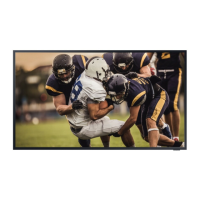
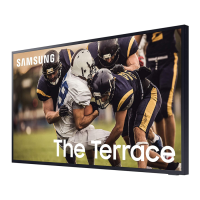
This document is a user manual for "The Terrace" outdoor TV by Samsung, model LST7T. It provides comprehensive information on installation, operation, maintenance, and troubleshooting, designed to help users get the most out of their outdoor viewing experience.
The Samsung Terrace TV is an outdoor television designed for use in various weather conditions, offering robust durability with an IP55 rating against solids and water. This means it can withstand exposure to rain and dust, making it suitable for outdoor environments. The remote control also boasts an IP56 durability rating. The TV provides an optimal viewing experience in temperatures ranging from 0°C (32°F) to 50°C (122°F). For stable startup in low temperatures (below 10°C/50°F), it features an "Outdoor Mode" that operates the TV backlight, ensuring consistent performance even in cold weather. This mode keeps the startup stable by operating the TV backlight when the weather is very cold. When Outdoor Mode is active, the power supply must remain connected. Even in standby mode with Outdoor Mode enabled, the TV consumes power (e.g., 55": MAX 250 W / 65": MAX 300 W / 75": MAX 400 W). The screen may appear grey when Outdoor Mode is in standby. To protect the product from high temperatures, the luminance may be lowered if the temperature exceeds 45°C (113°F), regardless of Outdoor Mode activation.
The TV integrates smart features, accessible through the Samsung Smart Remote and the e-Manual. The e-Manual serves as an embedded guide, offering detailed information on various functions, troubleshooting, and specifications. It includes search, index, site map, and recently viewed topics for easy navigation. Interactive buttons like "Try Now" allow users to access corresponding menu items directly, while "Link" provides immediate access to underlined topics.
For connectivity, the TV supports both wireless and wired network connections. Wireless connection requires a wireless access point or modem with a DHCP server. For wired connection, a CAT 7 (STP type) LAN cable is recommended for optimal performance (100/10 Mbps). The TV also features HDBase-T connectivity, allowing data transmission from external devices. This connection is 1:1 and requires a LAN (CAT6 or higher quality) cable. STP cables and connectors are recommended for CE compliance and to safeguard against electrical noise.
The Samsung Smart Remote is the primary interface for controlling the TV. It features a power button, a colour/number button for accessing additional options and a virtual numeric pad, a select button for confirming choices, a return button to navigate back, play/pause controls for media content, and a Smart Hub button to return to the home screen. The remote also includes a voice assistant, directional buttons for menu navigation, and volume/channel controls. A unique "Ambient Mode" button allows users to switch to Ambient Mode from TV mode or turn on the TV directly into Ambient Mode.
The initial setup process is guided, allowing users to configure basic settings like broadcast reception, channel search, and network connection. This can be done via the TV's menu or through the SmartThings app on a mobile device (Android 6.0+ or iOS 10+). The TV Controller button, located at the bottom of the TV, provides an alternative way to turn on the TV and access a control menu for basic functions like power, volume, and channel selection.
The "Adaptive Picture" feature automatically optimises brightness and contrast in real time, based on the ambient lighting conditions and the content being viewed. This ensures the best picture quality in both bright and dark environments. The Eco Sensor, located at the bottom of the TV, measures room light and adjusts screen brightness to reduce power consumption. Users can disable this feature if they find the screen too dark in a dark environment.
The user manual provides detailed instructions for connecting cables to the Media Bay, a weather-resistant compartment on the rear of the TV designed for media players. It emphasizes the importance of securely closing the cover and fastening screws to maintain water tightness. Different hole sizes are provided for various cable thicknesses, and specific torque recommendations are given for fastening screws.
When mounting the TV on a wall, users are advised to follow the manufacturer's instructions precisely to prevent damage or injury. Samsung is not responsible for issues arising from improper installation or the use of non-Samsung wall mount kits. Proper ventilation is crucial, with a recommended distance of at least 38 mm between the TV and other objects to prevent overheating and potential fire hazards.
Troubleshooting tips are included for common issues such as the TV not turning on, lack of picture/sound, distorted signals, or remote control malfunction. Users are advised to check cable connections, input sources, and perform self-diagnosis tests. Solutions for intermittent Wi-Fi, lost TV settings (due to Retail Mode), and video app problems (like YouTube) are also provided, including changing DNS settings or resetting the Smart Hub.
Samsung offers a "Remote Support" service, allowing technicians to remotely diagnose issues, adjust settings, perform factory resets, and install firmware updates. This service requires the user to grant access via a PIN number.
For general care, the manual advises cleaning the TV screen and body with a soft, dry micro-fiber cloth, avoiding strong force or flammable liquids. If a sticker was attached to the screen, any remaining debris should be cleaned off. To decrease power consumption, users are encouraged to unplug the power cord when the TV will not be used for extended periods.
 General
| Display Type | QLED |
|---|---|
| Resolution | 4K UHD (3840 x 2160) |
| HDR | Quantum HDR |
| Brightness | up to 2000 nits |
| Smart Platform | Tizen |
| Water Resistance | IP55 |
| HDMI Ports | 4 |
| USB Ports | 2 |
| Refresh Rate | 120Hz |
| Voice Assistant | Bixby, Alexa, Google Assistant |
| Audio | Dolby Digital Plus |
| Viewing Angle | Wide Viewing Angle |
| Anti-Reflection | Yes |
| Screen Size | 75 inches |
| Audio Output | 20W |
| Wi-Fi | Yes |
| Bluetooth | Yes |
| Smart Features | Multi View |
| Weather Resistance | IP55 |
| Speaker Type | 2.0 Channel |
| Dimensions (Without Stand) | Varies by screen size |




 To Next Page