EasyManua.ls Logo

Samsung TL240 - User Manual

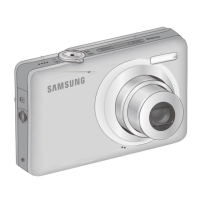
Samsung TL240
113 pages
Print Icon
To Next Page IconTo Next Page
Loading...
This user manual includes detailed usage
instructions for your camera. Please read
this manual thoroughly.
Ä Click a topic
Common questions
Quick reference
Contents
Basic functions
Extended functions
Shooting options
Playback/Editing
Appendixes
Index
User Manual
TL240

Table of Contents

Other manuals for Samsung TL240

Questions and Answers

  • D
    Dominic PierceJul 29, 2025
    Why does my Samsung Digital Camera battery drain so fast?
    • G
      garciamatthewJul 29, 2025
      If your Samsung Digital Camera loses battery power quickly, especially in low temperatures (below 0° C), keep the battery warm by putting it in your pocket. The battery may also drain quickly if you frequently use the flash or record videos, so recharge it as needed. Note that batteries are consumable parts, so consider replacing the battery if its life is diminishing quickly.
  • J
    Jennifer WaltersAug 2, 2025
    What to do if my Samsung TL240 turns off suddenly?
    • A
      Andrea FloresAug 2, 2025
      If your Samsung Digital Camera suddenly turns off, ensure the battery is charged. Also, the camera might be in Power save mode. The camera may also turn off to prevent memory card damage from impact; in this case, simply turn your camera on again.
  • K
    Katie LoveAug 7, 2025
    How to fix a Samsung TL240 that won't take pictures?
    • D
      Deborah FrankAug 7, 2025
      If your Samsung Digital Camera will not take photos, first ensure that the camera is switched on, the battery is correctly inserted and charged. If these are fine, the memory card might be full, so delete unnecessary files or insert a new card. If that doesn't work, the memory card could be defective, so try a new one.
  • N
    Nicholas FosterAug 10, 2025
    What to do if the touch screen or buttons on my Samsung Digital Camera aren't working?
    • M
      Melissa CampbellAug 11, 2025
      If the touch screen or buttons on your Samsung Digital Camera aren't working, try removing the battery and then reinserting it.
  • M
    Melissa HaleAug 15, 2025
    Why doesn't the flash work on my Samsung TL240 Digital Camera?
    • C
      Christopher WhiteAug 15, 2025
      If the flash on your Samsung Digital Camera does not work, the flash option may be set to Off. Also, you cannot use the flash in the d, v, D, or some s modes.
  • I
    inguyenAug 19, 2025
    How to unfreeze a Samsung TL240 Digital Camera?
    • M
      matthew50Sep 12, 2025
      If your Samsung Digital Camera freezes, remove the battery and insert it again.
  • S
    sherry64Aug 25, 2025
    Why does the flash fire unexpectedly on my Samsung TL240 Digital Camera?
    • P
      Pamela PhamAug 25, 2025
      If the flash on your Samsung Digital Camera fires unexpectedly, it may be due to static electricity. This is not a malfunction of the camera.

Summary

Health and Safety Information

Safety Warnings and Precautions

General safety warnings and precautions for using the camera.

Prevent Eye Damage

Instructions to avoid damaging eyesight with the camera flash.

Battery and Charger Handling

Guidelines for safe handling and disposal of batteries and chargers.

Camera Handling Precautions

Advice on careful handling and storage of the camera.

Protect Batteries, Chargers, and Memory Cards

Precautions for protecting batteries, chargers, and memory cards from damage.

Use Samsung-Approved Accessories

Importance of using only genuine Samsung accessories for camera safety.

Basic Functions

Unpacking

Lists items included in the camera package.

Camera Layout

Identifies camera parts and explains their functions.

Inserting Battery and Memory Card

Instructions for inserting battery and memory card.

Charging Battery and Turning On

Guide to charging battery and powering on the camera.

Initial Setup

Configures basic camera settings upon first use.

Using the Touch Screen

Details basic actions and gestures for the touch screen.

Selecting a Shooting Mode

Explains how to select and set different shooting modes.

Taking Photos

Basic steps for taking photos in Auto mode.

Reducing Camera Shake (OIS)

Techniques to reduce camera shake using Optical Image Stabilization.

Common Questions and Solutions

Quick Reference Guide

Extended Functions

Shooting Modes

Take photos or record videos by selecting the best shooting mode.

Shooting Options

Resolution and Quality Settings

How to change image resolution and quality settings.

Using Face Detection

Camera automatically detects human faces for focus and exposure.

Playback and Editing

Playing Back Files

Learn actions to play back photos, videos, or voice memos.

Samsung TL240 Specifications

General IconGeneral
Megapixel14 MP
Camera typeCompact camera
Sensor typeCCD
Image stabilizerYes
Image sensor size1/2.33 \
Still image resolution(s)1024 x 768, 1920 x 1080, 2048 x 1536, 2592 x 1944, 3264 x 2448, 4240 x 2385, 4240 x 2826
Digital zoom- x
Optical zoom7 x
Focal length range5.6 - 39.2 mm
Digital SLRNo
Aperture range (F-F)3.3 - 5.5
Camera shutter speed1/8 - 1/2000 s
Focal length (35mm film equivalent)- mm
Focus adjustmentAuto
Normal focusing range0.8 - ∞ m
Auto focusing (AF) modesCentre weighted Auto Focus, Multi Point Auto Focus
Super Macro focusing range0.1 - 0.5 m
Macro focusing range (tele)0.5 - 0.8 m
Macro focusing range (wide)0.1 - 0.8 m
Normal focusing range (tele)1.5 - ∞ m
Auto Mode focusing range (wide)0.1 - ∞ m
Light meteringCentre-weighted, Spot
ISO sensitivity80, 200, 400, 800, 1600, 3200, 6400, Auto
Light exposure correction± 2EV (1/3EV step)
Flash modesAuto, Fill-in, Flash off, Red-eye reduction, Slow synchronization
Flash recharging time4 s
Scene modesBacklight, Children, Close-up (macro), Documents, Night, Night portrait, Portrait, Snow, Sunset, Landscape (scenery)
Image editingResizing, Rotating, Trimming
Photo effectsNegative film, Vivid
White balanceAuto, Cloudy, Custom modes, Daylight, Fluorescent, Tungsten
Camera playbackMovie, Single image
Self-timer delay- s
Motion JPEG frame rate30 fps
Video formats supportedH.264, MPEG4
Maximum video resolution1280 x 720 pixels
Analog signal format systemNTSC, PAL
Internal memory- MB
Maximum memory card size4 GB
Display diagonal3.5 \
USB version2.0
Product colorGray
Operating temperature (T-T)0 - 40 °C
Operating relative humidity (H-H)5 - 85 %
Weight and Dimensions IconWeight and Dimensions
Depth19.3 mm
Width103.6 mm
Height58.42 mm

Related product manuals