
 Need help?
Do you have a question about the Samsung TS-H353B and is the answer not in the manual?
Defines warning, caution, and informational symbols for user safety.
Guidelines for safe installation of the drive to prevent damage or malfunction.
Safety measures to follow while the drive is in use to prevent damage or malfunction.
Warnings against foreign substances, liquids, and unauthorized disassembly.
Information on RoHS compliance and WEEE for correct product disposal.
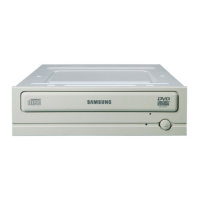
Identifies and explains the functions of the drive's front panel components.
Identifies and explains the drive's rear panel interface connectors.
Step-by-step instructions for physically installing the drive into a PC.
Guides on connecting the S-ATA power and data cables to the drive and motherboard.
Instructions for installing the necessary driver for the drive to function.
Explains automatic and manual methods for configuring the device driver.
Procedure for playing audio CDs, video CDs, and DVDs with the drive.
Best practices for storing and cleaning discs to ensure longevity.
Instructions on how to download and update the product's firmware.
Lists the minimum hardware and OS requirements for the drive.
Provides solutions for common problems encountered with the drive.
 General
| Type | DVD-ROM Drive |
|---|---|
| Weight | 0.9 kg |
| Read Speed | 16x DVD-ROM, 48x CD-ROM |
| Supported Disc Formats | CD-ROM, CD-R, CD-RW, DVD-ROM, DVD-R, DVD-RW, DVD+R, DVD+RW |
| Interface | IDE |



 To Next Page