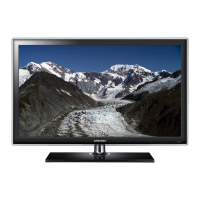
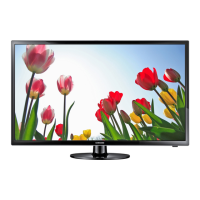
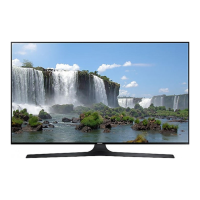
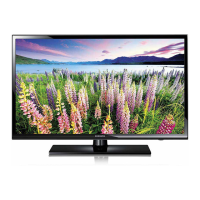
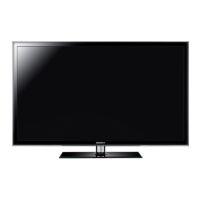
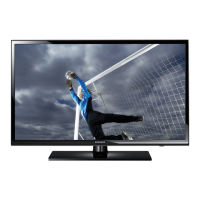
This document is a user manual for Samsung Series 6, Series 5, and Series 4 televisions. It provides comprehensive information on product usage, installation, troubleshooting, and specifications.
Function Description
The Samsung TV is designed to provide optimal picture quality and energy efficiency, adhering to BEE Star rating requirements in 'Home' Mode. It features an embedded e-Manual for detailed information on product safety, installation, accessories, initial configuration, and specifications. The TV can be controlled using either the Samsung Smart Remote or a standard remote control, and also features a TV Controller button for basic operations. It supports connectivity to wireless and wired networks, enabling access to online services like Smart Hub and software updates. The TV includes an Eco Sensor to automatically adjust screen brightness based on ambient light, optimizing power consumption. Remote Support is available, allowing Samsung technicians to remotely diagnose issues, adjust settings, perform factory resets, and install firmware updates.
Important Technical Specifications
- Display Resolution:
- UA32T4300 / UA32T4400 / UA32T5300 / UA32T4500 / UA32T4550 / UA32T4700 / UA32T4750: 1366 x 768
- UA40T5300 / UA43T5300 / UA43T5400 / UA43T5500 / UA43T6000 / UA43T6500 / UA43T5700 / UA43T5770: 1920 x 1080
- Screen Size (Measured Diagonally):
- 32-inch models: 80 cm
- 40-inch models: 100 cm
- 43-inch models: 108 cm
- Sound (Output):
- 32-inch models: 10 W or 20 W or 40 W (depending on model)
- 40-inch models: 20 W
- 43-inch models: 20 W or 40 W (depending on model)
- Dimensions (W x H x D):
- 32-inch models (Body): 73.74 x 43.80 x 7.41 cm
- 32-inch models (With Stand): 73.74 x 46.54 x 15.05 cm
- 40-inch models (Body): 91.71 x 52.77 x 7.70 cm
- 40-inch models (With Stand): 91.71 x 55.24 x 17.03 cm
- 43-inch models (Body): 97.99 x 57.19 x 7.73 cm
- 43-inch models (With Stand): 97.99 x 59.66 x 17.03 cm
- Weight:
- 32-inch models (Without Stand): 4.0 kg
- 32-inch models (With Stand): 4.1 kg
- 40-inch models (Without Stand): 7.0 kg
- 40-inch models (With Stand): 7.2 kg
- 43-inch models (Without Stand): 8.0 kg or 8.2 kg (depending on model)
- 43-inch models (With Stand): 8.2 kg or 8.4 kg (depending on model)
- VESA Screw Hole Specs (Wall Mount):
- 32-inch: 100 x 100 mm (M4 screws, 26-28 mm or 21.9-23.9 mm length)
- 40/43-inch: 200 x 200 mm (M8 screws, 25.7-27.7 mm or 25.2-27.2 mm or 21.1-23.1 mm length)
- Environmental Considerations:
- Operating Temperature: 10°C to 40°C (50°F to 104°F)
- Operating Humidity: 10% to 80%, non-condensing
- Storage Temperature: -20°C to 45°C (-4°F to 113°F)
- Storage Humidity: 5% to 95%, non-condensing
- Connectivity: LAN Port (for wired network), Wireless IP access point or modem (for wireless network), USB port (for Mobile Dongle).
- Power: AC voltage, DC voltage (for power adapter on 32-inch models).
- Licences: DOLBY AUDIO™, HEVCAdvance™, HDMI™.
- RoHS compliant (For India only).
Usage Features
- Initial Setup: Guides users through broadcast reception, channel search, and network connection upon first power-on. Can be performed via the TV menu or SmartThings app.
- e-Manual: Accessible via Settings > Support > Open e-Manual. Features include Search, Index (A-Z), Site Map, and Recently Viewed Topics. "Try Now" allows direct access to menu items, and "Link" provides immediate access to underlined topics.
- Samsung Smart Remote: Features Power, Number button (123), Bixby (voice assistant), Colour buttons, Directional buttons, Volume (+/-), Channel (∧/∨), Return, Play/pause, and Smart Hub buttons. Braille points are present on Power, Channel, Volume, and Select buttons for visually impaired users. Uses 1.5V AA alkaline batteries.
- Standard Remote Control: Features Power, Source, Number buttons, TTX/MIX, Mute, Volume, Channel, Smart Hub, Channel List, Guide, Return, Exit, Colour buttons, Settings, Info, AD/SUBT, and media playback controls.
- TV Controller Button: Located at the bottom of the TV, allows power on/off, volume adjustment, channel change, and source selection.
- Network Connection: Supports both wireless (via access point/modem) and wired (via LAN cable, Cat7 STP Type recommended) connections for online services and updates. Mobile Network connectivity is also supported via a Mobile Dongle (sold separately).
- Troubleshooting: Provides a list of common problems and solutions, including issues with power, picture/sound, remote control, Wi-Fi, and video apps. Users can perform a TV self-diagnosis (Picture Test or Sound Test) and reset Smart Hub.
- Eco Sensor: Automatically adjusts screen brightness to reduce power consumption. Can be turned off via Settings > General > Eco Solution > Ambient Light Detection.
Maintenance Features
- Software Update: Users can update the TV's software via Update Now or Auto update functions in Settings > Support > Software Update.
- Cleaning: The TV exterior and screen should be cleaned with a soft, dry micro-fiber cloth. For stubborn smudges, a small amount of screen cleaner can be used. Avoid using chemicals like wax, benzene, alcohol, thinners, insecticide, aerial fresheners, lubricants, or detergents. Do not spray water or any liquid directly onto the TV.
- Battery Replacement: For remote controls, ensure batteries are inserted with correct polarities. Alkaline batteries are recommended for longer life.
- Power Consumption: To decrease power consumption, unplug the power cord when the TV is not in use for extended periods.
- Ventilation: Maintain at least 10 cm distance between the TV and other objects to ensure proper ventilation and prevent overheating.
- Wall Mount Installation: Follow manufacturer instructions precisely. Use VESA-compliant screws and ensure all four screws are fastened. Samsung is not liable for damage from non-VESA mounts or improper installation.
- Safety Precautions: Secure the TV to the wall to prevent falling, especially in households with children. Always use recommended stands or mounting methods. Route cords and cables safely. Do not place the TV in unstable locations or on tall furniture without anchoring.
- Remote Support: Samsung technicians can remotely diagnose and resolve TV issues, adjust settings, perform factory resets, and install firmware updates.



 To Next Page
 General