This document is a user manual for a Samsung UHD TV, Series 7. It provides instructions for setup, usage, troubleshooting, and maintenance, along with important safety information and technical specifications.
Function Description:
The Samsung UHD TV Series 7 is a television designed for home entertainment, offering Ultra High Definition (UHD) resolution for a clear and detailed picture. It includes smart features, accessible through the Smart Hub, which require an internet connection. The TV supports both wireless and wired network connections to access online services and software updates. It comes with a Samsung Smart Remote for intuitive control and offers various connectivity options for external devices.
Important Technical Specifications:
The manual lists several models within the Series 7, including UA43RU7200, UA49RU7200, UA50RU7200, UA55RU7200, UA58RU7200, UA65RU7200, and UA75RU7200.
All models feature a display resolution of 3840 x 2160 (UHD).
Sound output for all listed models is 20 W.
Screen sizes (Measured Diagonally) vary by model:
- UA43RU7200: 108 cm
- UA49RU7200: 123 cm
- UA50RU7200: 125 cm
- UA55RU7200: 138 cm
- UA58RU7200: 146 cm
- UA65RU7200: 163 cm
- UA75RU7200: 189 cm
Dimensions (W x H x D) and Weight (Without Stand and With Stand) also vary by model. For example:
- UA43RU7200: Body - 97.02 x 56.32 x 5.82 cm, With stand - 97.02 x 63.63 x 21.03 cm. Weight: Without Stand - 9.6 kg, With Stand - 9.8 kg.
- UA75RU7200: Body - 168.46 x 96.64 x 6.01 cm, With stand - 168.46 x 105.65 x 35.61 cm. Weight: Without Stand - 37.0 kg, With Stand - 37.5 kg.
Environmental Considerations:
- Operating Temperature: 10°C to 40°C (50°F to 104°F)
- Operating Humidity: 10% to 80%, non-condensing
- Storage Temperature: -20°C to 45°C (-4°F to 113°F)
- Storage Humidity: 5% to 95%, non-condensing
Usage Features:
- e-Manual: The TV includes an embedded e-Manual for detailed information. It offers search, index (A-Z), and recent pages functions. "Try Now" buttons allow direct access to corresponding menu items, and "Link" buttons provide immediate access to underlined topics.
- Initial Setup: Upon first power-on, the TV guides the user through an Initial Setup process to configure basic settings like broadcast reception, channel search, and network connection. This can also be done via the SmartThings app on a mobile device.
- Samsung Smart Remote: The TV comes with a Smart Remote that pairs automatically. It features buttons for power, number input, Bixby (voice assistant), colour functions, directional pad, volume, channel, return, play/pause, and Smart Hub. Alkaline batteries are recommended for longer life.
- TV Controller: A physical TV Controller button located at the bottom of the TV allows basic control (power, volume, channel, source) if the remote is unavailable.
- Network Connectivity: Supports both wireless (via a standard access point or modem) and wired (via LAN cable) connections. For wired connections, a Cat7 (*STP Type) cable is recommended, and network speed must be at least 10 Mbps.
- Eco Sensor: This feature automatically adjusts screen brightness based on ambient light in the room to optimize power consumption. It can be turned off via the settings menu.
- Remote Support: Samsung offers a remote support service where a technician can remotely diagnose issues, adjust settings, perform factory resets, and install firmware updates.
Maintenance Features:
- Software Updates: Users are advised to upgrade to the latest software using the "Update Now" or "Auto update" functions in the TV's menu to keep it in optimum condition.
- Troubleshooting: The manual provides a list of common problems and solutions, including issues with power, picture/sound, external devices, and remote control. It suggests checking cable connections, input sources, and performing self-diagnosis tests.
- Cleaning: The TV screen and body should be cleaned with a soft, dry micro-fiber cloth. For stubborn smudges, a small amount of screen cleaner can be used on the cloth. Users are warned not to spray water or liquid directly onto the TV, use flammable liquids or harsh detergents, or apply strong force to the panel.
- Battery Replacement: Instructions are provided for installing batteries in the Samsung Smart Remote, ensuring correct polarity. Users are warned about the danger of explosion if the wrong type of battery is used.
- Safety Instructions: Emphasizes important safety precautions, including proper ventilation, avoiding exposure to water, correct disposal of batteries, preventing overload of electrical outlets, proper placement of power cords, and unplugging during lightning storms or extended periods of disuse. It also highlights the importance of qualified personnel for internal repairs.

 Need help?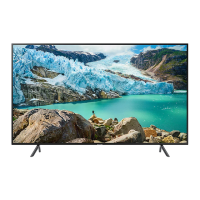


 To Next Page
 General