This document is a user manual for a Samsung Series 7 television, providing comprehensive information on its features, setup, troubleshooting, and maintenance.
Function Description
The Samsung Series 7 TV is designed to provide a high-quality viewing experience with smart features and connectivity options. It includes a Samsung Smart Remote with voice interaction for intuitive control. The TV can connect to a network wirelessly or via a wired connection, enabling access to online services like Smart Hub and software updates. An e-Manual is embedded within the TV for easy access to information, and a remote support service is available for technical assistance.
Important Technical Specifications
- Display Resolution: 3840 x 2160 (4K UHD)
- Sound Output: 20W
- Screen Sizes (Diagonal):
- UA49KU7500: 123 cm (49 inches)
- UA55KU7500: 138 cm (55 inches)
- Screen Curvature:
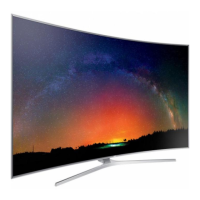
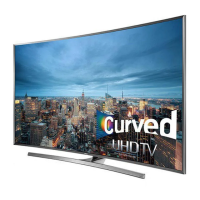
- UA49KU7500: 3000R
- UA55KU7500: 4200R
- Dimensions (W x H x D):
- UA49KU7500:
- Body: 109.47 x 63.81 x 10.42 cm
- With Stand: 109.47 x 70.97 x 33.40 cm
- UA55KU7500:
- Body: 123.20 x 71.45 x 9.73 cm
- With Stand: 123.20 x 78.61 x 33.40 cm
- Weight:
- UA49KU7500:
- Without Stand: 14.2 kg
- With Stand: 16.2 kg
- UA55KU7500:
- Without Stand: 17.7 kg
- With Stand: 20.0 kg
- Environmental Considerations:
- Operating Temperature: 10°C to 40°C (50°F to 104°F)
- Operating Humidity: 10% to 80%, non-condensing
- Storage Temperature: -20°C to 45°C (-4°F to 113°F)
- Storage Humidity: 5% to 95%, non-condensing
- Stand Swivel (Left / Right): 0°
- Network Connectivity: Supports CAT 7 (*STP type) cable for wired connection; does not support network speeds less than or equal to 10 Mbps. Wireless connectivity via standard router or modem with DHCP server.
- Power Consumption: The TV draws a small amount of power in Standby mode. Unplugging the power cord is recommended for long periods of non-use to further decrease consumption.
- Safety Certifications: Class II product (no safety connection to electrical earth required). AC and DC voltage compatibility.
Usage Features
- Samsung Smart Remote (Voice Interaction version):
- Power Button: Turns the TV on and off.
- Voice Recognition Button: Activates voice interaction. Press, speak a command, and release. A guide to Voice Interaction appears with a single press.
- Number Pad (123): Displays a number strip on screen for entering numeric values (e.g., changing channels, entering PINs, ZIP codes). A long press (1 second or more) brings up the TTX menu.
- 4 Colour Buttons: Provide access to additional options specific to the current feature.
- EXTRA Button: Displays extra information from the content provider while watching content.
- Directional Pad (up/down/left/right): Moves focus and changes values in the TV menu.
- Select Button: Selects or runs a focused item. Displays detailed program information when pressed while watching content.
- Return Button: Returns to the previous menu. A long press (1 second or more) terminates the running function. Displays the previous channel when watching a program.
- Smart Hub Button: Returns to the Home Screen.
- Play/Pause Button: Displays playback controls for media content.
- Volume (VOL) Button: Adjusts volume up or down. Press to mute sound. A long press (1 second or more) brings up the Accessibility Shortcuts menu.
- Channel (CH) Button: Changes channels up or down. Press to see the Guide screen.
- TV Controller: Located at the bottom of the TV, it allows basic control (Power off, Channel Up/Down, Volume Up/Down, Source) when the remote is unavailable. Press to move, press and hold to select.
- Initial Setup: Appears upon first activation. Can be manually accessed later via Settings > System > Start Setup.
- e-Manual: Embedded in the TV, providing information on key features. A printable version is available on the Samsung website. Access via Settings > Support > Open e-Manual. The e-Manual includes search, index, recent pages, "Try Now" (to access features directly), and link functions.
- Eco Sensor: Automatically adjusts screen brightness based on room light to optimize power consumption. Can be turned off via Settings > System > Eco Solution > Eco Sensor.
Maintenance Features
- Troubleshooting: The manual provides a list of common problems and solutions. Users are advised to check connections, perform self-diagnosis tests (Sound Test, Picture Test), and reboot connected devices. For remote control issues, check batteries and pairing. For network issues, verify Wi-Fi password, distance to router, and reduce interference. Samsung Remote Support is available for further assistance.
- Software Updates: To maintain optimum condition, the TV's software can be updated via Update now or Auto Update functions (Settings > Support > Software Update).
- Cleaning:
- Unplug the power cord before cleaning.
- Wipe the product with a soft, dry cloth.
- Avoid using chemicals like wax, benzene, alcohol, thinners, insecticide, aerial fresheners, lubricants, or detergents, as they can damage the TV's appearance or printing.
- Do not spray water or any liquid directly onto the TV to prevent electric shock or fire.
- For stubborn smudges on the screen, spray a small amount of screen cleaner onto a micro-fiber cloth, then wipe gently.
- Clean the body of the TV with a soft cloth dampened with a small amount of water.
- Battery Replacement: For the remote control, replace batteries with the same or equivalent type. Alkaline batteries are recommended. Ensure positive and negative ends are correctly oriented.
- Ventilation: Maintain at least 10 cm distance between the TV and other objects (walls, cabinet sides) to ensure proper ventilation and prevent overheating.
- Wall Mount Installation: Follow manufacturer's instructions precisely. Use VESA-compliant screws of specified length (e.g., 43-45 mm for 49-55 inch TVs, M8 standard screw). Ensure the wall mount is installed on a solid wall. Two people are required for mounting.
- Stand Installation: Assemble the stand according to provided instructions.
- Safety Precaution (Preventing TV from falling): Secure the TV to the wall using brackets and a durable string to prevent tipping, especially if children are present. Use furniture recommended by the manufacturer that can safely support the TV.
- Still Image Warning: Avoid displaying still images (e.g., JPEG files, channel logos, news crawls, 4:3 format programs) for extended periods to prevent image burn-in. Recommendations include avoiding the same channel for long periods, displaying full-screen images, reducing brightness/contrast, and using TV features designed to reduce image retention.

 Need help?


 To Next Page
 General