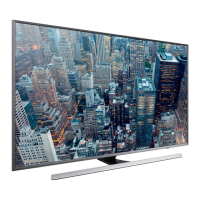
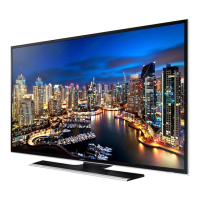
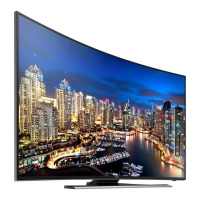
This document is a user manual for a Samsung SUHDTV 4K television, specifically from the Series 7. It provides comprehensive information on setting up, operating, and maintaining the device.
Function Description:
The Samsung SUHDTV 4K is a high-definition television designed for immersive viewing experiences. It features a 4K display resolution, offering sharp and detailed images. The TV integrates with Samsung's Smart Hub, providing access to online services, applications, and software updates. It supports both wireless and wired network connections, allowing users to stream content and browse the internet. The television can be controlled via a standard remote control or a built-in TV Controller located on the back. It also includes an e-Manual for on-device assistance and troubleshooting. The TV incorporates an Eco Sensor to automatically adjust screen brightness based on ambient light, aiming to reduce power consumption.
Important Technical Specifications:
- Display Resolution: 3840 x 2160 (4K UHD)
- Operating Temperature: 10°C to 40°C (50°F to 104°F)
- Operating Humidity: 10% to 80%, non-condensing
- Storage Temperature: -20°C to 45°C (-4°F to 113°F)
- Storage Humidity: 5% to 95%, non-condensing
- Stand Swivel (Left / Right): 0°
- Sound Output: 20W (L:10W, R:10W) for all models (UA50JS7200, UA55JS7200, UA60JS7200)
- Model Specifics:
- UA50JS7200:
- Screen Size (Diagonal): 126 cm
- Dimensions (W x H x D): Body: 112.89 x 65.44 x 6.32 cm; With Stand: 112.89 x 71.96 x 31.05 cm
- Weight: Without Stand: 13.4 kg; With Stand: 14.5 kg
- UA55JS7200:
- Screen Size (Diagonal): 139 cm
- Dimensions (W x H x D): Body: 124.26 x 71.84 x 6.32 cm; With Stand: 124.26 x 78.17 x 31.05 cm
- Weight: Without Stand: 16.6 kg; With Stand: 17.7 kg
- UA60JS7200:
- Screen Size (Diagonal): 152 cm
- Dimensions (W x H x D): Body: 136.36 x 78.95 x 6.40 cm; With Stand: 136.36 x 85.50 x 36.94 cm
- Weight: Without Stand: 21.8 kg; With Stand: 23.9 kg
- Network Connectivity: Supports wireless (standard router/modem with DHCP server) and wired (LAN cable, Category 7 recommended, does not support speeds ≤ 10 Mbps) connections. Mobile network connectivity is also possible with a separately sold Mobile Dongle.
- Audio Technologies: DOLBY DIGITAL PLUS, DTS Premium Sound 5.1, DTS HEADPHONE.
- Video Technologies: DivX HD, HDMI.
- Compliance: RoHS compliant (for India only).
Usage Features:
- Initial Setup: Guides users through network connection, Smart Hub agreements, live TV signal linking, and cable/set-top box control upon first power-on.
- Password Change: Allows users to change the TV's PIN (default "0-0-0-0"). A reset sequence (MUTE → 8 → 2 → 4 → POWER (On) in Standby mode) is provided for forgotten PINs.
- TV Controller: A physical control stick on the lower left back of the TV provides basic functions: opening Smart Hub, opening the menu, selecting a source, and turning off the TV.
- Standard Remote Control: Features dedicated buttons for power, source selection, Sports Mode, channel navigation (direct access and up/down), volume adjustment, mute, Teletext, Channel List, Menu, Guide, Smart Hub, Tools, Info, Return, Exit, and various special features (e-Manual, Search, Accessibility Shortcuts, Picture Size, Picture Mode, Sound Mode). Batteries (AAA x 2) are required for the remote.
- e-Manual: An embedded digital manual accessible via a dedicated remote button or through the Support menu. It includes search, index, recent pages, "Try Now" for direct feature access, and links to related topics. The e-Manual can be updated like other apps.
- Smart Hub: Provides access to online services and applications.
- Software Updates: The TV supports software updates via the "Update now" or "Auto Update" functions in the Support menu.
- Mounting Options: Can be installed on a stand or mounted on a wall using a VESA-compliant wall mount kit (sold separately). Specific VESA screw hole specifications and dimensions are provided for different TV sizes.
- Cable Management: Includes a cable guide for organizing cables.
Maintenance Features:
- Troubleshooting Guide: The manual includes a section for common issues and solutions, such as power problems, no picture/video, and remote control malfunction. More detailed troubleshooting is available in the e-Manual.
- Cleaning: Instructions for cleaning the TV screen and exterior using a soft, dry cloth. Warnings against using water, flammable liquids, or harsh chemicals are provided.
- Still Image Warning: Advises against prolonged display of still images (e.g., logos, static text, 4:3 format content) to prevent image burn-in. Recommendations include avoiding long periods on the same channel, using full-screen display, reducing brightness/contrast, and utilizing image retention features.
- Power Consumption: Explains that the TV draws a small amount of power in Standby mode and recommends unplugging the power cord for extended periods of non-use to further decrease consumption.
- Ventilation: Emphasizes maintaining at least 10 cm distance between the TV and other objects for proper ventilation to prevent overheating and potential fire hazards.
- Safety Precautions: Includes warnings about electric shock, fire hazards, and preventing the TV from falling (especially with children). Detailed instructions for securing the TV to a wall are provided, recommending professional installation.
- Battery Replacement: Instructions for installing batteries in the remote control, ensuring correct polarity. Warnings against incorrect battery types, short-circuiting, disassembling, or overheating batteries are given.

 Need help?

 To Next Page
 General