EasyManua.ls Logo

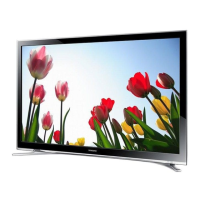
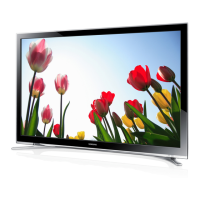
Samsung UE22F5400 - User Manual

Samsung UE22F5400
25 pages
Print Icon
To Next Page IconTo Next Page
Loading...
© 2013 Samsung Electronics Co., Ltd. All rights reserved.
BN68-04809J-06
LED TV
user manual
Thank you for purchasing this Samsung product.
To receive more complete service, please register
your product at
www.samsung.com/register
Model _____________ Serial No. _____________
Contact SAMSUNG WORLD WIDE
If you have any questions or comments relating to Samsung products, please contact the SAMSUNG customer care centre.
Country
Customer Care Centre
Web Site
EIRE 0818 717100 www.samsung.com
U.K 0330 SAMSUNG (7267864) www.samsung.com
[UF5400-XU]BN68-04809J-06Eng.indb 1 2013-11-14  10:53:33

Questions and Answers

  • H
    Hannah GarciaAug 11, 2025
    How to fix a Samsung LED TV that won't turn on?
    • K
      kyle11Aug 11, 2025
      First, ensure the AC power cord is securely plugged into both the wall outlet and your Samsung LED TV. Then, verify that the wall outlet is functioning correctly. As an additional step, try pressing the 'P' button on the TV itself to rule out any remote control issues. If the TV then turns on, the problem is with the remote control.
  • K
    kevingayAug 20, 2025
    What to do if there is no picture on my Samsung UE22F5400 LED TV?
    • N
      nclineAug 21, 2025
      First, check all cable connections by removing and reconnecting them to both the Samsung LED TV and any external devices. Ensure that the video outputs of your external devices (like a Cable/Sat Box, DVD player, or Blu-ray player) match the TV's input connections. Also, confirm that all connected devices are powered on and that you have selected the correct input source on your TV. If problems persist, try rebooting the connected device by unplugging it and then reconnecting it.
  • D
    Deanna SantosAug 30, 2025
    Why is my Samsung UE22F5400 remote control not working?
    • B
      Beth JamesAug 30, 2025
      Begin by replacing the batteries in the remote control, ensuring they are installed with the correct polarity (+/–). If this doesn't solve the issue, try cleaning the sensor's transmission window on the remote. Also, make sure you are pointing the remote directly at the Samsung LED TV from a distance of about 5 to 6 feet.

Samsung UE22F5400 Specifications

General IconGeneral
Screen Size22 inches
Display TypeLED
Refresh Rate50 Hz
Smart TVYes
HDMI Ports2
USB Ports1
Wi-FiYes
Sound Output10 W
Resolution1920 x 1080 (Full HD)

Related product manuals